
fastlane
fastlane is a free, open-source platform for automating iOS and Android app development and release workflows.
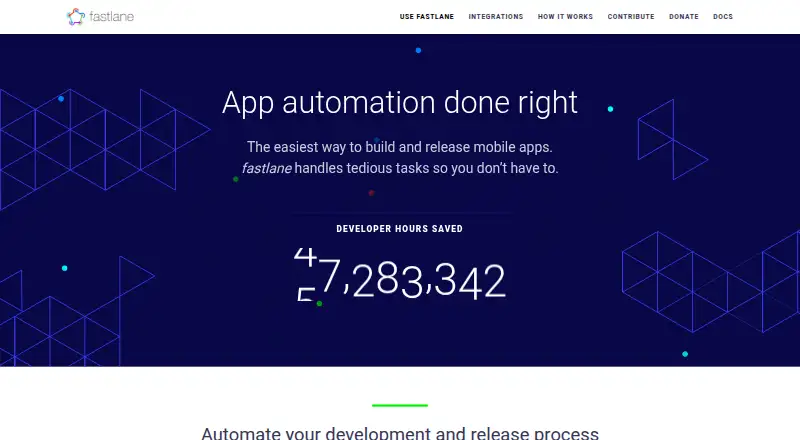
What fastlane is
fastlane is a free, open-source platform for automating iOS and Android app development and release workflows. Teams define workflows as lanes and can run a lane with one command. It can automate beta-release steps including build numbering, code signing, building, uploading and changelog creation, and supports more than 15 beta testing services, including TestFlight, Crashlytics Beta, Play and Hockey. For store releases, it can build and upload apps, manage metadata and screenshots, and submit versions for review. It can also generate localized app-store screenshots for supported languages and devices. The documentation lists integrations with more than 400 tools and services, including major CI systems, plus community-built actions and plugins. For iOS signing, identities and profiles can be stored in a private encrypted Git repository for syncing across machines. fastlane runs on the user’s machine or server; its documentation says credentials and other sensitive information stay there. It collects usage metrics, with opt-out options. macOS is officially supported, while Linux and Windows are partially supported. The project uses the MIT license.
Good
- Automates beta build, signing and upload steps.
- Manages store metadata and release submissions.
- Creates localized app-store screenshots.
- Supports more than 15 beta testing services.
- MIT-licensed and free to use.
Watch out
- Linux and Windows are only partially supported.
- Collects usage metrics, though users can opt out.
- Requires Ruby 3.2 or newer.
Who it suits
fastlane suits developers and teams automating iOS or Android build, beta distribution and store-release workflows. Teams using Linux or Windows should account for partial rather than official platform support.
Verdict
fastlane brings build, beta distribution and store-release tasks into lane-based workflows, with extensive integrations and customization options. Its official macOS support and usage-metrics opt-out are useful points to weigh for a team setup.
Plans and prices
From fastlane's own pricing page, checked 9 Oct 2026.
| Plan | Price | What it gives you |
|---|---|---|
| fastlane | Free | Open source under the MIT license |
The facts
Each one read from fastlane's own pages, with the date it was checked.
Where it runs
- App releases
- It can build and upload releases, manage app metadata and screenshots, and submit new versions for review.checked 8 Oct 2026
- Platform support
- fastlane is officially supported on macOS; Linux and Windows are partially supported, with some tools limited by underlying software availability.checked 9 Oct 2026
What it does
- Beta distribution
- It automates beta distribution steps such as incrementing build versions, signing, building, uploading, and setting changelogs.checked 9 Oct 2026
- Beta integrations
- The site says fastlane supports over 15 beta testing services, including TestFlight, Crashlytics Beta, Play, and Hockey.checked 8 Oct 2026
- Beta services
- The site says fastlane supports over 15 beta testing services, including TestFlight, Crashlytics Beta, Play, and Hockey.checked 9 Oct 2026
- Code signing
- For iOS code signing, fastlane can sync signing identities and profiles across machines using the team's own private, encrypted git repository.checked 9 Oct 2026
- Customization
- Users can define workflow lanes and extend them with community built actions and plugins.checked 9 Oct 2026
- Data handling
- The documentation says fastlane runs on the user's machine and app data stays there; it also says credentials and other sensitive information do not leave the computer or server running it.checked 8 Oct 2026
- Extensibility
- The site describes hundreds of community-built actions and plugins for customizing workflows.checked 8 Oct 2026
- Installation
- The preferred installation method is Bundler; the documentation also describes Homebrew on macOS and RubyGems installation.checked 8 Oct 2026
- Integrations
- The documentation says fastlane integrates with more than 400 tools and services and lists major CI systems such as GitHub Actions, GitLab CI, Jenkins, and CircleCI.checked 9 Oct 2026
- License
- The project is licensed under the MIT license.checked 8 Oct 2026
- Local execution
- The documentation says fastlane runs on the user's machine or server, and its tools do not send credentials or other sensitive information away from that computer.checked 9 Oct 2026
- Maintainer
- The fastlane site identifies Mobile Native Foundation in its copyright notice.checked 9 Oct 2026
- Purpose
- fastlane is an open source platform for automating development and release workflows for iOS and Android apps.checked 9 Oct 2026
- Requirements
- The documentation says fastlane supports Ruby 3.2 or newer and prefers Ruby 3.3 or greater.checked 9 Oct 2026
- Screenshot automation
- It can capture localized app store screenshots for each language and device an app supports.checked 9 Oct 2026
- Screenshots
- It can generate localized app store screenshots for the languages and devices an app supports.checked 8 Oct 2026
- Store releases
- It can build, upload, distribute, and submit app releases for review while managing app metadata and screenshots.checked 9 Oct 2026
- Support
- The documentation directs users to search existing GitHub issues and submit an issue with setup details, including the output of fastlane env, if needed.checked 9 Oct 2026
- Usage metrics
- fastlane collects run and environment metrics, including a salted hash of the app identifier, and documents an opt out setting.checked 9 Oct 2026
- Workflow configuration
- Teams define workflows as lanes and can run a lane with a single command.checked 8 Oct 2026
The full review of fastlane
Overview
fastlane is a free, open-source tool for automating iOS and Android app delivery. It suits development teams that want to bring recurring release work into configurable workflows; its strongest fit is macOS, since Linux and Windows support is partial.
Its appeal is the range of work it can coordinate, from signing and beta builds to store submissions. Teams should also weigh the Ruby requirement and usage metrics before adopting it.
Key features
Teams define workflows as lanes and run them with a command. More than 400 integrations, including major CI systems, and hundreds of community-built actions and plugins give teams room to connect existing tools and customize those workflows. That breadth is valuable when release steps span multiple services, though it puts configuration and maintenance in the team's hands.
For beta distribution, fastlane can automate build numbering, code signing, builds, uploads, and changelog creation. It supports more than 15 beta services, including TestFlight, Crashlytics Beta, Play, and Hockey. For store releases, it can build and upload versions, manage metadata and screenshots, distribute releases, and submit versions for review. It can also capture localized screenshots for the languages and devices an app supports, reducing repeated store-preparation work.
For iOS signing, identities and profiles can be stored in a private encrypted Git repository and synchronized across machines. fastlane runs locally or on a team's server, and its documentation says credentials and other sensitive information stay on that machine or server. It does collect usage metrics, including run counts, a salted hash of the app identifier or package name, versions, and environment details; teams can opt out in the Fastfile or with an environment variable.
Bundler is the preferred installation method; Homebrew on macOS and RubyGems are also documented. Ruby 3.2 or newer is supported, with Ruby 3.3 or later preferred. The MIT license permits open-source use, and support is directed through GitHub issues, where a report may need setup details such as fastlane env output.
Pricing
fastlane costs nothing under the MIT open-source license. There are no paid tiers or seat or usage caps stated, so teams can use its core workflow without a subscription. The trade-off is that teams take on setup and support through GitHub rather than buying a commercial support plan.
Platforms
fastlane covers Android, iOS, Linux, macOS, and Windows, but macOS is the only officially supported platform. Linux and Windows are partial-support options, so teams that need dependable release automation across those environments should account for the narrower support. It is a multi-platform tool, not a promise of equal support everywhere.
Who it's for
fastlane is a strong fit for mobile teams with recurring beta or store-release tasks, especially those already using CI and willing to maintain Ruby-based lane configuration. Its signing synchronization and localized screenshot automation also suit teams coordinating releases across machines, devices, and locales. It is less suitable for teams seeking officially supported Windows or Linux workflows, or vendor-backed support.
Pros and cons
- Pros: Broad integrations and extensible lanes can connect release steps to an existing CI toolchain.
- Pros: Beta, signing, store submission, and localized screenshot automation address several repetitive mobile-release tasks in one tool.
- Pros: Free MIT licensing and local execution keep subscription cost out of the workflow, with an opt-out for usage metrics.
- Cons: Official support is limited to macOS; Linux and Windows support is partial.
- Cons: Ruby is required, and installation, workflow configuration, and GitHub-based issue support demand engineering ownership.
- Cons: Usage metrics include a salted app-identifier hash and environment details unless the team opts out.
Alternatives
For a different build-tool focus, Bazel is a free, open-source build and test tool from Google, rather than fastlane's mobile release-workflow emphasis. Nx may suit teams seeking a hosted CI option alongside its free Hobby plan, which includes 50,000 monthly-reset credits, five contributors, and 10 concurrent CI connections.
SCons is a free MIT-licensed option for teams that want to use, modify, or redistribute a build tool without charge. Apache Ant is another free choice, distributed in several archive formats and requiring Java 8 or later. Apache Maven is a free Apache-licensed option, with JDK 8+ required for Maven 3.10.
Buck2 is a free build system from Meta. distcc is a free distributed C/C++ compiler, while GN is a free Google-provided build tool whose stable-version availability varies by project.
Browse more options in Build Automation Software and Deployment Automation Software.
Verdict
Choose fastlane if your mobile team wants a free, extensible way to coordinate builds, beta distribution, signing, and store releases in lane-based workflows. Its breadth is the reason to choose it; its Ruby setup, usage metrics, and partial Linux and Windows support are the reasons to look elsewhere when portability or turnkey support matters more.
Getting started
- Install Ruby 3.2 or newer; Ruby 3.3 or greater is preferred.
- Install fastlane with Bundler, the preferred method.
- On macOS, Homebrew is another documented installation route; RubyGems is also available.
- Define the release or distribution workflow as a lane.
- Run the lane with a single command.
Questions
How much does fastlane cost?
fastlane is free. Its plan is listed as free.
Which platforms does fastlane support?
The listed platforms are Android, iOS, Linux, macOS, and Windows. macOS is officially supported, while Linux and Windows are partially supported.
Is fastlane open source?
Yes. The project is licensed under the MIT license.
What can fastlane automate?
It can automate beta distribution, store releases, app metadata and screenshots, code signing, and localized store screenshot capture.
What does fastlane integrate with?
Its documentation describes integrations with more than 400 tools and services, including major CI systems. It also supports more than 15 beta testing services.
Where can I get help with setup issues?
The documentation directs users to search existing GitHub issues or submit an issue with setup details, including fastlane env output.
Alternatives to fastlane
- 1

AWS CodeBuild
Free planWebAPILinuxmacOS7.9From $0.01 a month - 2

Nx
Free planWebLinuxmacOSSelf-hosted7.2From $29 a month - 3

Bazel
Free planLinuxmacOSWindows6.7Free plan - 4

FASTBuild
Free planLinuxmacOSWindows6.6Free plan - 5
Open Build Service
Free planWebAPILinuxSelf-hosted6.6Free plan - 6
Qbs
Free planAndroidiOSLinuxmacOS6.6Free plan