
QAEverest
QAEverest is an AI-powered testing platform for QA and engineering teams working across web, API, mobile and desktop applications.
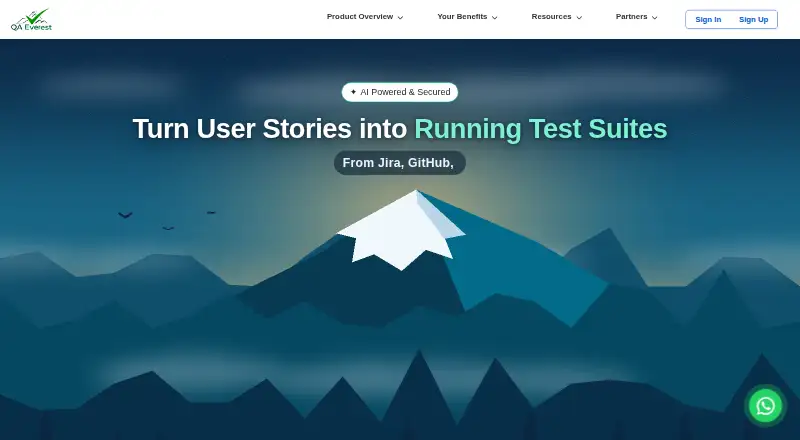
What QAEverest is
QAEverest is an AI-powered testing platform for QA and engineering teams working across web, API, mobile and desktop applications. It can create functional, system, API, security and performance test cases from stories, documents, or Jira and ClickUp tickets, in traditional or Gherkin format. Its autonomous exploratory testing can crawl an application, generate and run Gherkin flows, then sort failures into Jira bug cards. The platform also says it can re-anchor broken UI test steps after application changes while keeping their original assertions. It imports OpenAPI or Swagger specifications and offers its own REST API. Named integrations include Jira, GitHub, GitLab, Azure DevOps, Figma, Jenkins, BrowserStack, Sauce Labs and LambdaTest. QAEverest has a free tier with a starter credit allocation, request allowance and six services switched on. Tool calls use credits, and tool availability depends on account settings and plan coverage. Enterprise customers can deploy on-premises or in a VPC, with inference through their own AWS Bedrock account. Enterprise features include SSO and separately agreed commercial terms; other paid plan prices are not listed.
Good
- Generates several test types from stories and tickets.
- Exploratory testing can route failures into Jira.
- Imports OpenAPI or Swagger specifications.
- Offers an on-premises or VPC enterprise deployment.
- Free tier includes a starter credit allocation.
Watch out
- Tool calls consume credits.
- Test tools depend on account settings and plan coverage.
- Paid plan prices are not listed.
Who it suits
QAEverest suits QA and engineering teams that need to generate or automate tests across several application types. Its enterprise deployment and access controls may suit large organizations.
Verdict
QAEverest brings test generation, automation and exploratory testing into one platform, with integrations and deployment options for different team needs. Check how credit use and plan coverage apply to the test tools your team requires.
Plans and prices
From QAEverest's own pricing page, checked 30 Sep 2026.
| Plan | Price | What it gives you |
|---|---|---|
| Free tier | Free | Starter credit allocation · request allowance · all six services switched on |
| Annual plan | — | Included credits · higher rate limits · Annual |
| Enterprise | Priced on request | SSO · invoicing · on-premises deployment · Separately agreed commercial terms |
| Monthly plan | — | Included credits · higher rate limits · Monthly |
| Pay as you go | — | 1,000 · 5,000 · 20,000 credits · Top-up packs |
| Quarterly plan | — | Included credits · higher rate limits · Quarterly |
The facts
Each one read from QAEverest's own pages, with the date it was checked.
What it does
- API
- QAEverest imports OpenAPI or Swagger specifications from a file or live URL and provides a documented REST API of its own.checked 30 Sep 2026
- Compliance
- The enterprise page describes its controls as SOC 2-aligned and offers on-premises or VPC deployment.checked 30 Sep 2026
- Enterprise deployment
- Enterprise customers can deploy the containerised platform on-premises or in a VPC, with inference through their own AWS Bedrock account.checked 30 Sep 2026
- Exploratory testing
- Its autonomous exploratory testing can crawl an app, generate and execute Gherkin flows, and triage failures into Jira bug cards.checked 30 Sep 2026
- IDE and agent support
- The marketplace lists npm, VS Code, JetBrains, Claude Code, Atlassian Jira and GitHub distribution channels, with MCP support for compatible clients including Cursor and Windsurf.checked 30 Sep 2026
- Integrations
- Named integrations and supported tools include Jira, GitHub, GitLab, Azure DevOps, Figma, GitHub Actions, Jenkins, Azure Pipelines, BrowserStack, Sauce Labs and LambdaTest.checked 30 Sep 2026
- Intended users
- The maker presents QAEverest for QA and engineering teams, with enterprise features aimed at large organizations and use cases in financial services, retail, healthcare, insurance, utilities and manufacturing.checked 30 Sep 2026
- Product
- QAEverest is an end-to-end AI-powered testing platform for story creation, test generation and automation across web, API, mobile and desktop applications.checked 30 Sep 2026
- Security controls
- The site describes SAML 2.0 SSO, role-based access, audit logs, multi-tenant data isolation, bcrypt-hashed passwords and configurable session and IP policies.checked 30 Sep 2026
- Self-healing
- The platform says it can re-anchor broken UI test steps after application changes while preserving their original assertions.checked 30 Sep 2026
- Support
- The enterprise offering includes SLA-based support with guaranteed response, and the contact page lists [email protected].checked 30 Sep 2026
- Test generation
- It generates functional, system, API, security and performance test cases from stories, documents or Jira and ClickUp tickets in traditional or Gherkin format.checked 30 Sep 2026
- Usage limits
- Tool calls consume credits, and availability of test-case, API, UI, mobile, security and performance tools depends on account settings and plan coverage.checked 30 Sep 2026
The company
- Headquarters
- Indore, India, and San Ramon, California, USAchecked 23 Sep 2026
- Maker and locations
- The site identifies DevQAExpert Solution Pvt Ltd as the maker and lists offices in Indore, India and San Ramon, California.checked 30 Sep 2026
The full review of QAEverest
Overview
QAEverest is an AI testing platform for QA and engineering teams working across web, API, mobile and desktop applications. It is best suited to teams that want test generation and automation alongside enterprise deployment and access controls. Its breadth is appealing, but credit use and plan-dependent tool access make it important to match the account to the tests a team actually needs.
Key features
QAEverest can generate functional, system, API, security and performance tests from stories, documents, or Jira and ClickUp tickets, in traditional or Gherkin formats. Requirements, an existing app and acceptance criteria can also serve as inputs, with support for browser, API and mobile test generation. This range gives teams several starting points, though the tools available depend on account settings and plan coverage.
Its autonomous exploratory testing can crawl an app, create and run Gherkin flows, then triage failures into Jira bug cards. The platform also says it can re-anchor broken UI test steps after application changes without losing their original assertions. Those capabilities aim to reduce routine test maintenance, but tool calls consume credits, so frequent generation and automation should be considered against the account's allocation.
Integrations span Jira, GitHub, GitLab, Azure DevOps, Figma, GitHub Actions, Jenkins, Azure Pipelines, BrowserStack, Sauce Labs and LambdaTest. Distribution channels include npm, VS Code, JetBrains, Claude Code, Atlassian Jira and GitHub; MCP support extends to compatible clients such as Cursor and Windsurf. For API work, it imports OpenAPI or Swagger specifications from a file or live URL and provides its own documented REST API.
Enterprise controls include SAML 2.0 SSO, role-based access, audit logs, multi-tenant data isolation, bcrypt-hashed passwords and configurable session and IP policies. Enterprise customers can deploy the containerised platform on-premises or in a VPC, with inference through their own AWS Bedrock account. Its controls are described as SOC 2-aligned, and the enterprise offer includes SLA-based support with guaranteed response. This is a stronger fit for organizations with deployment and governance requirements than for small teams seeking a simple, fixed-cost testing tool.
Pricing
The Free tier costs nothing and includes a starter credit allocation, a request allowance and all six services switched on. It offers a way to explore the platform without a subscription, but the allocation and request allowance cap usage, while actual tool availability still depends on account settings and plan coverage. There is no free trial.
Pay as you go uses top-up packs of 1,000, 5,000 or 20,000 credits, with custom pricing. It suits teams whose demand varies, but credit consumption means costs depend on usage. Monthly, Quarterly and Annual plans also have custom pricing; each includes credits and higher rate limits. Those arrangements may suit teams seeking a recurring allocation, but the price and credit quantities should be agreed before choosing one.
Enterprise has custom pricing under separately agreed commercial terms and includes SSO, invoicing and on-premises deployment. It is the clearest fit for organizations that need those controls or deployment options, rather than teams that only need test generation. Across paid options, compare included tools and credits with expected usage before committing.
Platforms
QAEverest supports Android, iOS, Linux, macOS and Windows, as well as web, API, browser extension and self-hosted use. That breadth can help teams testing across device and deployment environments, although the specific tools available remain tied to account settings and plan coverage.
Who it's for
QA and engineering teams can use QAEverest to bring test creation, execution and triage into a workflow connected to their issue trackers and CI tools. Its enterprise options are aimed at large organizations, including financial services, retail, healthcare, insurance, utilities and manufacturing. Teams without a need for broad automation, integrations or enterprise controls may find the credit-based model and plan-dependent access harder to justify.
Pros and cons
- Pros: Generates several test types from tickets, documents and specifications, with both traditional and Gherkin output.
- Pros: Combines exploratory testing, failure triage and UI test re-anchoring with a wide set of development and testing integrations.
- Pros: Offers on-premises or VPC deployment, SSO and SLA-based support for enterprise customers.
- Cons: Tool calls consume credits, and access to test tools varies with account settings and plan coverage.
- Cons: Paid plans have custom pricing, so teams cannot compare their costs from a published price alone.
- Cons: The free offer has a starter allocation and request allowance, and there is no separate trial.
Alternatives
For a broader starting point, browse AI Test Case Generators. Choose Casely if a free option on Linux, macOS, web or Windows better matches your needs. TestMap.ai may fit a small team wanting a free tier capped at two projects and two members, with 50 AI tests per user each month and a Chrome extension.
Trulit offers a free tier for up to three users and two projects, with 1 GB storage and test case and defect management. Qase is worth considering for a free plan capped at four users and two projects, with 500 MB storage, 30-day test history and 5k monthly API results. TestPilot suits users who want a web-based free plan with 20 generations a month, manual test steps, CSV export and Jira integration.
WalnutAI is an alternative for readers who prefer a 14-day full-platform trial with unlimited projects and users. OpenTest.AI is a self-hosted, MIT-licensed free option that runs without an API key, cloud call or account. Irreva AI Test Case Generator is another free web-based option.
Verdict
QAEverest is a strong candidate for QA and engineering teams that want generation, exploratory testing, integrations and enterprise deployment in one platform. Its breadth and governance options are the main reasons to choose it; credit consumption, plan-dependent tool access and custom-priced paid plans are reasons to look elsewhere if cost predictability or a narrow, clearly priced tool matters more.
Getting started
- Visit https://qaeverest.ai/.
- Choose the Free tier or review the listed paid-plan options.
- Use a story, document, or Jira or ClickUp ticket as test-generation input.
- Import an OpenAPI or Swagger specification from a file or live URL for API testing.
- Use the listed distribution channels or compatible MCP clients if they fit your workflow.
- For enterprise deployment, arrange on-premises or VPC hosting and inference through your own AWS Bedrock account.
Limits worth knowing
The Free tier includes a starter credit allocation and a request allowance. Tool calls use credits, and the availability of test-case, API, UI, mobile, security and performance tools depends on account settings and plan coverage.
Questions
Is there a free plan?
Yes. The Free tier costs nothing and includes a starter credit allocation, a request allowance and all six services switched on.
What platforms does QAEverest support?
Its listed platforms are Android, API, extension, iOS, Linux, macOS, self-hosted, web and Windows.
What does Enterprise include?
The Enterprise plan lists SSO, invoicing and on-premises deployment, with separately agreed commercial terms. Enterprise customers can also deploy in a VPC and use their own AWS Bedrock account for inference.
Does it integrate with development and testing tools?
Named tools include Jira, GitHub, GitLab, Azure DevOps, Figma, GitHub Actions, Jenkins, Azure Pipelines, BrowserStack, Sauce Labs and LambdaTest.
Who makes QAEverest?
The maker is DevQAExpert Solution Pvt Ltd, with offices in Indore, India, and San Ramon, California.
How does the free tier's test access work?
The Free tier has a starter credit allocation and request allowance. Tool calls consume credits, and tool availability depends on account settings and plan coverage.
Alternatives to QAEverest
- 1

Katalon Studio
Free planAndroidiOSWebAPI8.4From $1,000 a year - 2

Testsigma
Open sourceAndroidiOSWebAPI8.3From $14 a month - 3

TestQuality
Free planWebAPILinuxmacOS7.9From $8 a month - 4

aqua
Free planWebAPIExtensionLinux7.8Free plan - 5

WalnutAI
AndroidiOSWebExtension7.0From $18 a month - 6
Qase
Free planWebAPI6.8From $35 a month