PTAssembler
PTAssembler is a Windows program for stitching images into single-row panoramas and multi-row, high-resolution mosaics.
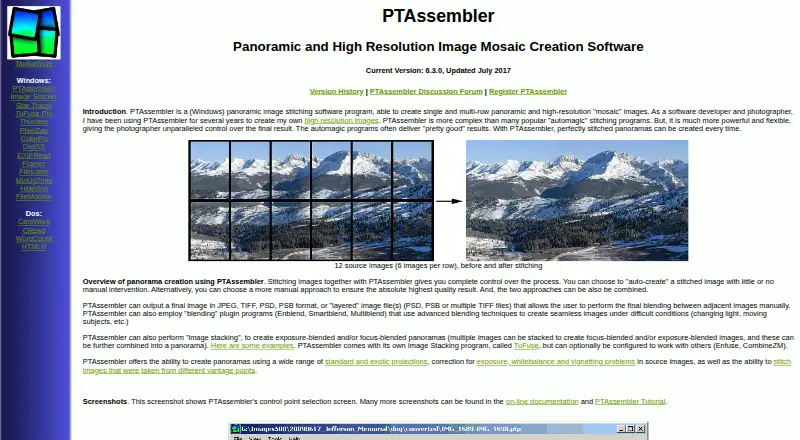
What PTAssembler is
PTAssembler is a Windows program for stitching images into single-row panoramas and multi-row, high-resolution mosaics. It supports automatic creation with little manual intervention and manual control when needed. Workflow tools include a graphical preview editor, beginner wizard, positioning optimization, image-stack alignment, batch processing, and drag-and-drop. The program handles standard and exotic projections and can stitch images from different vantage points. It can correct exposure, white balance, and vignetting problems. Exposure- and focus-blended panoramas are supported, with TuFuse included and optional Enfuse or CombineZM use. Enblend, Smartblend, and Multiblend plugins can blend difficult sets containing changing light or moving subjects. Output formats include JPEG, TIFF, PSD, PSB, and layered PSD, PSB, or multiple TIFF files. Documentation lists JPEG, BMP, and TIFF source display. Registration unlocks the full version; unregistered use lasts 30 days before restrictions. Version 6.3.0 was updated July 2017.
Good
- Automatic and manual panorama creation
- Batch processing and drag-and-drop
- Exposure and focus blending
- Multiple layered output formats
- Control-point and alignment tools
Watch out
- Windows only
- 30-day unrestricted trial
- Visual Basic 6 runtime required
- Version listed as updated July 2017
Who it suits
It suits Windows users creating panoramas or mosaics who want automatic and manual stitching controls. Users needing batch processing, stacking, blending, or layered output may find its workflow relevant.
Verdict
PTAssembler offers extensive panorama stitching, blending, correction, and output controls in a Windows program. Its trial restrictions, runtime requirement, and stated maintenance date should be weighed before registration.
Plans and prices
From PTAssembler's own pricing page, checked 4 Oct 2026.
| Plan | Price | What it gives you |
|---|---|---|
| PTAssembler license | — | Registration unlocks full version; unregistered use operates without restriction for 30 days, then some features are restricted |
The facts
Each one read from PTAssembler's own pages, with the date it was checked.
What it does
- Blending
- It can use Enblend, Smartblend, or Multiblend plugins to blend images, including in difficult conditions such as changing light or moving subjects.checked 4 Oct 2026
- Control
- It supports automatic creation with little manual intervention as well as manual control over panorama creation.checked 4 Oct 2026
- Image file support
- The documentation says the source-image screen can display JPEG, BMP, and TIFF files and can accept image or project files by drag and drop.checked 4 Oct 2026
- Image stacking
- It supports exposure-blended and focus-blended panoramas, includes TuFuse, and can optionally use Enfuse or CombineZM.checked 4 Oct 2026
- Maintenance
- The maker lists version 6.3.0, updated July 2017.checked 4 Oct 2026
- Optional plugins
- The feature list names Panomatic, Enblend, Smartblend, Enfuse, and other control-point, stacking, blending, and preprocessing plugins.checked 4 Oct 2026
- Output formats
- It can output JPEG, TIFF, PSD, PSB, or layered files in PSD, PSB, or multiple TIFF format.checked 4 Oct 2026
- Projection and correction
- It supports standard and exotic projections and can correct exposure, white balance, and vignetting problems in source images.checked 4 Oct 2026
- Purpose
- PTAssembler stitches images into single-row panoramas and multi-row, high-resolution mosaic images.checked 4 Oct 2026
- Support
- The maker provides online documentation, a tutorial, and a PTAssembler discussion forum.checked 4 Oct 2026
- Vantage points
- It can stitch images taken from different vantage points.checked 4 Oct 2026
- Warranty
- The maker states that PTAssembler comes with no warranty and disclaims responsibility for damages caused by using it.checked 4 Oct 2026
- Workflow features
- Features include a graphical preview editor, a beginner wizard, automatic positioning optimization, automatic image-stack alignment, batch processing, and drag-and-drop.checked 4 Oct 2026
The company
- Maker
- TawbaWare describes itself as home to software, photographs, and writings by Max Lyons.checked 4 Oct 2026
Where it runs
- Platform and runtime
- PTAssembler is a Windows program, and the maker says it requires Visual Basic 6 runtime files.checked 4 Oct 2026
Alternatives to PTAssembler
- 1
PhotoPad
Free planAndroidiOSWebExtension8.2Free plan - 2

Adobe Lightroom
AndroidiOSWebmacOS7.9 - 3

Adobe Photoshop
AndroidiOSWebmacOS7.9 - 4

Luminar Neo
AndroidiOSWebAPI7.6$129 one-time - 5

ON1 Photo RAW
AndroidiOSExtensionmacOS7.5From $89.99 a year - 6
Avidemux
Free planOpen sourceWebLinuxmacOSWindows7.3Free plan