
ON1 Photo RAW
ON1 Photo RAW is a desktop photo application that brings RAW processing, editing, layers, effects, photo management, and export together.
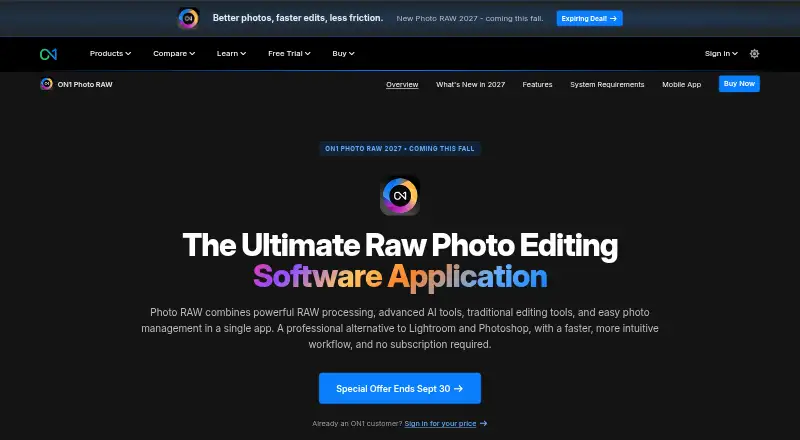
What ON1 Photo RAW is
ON1 Photo RAW is a desktop photo application that brings RAW processing, editing, layers, effects, photo management, and export together. It supports batch editing, RAW files, layers, masking, and AI retouching. Its AI tools include NoNoise AI, Resize AI, Generative Erase, Sky Swap AI, Restore AI, and Brilliance AI. For targeted adjustments, Super Select AI and subject, background, and depth masks help isolate parts of an image. Photo RAW browses files in their existing locations and supports tagging, albums, stacking, and AI-powered keywording. Optional integrations include Photoshop CC, Photoshop Elements, Lightroom Classic, Apple Photos, and Affinity Photo; MAX adds plugin compatibility for Adobe Photoshop and Lightroom. Restore AI runs in the cloud and is exclusive to Photo RAW MAX. The product is paid, has no free plan, and offers a 30-day trial. MAX subscriptions include 200 GB of Cloud Sync for photos across computers, mobile devices, and tablets. The listed MAX Subscription trial is $7.99 a month after a billed 30-day free trial.
Good
- Combines RAW processing, editing, management, and export
- Supports batch editing, layers, and masking
- Includes several built-in AI editing tools
- Browses files in place with tagging and albums
- MAX subscription includes 200 GB Cloud Sync
Watch out
- No free plan
- MAX features and computer limits vary by plan
- Restore AI is exclusive to Photo RAW MAX
- Restore AI uses cloud processing
Who it suits
It suits photographers, from hobbyists to working professionals and commercial studios, who want editing and photo management in one application. Those needing targeted masks, batch work, or RAW processing may find its listed tools relevant.
Verdict
ON1 Photo RAW combines a broad set of editing, organization, and export tools in a desktop application. Check the MAX-specific Restore AI and Cloud Sync terms, and note the $7.99 a month subscription price after the 30-day trial.
Plans and prices
From ON1 Photo RAW's own pricing page, checked 11 Oct 2026.
| Plan | Price | What it gives you |
|---|---|---|
| ON1 Photo RAW MAX Subscription trial | $7.99 a month | Latest Photo RAW MAX · plugin support · 200 GB cloud sync storage · 30-day free trial, then $7.99/month |
| ON1 Photo RAW MAX | $89.99 a year | 200 GB Cloud Sync · install on 3 computers · annual upgrades included · cancel anytime · Yearly subscription |
| Photo RAW 2027 | $99.99, paid once | 2026 and 2027 versions · free updates for versions 2026 and 2027 · install on 2 computers · One-time purchase |
| Photo RAW MAX 2027 | $169.99, paid once | 2026 and 2027 versions · Restore AI · Adobe Photoshop and Lightroom plugins · install on 3 computers · One-time purchase |
| ON1 Photo Studio | $179.99 a year | 1 TB Cloud Sync · install on 5 computers · ON1 Photo RAW MAX features · cancel anytime · Yearly subscription |
The facts
Each one read from ON1 Photo RAW's own pages, with the date it was checked.
What it does
- AI editing
- Built-in AI tools include NoNoise AI, Resize AI, Generative Erase, Sky Swap AI, Restore AI, and Brilliance AI.checked 11 Oct 2026
- AI retouching
- Yeschecked 20 Sep 2026
- All-in-one workflow
- Photo RAW combines RAW processing, editing, layers, effects, photo management, and export in one application.checked 11 Oct 2026
- Batch editing
- Yeschecked 20 Sep 2026
- Cloud processing
- Restore AI processes images in the cloud, and ON1 says submitted photos are used only for the requested restoration and are not used to train AI models or improve datasets.checked 11 Oct 2026
- Cloud sync
- Yeschecked 20 Sep 2026
- Computer installs
- The standard edition installs on up to 2 computers, MAX on up to 3, and subscriptions on up to 5 computers depending on plan.checked 11 Oct 2026
- Integrations
- Photo RAW lists optional integration with Photoshop CC, Photoshop Elements, Lightroom Classic, Apple Photos, and Affinity Photo; MAX adds plugin compatibility for Adobe Photoshop and Lightroom.checked 11 Oct 2026
- Intended users
- ON1 describes Photo RAW as an all-in-one editing application for photographers, from hobbyists to working professionals and commercial studios.checked 11 Oct 2026
- Layer editing
- Yeschecked 20 Sep 2026
- Masking
- Super Select AI, subject and background masks, and AI depth masks support targeted edits.checked 11 Oct 2026
- Masking tools
- Yeschecked 20 Sep 2026
- Mobile sync
- The MAX subscription includes 200 GB of Cloud Sync for syncing photos across computers, mobile devices, and tablets.checked 11 Oct 2026
- Photo organization
- Photo RAW browses files where they are stored and supports tagging, albums, stacking, and AI-powered keywording.checked 11 Oct 2026
- RAW photo support
- Yeschecked 20 Sep 2026
- Refund policy
- The product page advertises a 30-day money-back guarantee.checked 11 Oct 2026
- Restore AI limits
- Restore AI is exclusive to Photo RAW MAX; perpetual MAX licenses receive unlimited restorations for one year, while subscribers retain access while their subscription is active.checked 11 Oct 2026
- Support and learning
- ON1 offers support, free training videos, and monthly live webinars with ON1 educators.checked 11 Oct 2026
- Supported systems
- Photo RAW 2026.5 is available for Windows and Mac, and the listed system requirements specify macOS 13 or later and Windows 11 x86 or ARM.checked 11 Oct 2026
The company
- Founded
- 2005checked 23 Sep 2026
- Headquarters
- Portland, Oregon, United Stateschecked 23 Sep 2026
Money
- Free plan
- Nochecked 20 Sep 2026
Where it runs
- Platform
- desktopchecked 20 Sep 2026
Alternatives to ON1 Photo RAW
- 1

Picsart
Free planAndroidiOSWebAPI9.0From $10.50 a month - 2

Photoroom
Free planAndroidiOSWebAPI9.0From $7.50 a month - 3
PhotoPad
Free planAndroidiOSWebExtension8.8Free plan - 4

Adobe Photoshop
AndroidiOSWebmacOS8.7 - 5

Adobe Lightroom
AndroidiOSWebmacOS8.7 - 6

BeFunky
Free planAndroidiOSWeb8.7Free plan