Proton Trainer Launcher
Proton Trainer Launcher is a free Linux utility for running Windows game trainers alongside Steam games played through Proton.
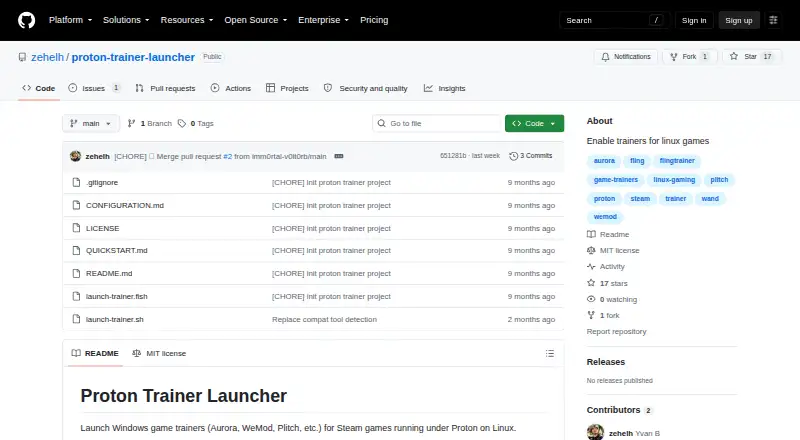
What Proton Trainer Launcher is
Proton Trainer Launcher is a free Linux utility for running Windows game trainers alongside Steam games played through Proton. It can detect a running Steam game or accept its App ID, then match the Proton version used by that game. Listed Proton support includes GE-Proton, Proton Experimental and CachyOS Proton. Users can choose interactive or manual launch mode and add an optional delay before the trainer starts. Aurora is listed as tested; WeMod, Plitch, FLiNG Trainers and other Windows trainers that attach to game processes are listed as untested or expected to work. Setup requires Linux with Steam, Proton or GE-Proton, plus a Windows trainer executable. Users download or clone the repository, set the trainer executable path, make a Bash or Fish script executable, and run it after starting a Steam game. The path must be absolute and use Linux path format, including for a trainer inside a Proton prefix. The project is MIT licensed. It works only with Proton games; native Linux games are unsupported, and some anti-cheat protected games may not work.
Good
- Free and MIT licensed.
- Can detect running Steam games or use an App ID.
- Matches the Proton version used by a game.
- Offers interactive and manual launch modes.
- Aurora is listed as tested.
Watch out
- Native Linux games are unsupported.
- Some anti-cheat protected games may not work.
- Setup requires configuring an absolute Linux-format path.
Who it suits
This launcher is for Linux users who run Steam games through Proton and want to use Windows game trainers. It is not suited to native Linux games.
Verdict
Proton Trainer Launcher provides a focused way to start Windows trainers with Proton games, with game detection and several launch options. Its compatibility is limited to Proton titles, and only Aurora is specifically listed as tested.
The facts
Each one read from Proton Trainer Launcher's own pages, with the date it was checked.
What it does
- Configuration
- The trainer path should be absolute and use Linux path format, including the Linux mount point for trainers inside a Proton prefix.checked 9 Oct 2026
- Game detection
- It can automatically detect running Steam games.checked 9 Oct 2026
- Installation
- The project says to clone or download the repository, set the trainer executable path, and make the Bash or Fish script executable.checked 9 Oct 2026
- Known limitations
- It works only with games running under Proton; native Linux games are unsupported and some anti-cheat protected games may not work.checked 9 Oct 2026
- Launch modes
- It offers interactive and manual modes, and can launch a trainer with a delay or a specified Steam App ID.checked 9 Oct 2026
- License
- The repository lists the project under the MIT license.checked 9 Oct 2026
- Limitations
- It only works with games running under Proton; native Linux games are unsupported, and some anti-cheat protected games may not work.checked 8 Oct 2026
- Proton versions
- It matches the Proton version used by a game and supports GE-Proton, Proton Experimental, and CachyOS Proton.checked 9 Oct 2026
- Purpose
- Launches Windows game trainers for Steam games running under Proton on Linux.checked 9 Oct 2026
- Requirements
- It requires Linux with Steam, Proton or GE-Proton, and a Windows trainer executable.checked 9 Oct 2026
- Security and compliance
- The project pages opened provide no security or compliance claims.checked 9 Oct 2026
- Setup
- Users download or clone the repository, set the trainer executable path, make a Bash or Fish script executable, and run it after starting a Steam game.checked 8 Oct 2026
- Support
- The project pages opened provide no support contact or support terms.checked 9 Oct 2026
- Trainer compatibility
- Aurora is listed as tested; WeMod, Plitch, FLiNG Trainers, and Windows trainers that attach to game processes are listed as untested but expected to work.checked 9 Oct 2026