
PostNext
PostNext is a social media planning and publishing tool for posts across X, Instagram, LinkedIn, TikTok, YouTube, Threads, and Bluesky.
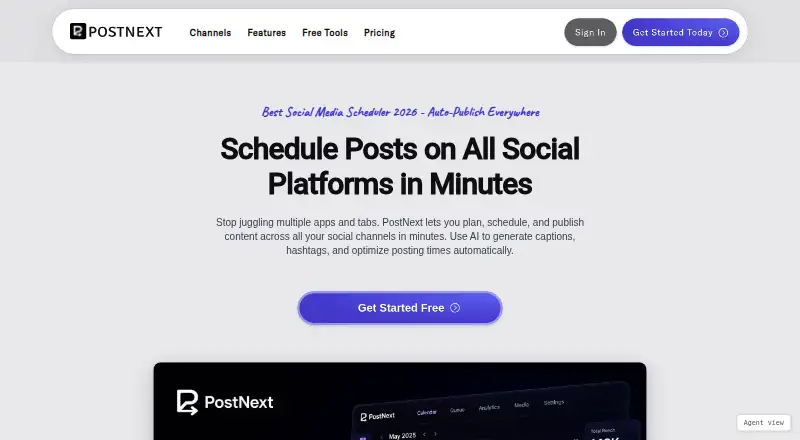
What PostNext is
PostNext is a social media planning and publishing tool for posts across X, Instagram, LinkedIn, TikTok, YouTube, Threads, and Bluesky. Its visual calendar helps users plan ahead, move posts between dates, and schedule with best-time suggestions. It supports videos, photos, text updates, image carousels, and reels, for scheduled or instant publishing. AI tools can produce captions, hashtags, post ideas, and images, and can fact-check content; text and prompts are sent to OpenAI and Google Gemini for processing. Team workspaces provide role-based access, draft review, and shared content libraries, while brand profiles keep voices, assets, and channel logins separate. PostNext offers web, Android, iOS, API, and extension access, including a Chrome extension for sharing pages, images, or selected text into drafts. Its free plan allows one connected account, one user, and 10 scheduled posts per month. Paid plans add account capacity, storage, AI credits, or team options.
Good
- Supports seven social channels.
- Calendar includes best-time scheduling suggestions.
- Handles videos, carousels, reels, photos, and text.
- Teams can review drafts and share libraries.
- Chrome extension sends selected content to drafts.
Watch out
- Free plan is limited to 10 scheduled posts monthly.
- Fair use allows up to 1,000 scheduled posts per account.
- AI prompts and text go to OpenAI and Google Gemini.
Who it suits
PostNext suits individuals and teams planning content across several social channels. Its workspaces and separate brand profiles may be useful for teams managing shared drafts or multiple brands.
Verdict
PostNext pairs multi-channel scheduling with team review and AI-assisted content creation. The free plan is narrow, while paid options expand account, storage, and AI-credit limits.
Plans and prices
From PostNext's own pricing page, checked 29 Sep 2026.
| Plan | Price | What it gives you |
|---|---|---|
| PostNext Free | Free | 1 connected account · 1 user · 10 scheduled posts/month · unlimited ideas · 10 MB storage · limited customer support |
| PostNext Premium | €11 a month | 15 connected accounts · 1 user · unlimited scheduled posts · 10 GB storage · 150 AI credits/month · €11 / month; annual plan saves €96 |
| PostNext Business | €39 a month | 20 connected accounts · 1 user · unlimited scheduled posts · 50 GB storage · 500 AI credits/month · €39 / month; annual plan saves €120 |
| PostNext Teams | €4 a month | 5 connected accounts/user · unlimited users · unlimited scheduled posts · 10 GB storage/user · 50 AI credits/month/user · €4 / user / month, from €20 / month; minimum 5 seats; annual plan saves €36 / user |
| Enterprise | Priced on request | Custom solution · Contact [email protected] for enterprise needs, volume discounts, or custom integrations |
The facts
Each one read from PostNext's own pages, with the date it was checked.
What it does
- AI assistant access
- MCP access is optional, requires explicit OAuth authorization, and can be revoked by the user; social account OAuth tokens are kept encrypted in Azure Key Vault.checked 29 Sep 2026
- AI features
- AI features generate captions, hashtags, post ideas, images, and AI-powered fact-checking, with text and prompts sent to OpenAI and Google Gemini for processing.checked 29 Sep 2026
- Calendar and scheduling
- Its visual calendar supports planning ahead, moving posts between dates, and scheduling with best-time suggestions.checked 29 Sep 2026
- Chrome extension
- The Chrome extension can share a page, image, or selected text to PostNext, draft with AI, schedule posts, and save drafts.checked 29 Sep 2026
- Content formats
- Users can create and schedule videos, photos, text updates, image carousels, and reels.checked 29 Sep 2026
- Data security
- Its privacy policy says the service is hosted on Amazon Web Services and personal data sent over the internet is protected with SSL/TLS encryption.checked 29 Sep 2026
- Integrations
- The documentation lists integrations for MCP AI assistants, WordPress, and API keys.checked 29 Sep 2026
- Publishing security
- PostNext says it publishes through platform official APIs using OAuth 2.0 and does not store social account passwords.checked 29 Sep 2026
- Purpose
- PostNext is a social media scheduling and planning tool for composing drafts, scheduling posts, and publishing across channels.checked 29 Sep 2026
- Social channels
- It supports scheduled and instant posting to X, Instagram, LinkedIn, TikTok, YouTube, Threads, and Bluesky.checked 29 Sep 2026
- Support
- Premium includes 24-hour email support, Business priority support within 24 hours, and Teams live chat plus email support within 12 hours.checked 29 Sep 2026
- Usage limit
- The pricing FAQ says fair use allows up to 1,000 scheduled posts per connected account.checked 29 Sep 2026
Money
- Free plan
- Yeschecked 20 Sep 2026
The company
- Maker and headquarters
- The privacy policy identifies LoadFocus LTD as doing business as PostNext and gives its registered office as 4 Grayscroft Road, SW16 5UP, London, United Kingdom.checked 29 Sep 2026
- Teams and brands
- Team workspaces support role-based access, draft review, and shared content libraries, while brand profiles keep each brand's voice, assets, and channel logins separate.checked 29 Sep 2026
Where it runs
- Mobile apps
- The privacy policy says PostNext offers iOS and Android apps, including optional on-device biometric authentication.checked 29 Sep 2026
The full review of PostNext
PostNext brings drafting, scheduling and publishing into one workspace for social media managers. It is strongest for solo publishers who need several channels in one calendar and teams that need review workflows across brands. The free tier is a useful trial run, but its one-account and 10-post monthly limits are too restrictive for a steady publishing cadence.
Overview
PostNext supports scheduled and instant publishing to X, Instagram, LinkedIn, TikTok, YouTube, Threads and Bluesky. Its visual calendar lets users plan ahead, move posts when schedules shift and use best-time suggestions. Support for videos, photos, text updates, carousels and reels makes it suitable for varied social output rather than text-only queues.
Publishing uses official platform APIs with OAuth 2.0, and PostNext says it does not store social account passwords. The service is hosted on Amazon Web Services, personal data sent over the internet is protected with SSL/TLS, and social account tokens are encrypted in Azure Key Vault. Optional MCP assistant access requires explicit OAuth authorization and can be revoked. The iOS and Android apps offer optional on-device biometric authentication.
Key features
AI can generate captions, hashtags, post ideas and images, as well as provide AI-powered fact-checking. Caption templates, bulk generation and brand voice controls help organize that work. Text and prompts are sent to OpenAI and Google Gemini for processing, so this is not the right workflow for sensitive unpublished material. Paid plans meter AI use through monthly credits.
Team workspaces add role-based access, draft review and shared content libraries. Brand profiles separate each brand's voice, assets and channel logins, a useful distinction for agencies or businesses handling multiple identities. The Chrome extension can send a page, image or selected text to PostNext, draft with AI, schedule posts or save drafts. Integrations include MCP AI assistants, WordPress and API keys.
Fair use permits up to 1,000 scheduled posts per connected account, even on plans advertising unlimited scheduled posts. That ceiling is generous for most ordinary calendars, but high-volume publishers should account for it.
Pricing
PostNext is freemium and offers a 7-day trial. The free plan costs nothing and allows one connected account, one user, 10 scheduled posts per month, unlimited ideas, 10 MB of storage and limited customer support. It is enough to explore the calendar, but not to maintain a frequent schedule or manage several channels.
Premium costs $11 a month, billed €11 / month, with an annual plan saving €96. It raises the allowance to 15 connected accounts and provides unlimited scheduled posts, 10 GB of storage and 150 AI credits per month, but remains limited to one user. This is the clearest step up for a solo publisher who needs channel breadth and regular scheduling.
Business costs $39 a month, billed €39 / month, with an annual plan saving €120. It includes 20 connected accounts, one user, unlimited scheduled posts, 50 GB of storage and 500 AI credits per month. The extra capacity suits a solo operator managing a larger portfolio or heavier AI workload, but does not add seats.
Teams costs $4 a month per user, billed €4 / user / month, from €20 / month, with a five-seat minimum. It includes unlimited users, five connected accounts per user, unlimited scheduled posts, 10 GB of storage per user and 50 AI credits per user each month; annual billing saves €36 per user. Its seat-based account and storage allowances fit collaborative workflows, though the minimum commitment is a poor match for a two- or three-person team.
Enterprise has custom pricing for enterprise needs, volume discounts or custom integrations. Premium includes 24-hour email support; Business provides priority support within 24 hours; Teams includes live chat and email support within 12 hours. The free plan has limited support.
Platforms
PostNext is available on Android, iOS and the web, with an API and browser extension. Its publishing channels are X, Instagram, LinkedIn, TikTok, YouTube, Threads and Bluesky.
Who it's for
PostNext suits solo social publishers who want a broad set of channels, multiple content formats and a visual planning calendar. Teams that need approval steps, shared libraries and separated brand profiles have a stronger reason to choose Teams than a single-user plan. It is less compelling for occasional posters who can stay within the free cap, or small groups unwilling to meet the five-seat minimum.
Pros and cons
- Pro: Seven supported social channels, instant publishing and several media formats make one calendar useful across a varied publishing mix.
- Pro: Review, role-based access and brand-specific profiles support collaboration without mixing assets or logins.
- Pro: OAuth-based publishing and encrypted social tokens avoid storing social account passwords.
- Con: The free plan's single account, one user and 10 monthly scheduled posts make it a limited home for ongoing publishing.
- Con: Premium and Business remain single-user plans, while Teams starts at five seats.
- Con: AI prompts go to OpenAI and Google Gemini, and monthly credits constrain AI-heavy use.
Alternatives
Optimate is a better fit for someone who wants a more generous free starting allowance: its free plan supports three connected accounts and five scheduled posts at a time, plus five AI text generations. PostNext's free tier permits more monthly scheduled posts, but only one connected account.
Ahrefs is the alternative for readers seeking SEO data and limited Site Explorer and Site Audit access on a free plan, rather than a social publishing calendar.
HIX.AI is another freemium option.
Simplified is a freemium option with web, iOS and Android support; its Free plan includes 1GB of storage.
TextCortex is a freemium alternative with web, iOS and Android apps.
AI Auto Social is a web-based freemium alternative without a free trial.
CaptionCraft is a web-based freemium alternative focused on AI caption generation, with a free allowance of five captions per day.
MediaPostAI offers a free plan with unlimited AI posts per day, two social pages per business and 500 MB of storage.
For focused discovery, browse AI Social Media Caption Generators or AI Content Repurposing Tools.
Verdict
PostNext is a sound choice for solo publishers who need broad channel coverage and for teams that will use its review and brand-separation tools. Its main advantage is combining scheduling, varied formats and collaborative controls; its main drawback is the gap between restrictive free access and paid plans whose team seats or single-user ceilings may not match every setup. Choose it when those planning and workflow features matter, and look elsewhere if your publishing needs are light or your team is smaller than five.
Getting started
- Visit https://postnext.io/.
- Choose the free plan or a paid plan that fits your account, user, and storage needs.
- Use the web service or choose Android, iOS, the API, or an extension.
- Connect social channels for scheduling and publishing.
- Draft content, plan it in the visual calendar, and schedule or publish it.
Limits worth knowing
The free plan permits one connected account, one user, 10 scheduled posts per month, and 10 MB storage. Its paid plans have listed capacity limits; Teams requires a minimum of five seats. The pricing FAQ says fair use allows up to 1,000 scheduled posts per connected account.
Questions
Does PostNext have a free plan?
Yes. PostNext Free costs nothing and includes one connected account, one user, 10 scheduled posts per month, unlimited ideas, and 10 MB storage.
What do paid plans cost?
Premium is $11 a month and Business is $39 a month.
Which platforms does PostNext support?
It is available on web, Android, iOS, API, and extension. Its social channels include X, Instagram, LinkedIn, TikTok, YouTube, Threads, and Bluesky.
What integrations are listed?
PostNext documentation lists MCP AI assistants, WordPress, and API keys. MCP access is optional and requires explicit OAuth authorization.
Who makes PostNext?
The privacy policy identifies LoadFocus LTD as doing business as PostNext, with a registered office in London, United Kingdom.
How does PostNext handle social publishing credentials?
PostNext says it publishes through platform official APIs using OAuth 2.0 and does not store social account passwords. It says social account OAuth tokens are kept encrypted in Azure Key Vault.
Alternatives to PostNext
- 1

Splicora
Free planAndroidiOSWeb7.4From $19 a month - 2
ZeroTwo
Free planAndroidiOSWebLinux7.4From $14.99 a month - 3

RepurposeAI
Free planAndroidiOSWeb7.1From $79 a year - 4
quso.ai
Free planWeb6.8From $29 a month - 5

ContentFries
Free planWebAPI6.7From $39 a month - 6
LoquiHQ
Free planWeb6.7From $490 a year