
Postmark
Postmark delivers and tracks application email as an alternative to SMTP or Sendmail.
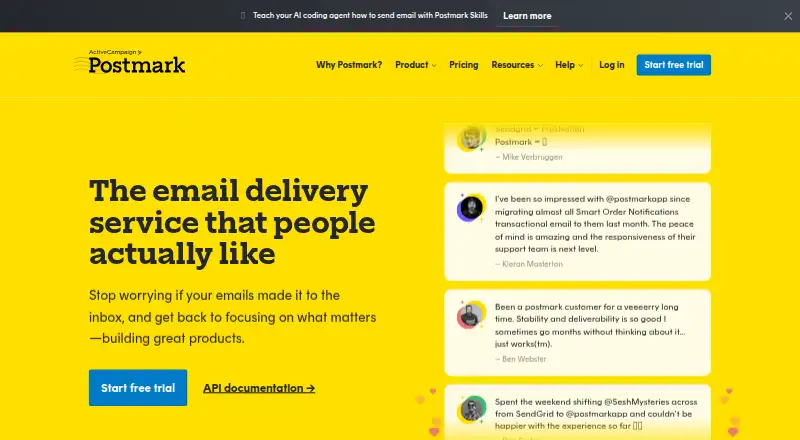
What Postmark is
Postmark delivers and tracks application email as an alternative to SMTP or Sendmail. It separates transactional and broadcast messages into different Message Streams and IP infrastructure. Developers can send through a REST API, SMTP, or multi-region SMTP routing, and official libraries cover Node.js, Python, Rails, Ruby, PHP, and .NET. Postmark can process inbound email into JSON and send it to a webhook URL. Tracking covers delivery, bounces, spam, opens, and links, with event webhooks. Editable responsive templates are available for transactional messages such as password resets, receipts, and invitations. The free Developer plan provides 100 emails per month, has no overages, and does not expire. Extra paid-plan emails are calculated at the end of the billing cycle, and unused emails do not carry forward. Postmark supports web and API access.
Good
- Free plan includes 100 emails monthly and never expires
- Supports REST API, SMTP, and multi-region routing
- Inbound email can be sent to a webhook as JSON
- Tracking covers delivery, bounces, spam, opens, and links
- Customer success support is included
Watch out
- Free plan does not allow overages
- Unused emails do not carry into the next billing period
- Annual plans are not offered
- Maximum message size is 10 MB
Who it suits
Postmark suits developers who need to send application email through an API or SMTP and track delivery events. Its inbound processing and message streams also suit services handling both incoming and different types of outgoing email.
Verdict
Postmark focuses on application email, with separate streams for transactional and broadcast sending and tracking for key delivery events. The free plan is limited to 100 emails monthly; paid plans start at $15 a month.
Plans and prices
From Postmark's own pricing page, checked 28 Sep 2026.
| Plan | Price | What it gives you |
|---|---|---|
| Free | Free | 100 emails/month; no overages; never expires · 100 emails/month · no overages · never expires |
| Basic | $15 a month | Starting at 10,000 emails/month; extra emails at $1.80 per 1,000 · 10,000 emails/month · extra emails $1.80 / 1,000 · 5 custom sending domains · unlimited emails/day · 45-day data retention · monthly |
| Pro | $16.50 a month | Starting at 10,000 emails/month; extra emails at $1.30 per 1,000 · 10,000 emails/month · extra emails $1.30 / 1,000 · 10 custom sending domains · unlimited emails/day · retention up to 365 days · inbound email processing · monthly |
| Platform | $18 a month | Starting at 10,000 emails/month; extra emails at $1.20 per 1,000 · 10,000 emails/month · extra emails $1.20 / 1,000 · unlimited custom sending domains · unlimited emails/day · retention up to 365 days · inbound email processing · monthly |
| Custom activity retention | $5 a month | Only available on Pro plans or higher · Starts at $5 /month |
| DMARC monitoring | $14 a month | Charged per domain · Starts at $14 /month per domain |
| Dedicated IP | $50 a month | Available to customers sending 300,000 emails per month or more; Pro plans or higher · Starts at $50 /month per IP |
| High-volume plans | Priced on request | Contact Postmark for pricing |
The facts
Each one read from Postmark's own pages, with the date it was checked.
What it does
- Activity retention
- Full message content history is retained for 45 days by default, with customization available.checked 27 Sep 2026
- Certifications encryption
- The provided text does not state encryption details or security certifications.checked 27 Sep 2026
- Customer support
- Customer success support is included without an extra premium-support fee.checked 27 Sep 2026
- Dedicated IP option
- Yeschecked 23 Sep 2026
- Delivery speed
- Postmark says it sends transactional emails up to four times faster than other providers.checked 28 Sep 2026
- Developer libraries
- Postmark officially supports TypeScript, Python, Rails, Ruby, .NET, Java, PHP, Craft, Node.js, WordPress, Grunt, and Zapier Actions.checked 28 Sep 2026
- Email types
- Postmark separates transactional and broadcast email into different Message Streams and IP infrastructure.checked 28 Sep 2026
- Inbound processing
- Postmark turns inbound email into a JSON object and posts it to a webhook URL.checked 28 Sep 2026
- Infrastructure
- Postmark says its primary data and servers use Deft and AWS, with redundant API, SMTP, inbound, and web servers; its Deft data center is SOC 2 Type 2 accredited.checked 28 Sep 2026
- Integrations
- Official integrations include Slack, Zapier, Stripe, WordPress, Supabase, Bubble, Craft CMS, Netlify, and Gravity Forms.checked 28 Sep 2026
- Integration support
- Postmark provides official SDKs, migration guides, dynamic API documentation, and event webhooks.checked 27 Sep 2026
- Message limit
- The developer documentation states a maximum of 10 MB per email, including content, headers, and attachments.checked 28 Sep 2026
- Message streams
- Promotional and transactional emails use separate sending infrastructure.checked 27 Sep 2026
- Monthly send limit
- 10000checked 23 Sep 2026
- Paid from
- 15checked 23 Sep 2026
Money
- Annual billing
- Annual plans are not currently offered.checked 27 Sep 2026
- Free plan
- Yeschecked 23 Sep 2026
- Free tier
- Every new account starts with a free Developer plan offering 100 emails per month.checked 27 Sep 2026
- Free tier duration
- The free plan does not expire or run out.checked 27 Sep 2026
- Free tier limit
- The free plan does not allow overages.checked 27 Sep 2026
- Overage billing
- Paid-plan extra emails are calculated at the end of the billing cycle.checked 27 Sep 2026
The company
- Company history
- Postmark says it has delivered billions of emails since 2010.checked 27 Sep 2026
- Founded
- 2010checked 23 Sep 2026
Where it runs
- iOS availability
- Postmark states that its iOS app was sunset in June 2025 and is no longer supported.checked 28 Sep 2026
The full review of Postmark
Overview
Postmark is application email infrastructure for teams that need dependable transactional messages alongside separate broadcast sending. It is best suited to developers who want API or SMTP delivery, inbound email handling, and visibility into delivery events.
Its strongest case is the separation of transactional and promotional traffic, backed by practical integration and tracking tools. The trade-off is a narrow free allowance and paid plans that charge for extra volume.
Key features
Postmark sends through REST API, SMTP, or multi-region SMTP routing. Official libraries cover Node.js, Python, Rails, Ruby, PHP, and .NET, while broader integrations include Slack, Zapier, Stripe, WordPress, Supabase, Bubble, Craft CMS, Netlify, and Gravity Forms. Migration guides, dynamic API documentation, and event webhooks should help teams connect it to existing workflows.
Transactional and broadcast messages use distinct Message Streams and IP infrastructure. That separation is useful when a product's password resets and receipts should not share a sending path with promotional campaigns. For inbound mail, Postmark converts messages into JSON and posts them to a webhook URL.
Responsive templates cover common transactional messages such as welcomes, password resets, receipts, invoices, and invitations, with an editor and import tool. Tracking covers delivery, bounces, spam, opens, and links. Full message content is retained for 45 days by default; longer retention is available on higher plans or as an add-on.
Operational safeguards include TLS and HTTPS, DKIM, SPF, DMARC, two-factor authentication, API permissions, penetration testing, and DDoS protection. Postmark says its primary data and servers use Deft and AWS, with redundant API, SMTP, inbound, and web servers; its Deft data center is SOC 2 Type 2 accredited. Each email is capped at 10 MB including headers and attachments, and each message can address at most 50 recipients across To, CC, and BCC. Customer success support is included, with email, live chat, and one-on-one calls.
Pricing
The free Developer plan costs nothing and never expires, but stops at 100 emails per month with no overages. It is useful for a small proof of concept, not an active application that sends regular customer mail. The no-credit-card free trial offers a way to evaluate the service without committing payment details.
Basic starts at $15 a month, billed monthly, for 10,000 emails per month. It includes five custom sending domains, unlimited emails per day, and 45-day retention; extra email costs $1.80 per 1,000. Its four-user limit and lack of inbound email processing make it the entry point for small teams with straightforward outbound needs.
Pro is $16.50 a month, billed monthly, starting at 10,000 emails per month. It raises the cap to six users, includes ten custom domains, inbound processing, and retention up to 365 days; additional volume is $1.30 per 1,000. For only $1.50 more than Basic, it is the more practical choice when inbound workflows or longer logs matter.
Platform costs $18 a month, billed monthly, and also starts at 10,000 emails. It adds unlimited custom sending domains and unlimited users, with inbound processing and retention up to 365 days; extra volume is $1.20 per 1,000. That makes it the clearest fit for larger teams or portfolios of sending domains, while the narrow price gap makes Basic harder to justify if its limits are restrictive.
Optional charges include custom activity retention from $5 /month on Pro or higher, DMARC monitoring from $14 /month per domain, and a dedicated IP from $50 /month per IP for customers sending at least 300,000 emails per month on Pro or higher. High-volume plans have custom pricing. Extra emails are calculated at the end of the billing cycle, unused emails do not roll over, and annual plans are not offered.
Platforms
Postmark is available through API and web. Its iOS app was sunset in June 2025 and is no longer supported, so it is not a choice for managing the service through a current iPhone app.
Who it's for
Postmark suits application teams that prioritize transactional delivery, need to keep it distinct from broadcast mail, or want inbound messages routed into a webhook-based workflow. Small teams can start on Basic, while Pro or Platform makes more sense when inbound processing, longer retention, more users, or additional domains justify the modest step up. It is less compelling for a project that needs more than 100 free monthly messages but cannot budget for a paid plan.
Pros and cons
- Pros: Separate transactional and broadcast infrastructure helps keep distinct email jobs apart.
- Pros: Inbound-to-JSON processing, event webhooks, and broad integration support fit application workflows.
- Pros: Pro and Platform add longer retention and inbound processing for a small monthly increase over Basic.
- Cons: The free plan's 100-email monthly ceiling and ban on overages make it unsuitable for ongoing production use.
- Cons: Basic stops at four users and five custom domains, and lacks inbound processing.
- Cons: Unused volume expires each billing period, and annual billing is unavailable.
Alternatives
For a broader shortlist, compare Email Deliverability Software and Transactional Email Software. Choose EasyDMARC if a free DMARC-focused option with 1,000 emails per month and 14 days of data history better fits the task. GlockApps is worth considering when the free tier's spam-test credits and DMARC monitoring are more relevant than application email delivery. Pick Mailreach when email warming and spam testing are the priority; its All-In-One plan is $19.50 a month and allows up to 100 emails per day.
SenderSignal, TrueSend, Mail-Tester, Palisade, and Suped are also alternatives to compare.
Verdict
Postmark is a strong fit for developers building applications that need tracked transactional email, separate broadcast streams, or inbound mail routed to webhooks. Its clear plan progression and integration options support growing use, but the 100-message free cap and paid overage model rule it out for teams seeking substantial free sending. Choose it for application email infrastructure; look elsewhere if deliverability testing or a lasting free sending allowance matters more.
Getting started
- Open the Postmark website.
- Create an account; the free trial does not require a credit card.
- Start on the Developer plan or choose a paid plan.
- Connect through the REST API or SMTP, or use an official library for a supported platform.
Limits worth knowing
The free Developer plan allows 100 emails per month, does not permit overages, and does not expire. Basic starts at 10,000 emails per month; extra emails cost $1.80 per 1,000, and unused emails do not roll over.
Questions
Is there a free plan?
Yes. The Developer plan provides 100 emails per month, has no overages, and does not expire.
What do paid plans cost?
High-volume plan pricing is available by contacting Postmark.
Which platforms and delivery methods does it support?
Postmark supports web and API access, and sending by REST API, SMTP, or multi-region SMTP routing. Official libraries include Node.js, Python, Rails, Ruby, PHP, and .NET.
Can Postmark process inbound email?
Yes. It turns inbound email into JSON and posts it to a webhook URL; inbound email processing is included on Pro and Platform.
Does it offer a dedicated IP?
Yes.
What happens to unused emails?
Unused emails do not carry into the next billing period. Paid-plan extra emails are calculated at the end of the billing cycle.
Alternatives to Postmark
- 1

DMARC Report
Free planAndroidiOSWebAPI7.9From $25 a month - 2

Folderly
Free planWebAPI7.5Free plan - 3

GlockApps
Free planWebAPI7.4From $59 a month - 4

Unspam.email
Free planWebAPI7.4From $5 a month - 5

dmarcian
Free planWebAPIExtension7.3From $24 a month - 6

MxToolbox Inbox Placement
Free planWebAPI7.3From $129 a month