PonyDebugger
PonyDebugger is a free debugging toolset for native iOS apps, connecting an app-side client with a gateway server and Chrome Developer Tools.
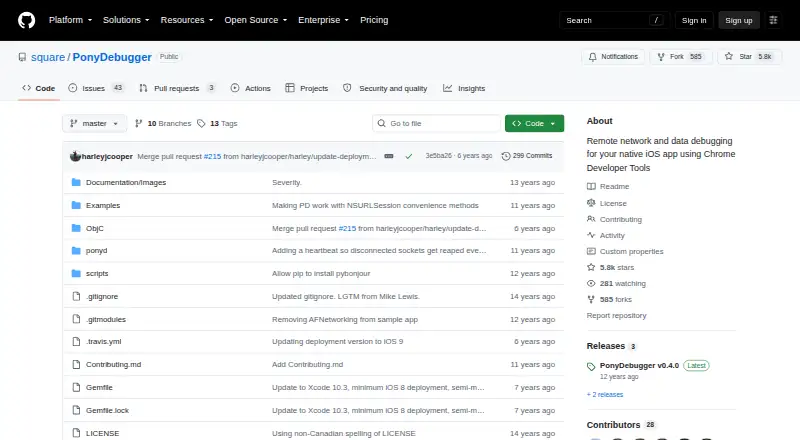
What PonyDebugger is
PonyDebugger is a free debugging toolset for native iOS apps, connecting an app-side client with a gateway server and Chrome Developer Tools. Developers can route app network traffic through a proxy and inspect it in Chrome’s Network tools, including HTTPS traffic. The client automatically proxies requests made through NSURLConnection and NSURLSession, which also covers libraries such as AFNetworking that use those APIs. For Core Data, developers can register managed object contexts and browse entities and managed objects in read-only stores. Other tools display and highlight an app’s view hierarchy, allow displayed attributes to be edited or nodes removed, and support remote text logging and recursive inspection of object properties. Setup involves adding the client to the app and connecting it to the gateway; the quick start requires Xcode Command Line Tools. The gateway serves Chrome Developer Tools and listens on localhost port 9000 by default. The iOS client requires iOS 5.0 or above. The project is licensed under Apache License 2.0.
Good
- Inspects forwarded HTTPS traffic in Chrome’s Network tools.
- Browses Core Data entities and objects read-only.
- Displays and highlights the app view hierarchy.
- Supports remote text and object-property logging.
- Free under Apache License 2.0.
Watch out
- Requires integrating a client and connecting a gateway.
- Automatic traffic forwarding uses private API method swizzling.
- Core Data stores are read-only.
- CoreData.framework must be linked even if unused.
Who it suits
PonyDebugger is for developers debugging native iOS applications who want network, Core Data, view-hierarchy, or logging tools in Chrome Developer Tools. It requires integrating a client into the app and running a gateway server.
Verdict
PonyDebugger brings several native iOS debugging views into Chrome Developer Tools, including network inspection and read-only Core Data browsing. Its setup and debug-build warning around automatic traffic forwarding are important considerations.
Plans and prices
From PonyDebugger's own pricing page, checked 8 Oct 2026.
| Plan | Price | What it gives you |
|---|---|---|
| PonyDebugger | Free | Apache License 2.0 · iOS client and gateway server |
The facts
Each one read from PonyDebugger's own pages, with the date it was checked.
What it does
- Audience
- The project describes its client as a tool for debugging native iOS applications.checked 8 Oct 2026
- Compatibility
- The documented iOS client requires iOS 5.0 or above and uses ARC and SocketRocket as a WebSocket client.checked 8 Oct 2026
- Core Data
- The Core Data browser lets developers browse registered managed object contexts, entities, and objects through Chrome Developer Tools; these stores are read-only.checked 8 Oct 2026
- Debug-build caution
- The README warns that automatically forwarding all network traffic swizzles methods from private APIs and says to invoke it only in debug builds.checked 8 Oct 2026
- Gateway security
- The gateway listens on localhost port 9000 by default for security reasons; the documentation says to listen on 0.0.0.0 to make it accessible from another device or computer.checked 8 Oct 2026
- HTTPS
- The README says secure HTTPS traffic is debuggable because PonyDebugger forwards traffic rather than sniffing it.checked 8 Oct 2026
- Installation
- The iOS client can be installed with CocoaPods or manually, and the gateway server has a userland installation procedure using virtualenv.checked 8 Oct 2026
- Known issue
- The README notes that CoreData.framework must be linked even when the Core Data browsing feature is unused.checked 8 Oct 2026
- License
- PonyDebugger and its gateway are licensed under the Apache License, Version 2.0.checked 8 Oct 2026
- Network debugging
- The iOS client forwards application network traffic through its proxy server for inspection in Chrome Developer Tools.checked 8 Oct 2026
- Network integrations
- The iOS client automatically proxies requests made with NSURLConnection and NSURLSession, including those made by AFNetworking and other libraries using those APIs.checked 8 Oct 2026
- Notable limitation
- The README warns that automatically forwarding all network traffic swizzles methods from private APIs and should only be invoked in debug builds.checked 7 Oct 2026
- Purpose
- PonyDebugger is a client library and gateway server that uses Chrome Developer Tools to debug an application's network traffic and managed object contexts.checked 8 Oct 2026
- Remote logging
- PDLog and PDLogObjects support remote text logging and recursively expandable object introspection.checked 8 Oct 2026
- Security
- The gateway README says ponyd listens only on localhost by default for security reasons.checked 7 Oct 2026
- Setup
- Use requires integrating the client into the app and connecting it to the gateway server; the quick start requires Xcode Command Line Tools.checked 7 Oct 2026
- View hierarchy
- The tool displays an iOS app's view hierarchy in Chrome Developer Tools and supports inspecting views and editing displayed attributes.checked 8 Oct 2026
Where it runs
- Browser and server
- The ponyd gateway serves Chrome Developer Tools and listens on port 9000 on localhost by default; it can be configured to listen on 0.0.0.0 for access from another device or computer.checked 7 Oct 2026
- iOS requirement
- The iOS client requires iOS 5.0 or above and uses ARC and SocketRocket as a WebSocket client.checked 7 Oct 2026
The full review of PonyDebugger
Overview
PonyDebugger is a remote-debugging toolkit for native iOS apps, built around a client library in the app and a gateway that serves Chrome Developer Tools. It is best suited to iOS developers who want network and interface inspection in that browser-based workflow. Its focused set of views is useful, but it requires app integration and a separate server.
Key features
Network inspection: The client can proxy requests made through NSURLConnection and NSURLSession, including those made by AFNetworking and other libraries that use those APIs. Since PonyDebugger forwards traffic rather than sniffing it, HTTPS requests can also be inspected. The broad automatic-forwarding option swizzles methods from private APIs, so keep it to debug builds; that caution makes it unsuitable as a production monitoring tool.
Core Data browsing: Register managed object contexts to browse entities and managed objects. The stores are read-only, so this is an inspection aid rather than a way to alter app data. CoreData.framework must be linked even if you do not use this feature, an unusual integration cost to account for.
View hierarchy and logging: Chrome Developer Tools can show the app’s view hierarchy, highlight corresponding views, edit displayed attributes, and remove nodes. Remote logging through PDLog and PDLogObjects can capture text and recursively inspect object properties. Together, these tools give iOS developers several kinds of runtime visibility in one interface, though they remain tied to the app client and gateway connection.
Pricing
PonyDebugger is free: the plan costs nothing and includes the iOS client and gateway server under the Apache License 2.0. There is no paid tier to unlock, so the trade-off is not a feature cap but the engineering work of integrating and maintaining the client and gateway. Installation options include CocoaPods or manual setup for the client, and a userland virtualenv procedure for the gateway.
Platforms
The documented client targets iOS 5.0 or above and uses ARC and SocketRocket as its WebSocket client. The gateway serves Chrome Developer Tools and listens on localhost port 9000 by default. To connect from another computer or device, it can be configured to listen on 0.0.0.0; the localhost default is a deliberate security measure, so remote access should be enabled only when needed. The quick start also requires Xcode Command Line Tools. Although the platform labels include macOS, self-hosted, and web, PonyDebugger’s stated purpose is debugging native iOS apps rather than providing a general debugger across those platforms.
Who it's for
Choose PonyDebugger if you build native iOS apps and want proxied network visibility, read-only Core Data inspection, view-hierarchy tools, and remote logging through Chrome Developer Tools. It is a better fit for developers comfortable adding a client to their app and running a gateway than for anyone seeking a standalone debugger. The private-API swizzling warning is a firm reason to confine automatic traffic forwarding to debug builds.
Pros and cons
- Pro: Proxied HTTPS inspection works without packet sniffing, and the client covers requests made through NSURLConnection and NSURLSession.
- Pro: Network, Core Data, view-hierarchy, and logging tools are combined in a free, Apache-licensed package.
- Con: It needs both app-side integration and a running gateway, with Xcode Command Line Tools required for the quick start.
- Con: Automatic forwarding relies on private-API method swizzling and should be used only in debug builds.
- Con: CoreData.framework is required even when Core Data browsing is unused, while the browsing itself is read-only.
Alternatives
Browse the Debuggers category for more options. Choose LLDB instead if you need a free debugger across Android, iOS, Linux, macOS, and Windows. For binary analysis, IDA Pro offers a free tier with x86-32 and x86-64 disassembly and two cloud-based decompilers, while IDA Pro Essential costs 1099.00 USD. Perl Debugger is a free choice for Perl debugging and requires the program to compile correctly before debugging. For embedded microcontroller work, Black Magic Debug is a free JTAG/SWD debugger, but it requires compatible probe hardware and a suitable toolchain. pyOCD, GDB, FlowStorm, and OpenOCD are also free alternatives.
Verdict
PonyDebugger is a strong fit for native iOS developers who want several runtime inspection views in Chrome Developer Tools without paying for the software. Its main appeal is the combination of HTTPS-capable network proxying, Core Data inspection, interface tools, and remote logging; look elsewhere if you need a debugger that works without client-and-gateway setup or if your workflow cannot keep private-API-based forwarding confined to debug builds.
Alternatives to PonyDebugger
- 1
LLDB
Free planAndroidiOSLinuxmacOS7.3Free plan - 2

IDA Pro
Free planLinuxmacOSWindows7.0From $1,099 a year - 3
pyOCD
Free planAPILinuxmacOSSelf-hosted6.8Free plan - 4
Perl Debugger
Free planLinuxmacOSWindows6.5Free plan - 5

Black Magic Debug
Free planLinuxmacOSWindows6.4Free plan - 6
FLEX
Free planiOS6.4Free plan