Pixelup
Pixelup is an image enhancement service for restoring detail in blurry pictures, with output described as reaching up to 4K.
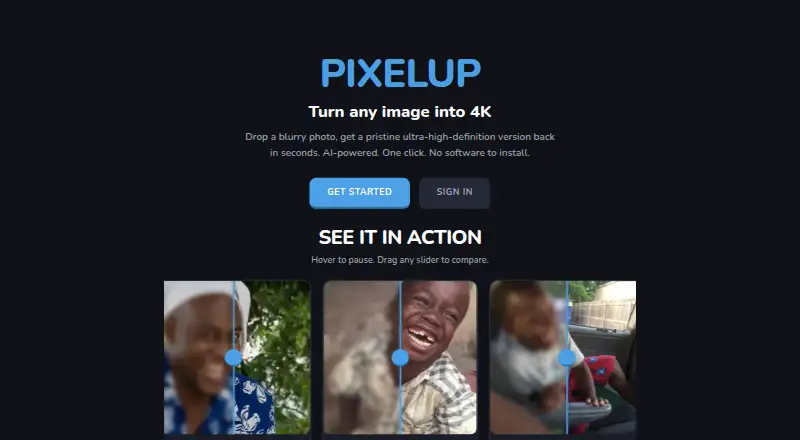
What Pixelup is
Pixelup is an image enhancement service for restoring detail in blurry pictures, with output described as reaching up to 4K. It says the process sharpens soft edges and recovers fine detail, including pores, eyelashes, fabric weave, and foliage, while preserving the original image's features rather than smoothing or beautifying them. The workflow is to upload an image, run AI restoration, compare the before and after, and download the result. The homepage lists JPG, PNG, and WEBP uploads up to 10MB. Pixelup works in modern browsers without desktop software or plugins and is also available on iOS; it has no desktop app. Uploaded pictures are sent to Google Gemini for enhancement processing. Pixelup's privacy policy says uploads and enhanced results are automatically deleted within one hour of processing and are not used to train AI models. Users retain ownership of uploaded images and enhanced outputs. The service supports face enhancement and old photo restoration. It uses a freemium model, and paid plans are billed monthly or yearly through Stripe; users can cancel in Settings, with access continuing until the current billing period ends.
Good
- Accepts JPG, PNG, and WEBP uploads up to 10MB.
- Works in modern browsers without plugins or desktop software.
- Uploaded images and results are deleted within one hour.
- Images are not used to train AI models.
- Users retain ownership of uploads and enhanced outputs.
Watch out
- Uploaded images are sent to Google Gemini for processing.
- No desktop app is available.
Who it suits
Pixelup may suit people looking to restore blurry pictures or older photos through a browser or iOS device. It also fits users who want to compare an enhanced result with the original before downloading it.
Verdict
Pixelup offers browser-based and iOS image restoration with a before-and-after workflow and support for older photos and faces. Consider that processing sends uploads to Google Gemini, even though the service says files are deleted within an hour and not used for AI training.
The facts
Each one read from Pixelup's own pages, with the date it was checked.
What it does
- Account deletion
- Users may request deletion of their account and associated data by contacting PixelUp.checked 9 Oct 2026
- AI processing
- Uploaded images are sent to Google Gemini for enhancement processing.checked 9 Oct 2026
- AI provider
- Uploaded images are sent to Google Gemini for enhancement processing.checked 4 Oct 2026
- AI training
- PixelUp says it does not use uploaded images to train AI models or for purposes beyond providing the requested enhancement.checked 9 Oct 2026
- Detail recovery
- PixelUp says it sharpens soft edges and recovers detail such as pores, eyelashes, fabric weave, and foliage.checked 9 Oct 2026
- Image retention
- Uploaded images and enhanced results are automatically deleted within one hour of processing.checked 9 Oct 2026
- Other services
- The privacy policy names Convex for database and backend infrastructure, Stripe for payments, and Google OAuth as an optional sign-in provider.checked 4 Oct 2026
- Purpose
- PixelUp describes itself as an AI-powered service that turns blurry images into ultra-high-definition versions in seconds.checked 9 Oct 2026
- Restoration
- The service says it recovers image detail while preserving the original features, without smoothing or beautifying.checked 9 Oct 2026
- Support contact
- PixelUp lists [email protected] for privacy inquiries and questions about its terms.checked 9 Oct 2026
- Supported inputs
- The homepage lists JPG, PNG, and WEBP uploads up to 10MB.checked 4 Oct 2026
- Supported uploads
- The homepage lists JPG, PNG, and WEBP uploads up to 10MB.checked 9 Oct 2026
- Third-party services
- The privacy policy names Convex for database and backend infrastructure, Google Gemini for enhancement, Stripe for payment processing, and Google OAuth as an optional sign-in provider.checked 9 Oct 2026
- Workflow
- Users upload an image, run AI restoration, compare before and after, and download the result.checked 9 Oct 2026
Money
- Billing
- The terms say paid plans are billed monthly or yearly through Stripe, and users can cancel through the billing portal in Settings.checked 9 Oct 2026
Where it runs
- Browser access
- PixelUp says it works in every modern browser and requires no desktop software or plugins.checked 9 Oct 2026
The company
- Ownership
- The terms say users retain ownership of uploaded images and enhanced outputs.checked 9 Oct 2026
- Ownership and support
- Users retain ownership of uploaded images and enhanced outputs, and may contact PixelUp at [email protected] with questions.checked 4 Oct 2026
Alternatives to Pixelup
- 1

ImageColorizer
Free planAndroidiOSWebmacOS8.2From $19.99 a year - 2
PhotoBoost
Free planAndroidiOSWebLinux8.2From $39.99 a year - 3

PicWish Photo Enhancer
Free planAndroidiOSWebAPI8.0From $9.95 a month - 4

DaVinci AI Photo Restoration
AndroidiOSWeb7.7From $39.99 a month - 5
Hotpot AI Photo Restorer
Free planWebAPISelf-hosted7.6$12 one-time - 6
LetsEnhance
Free planAPI7.1From $9 a month