Picture Colorizer
Picture Colorizer is a web-based tool for adding color to black-and-white photos.
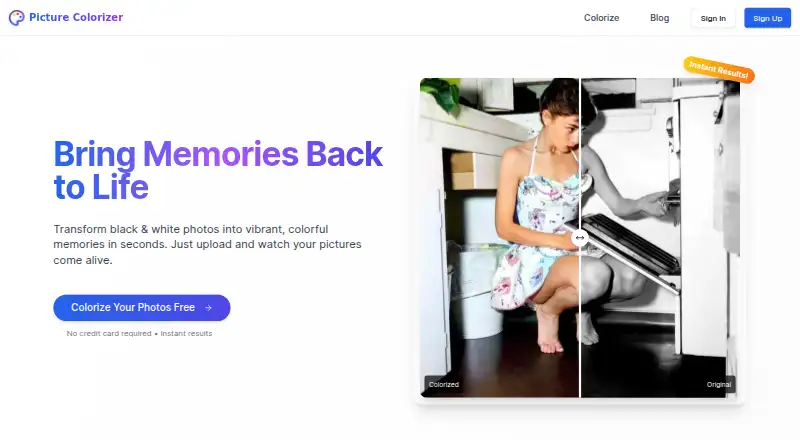
What Picture Colorizer is
Picture Colorizer is a web-based tool for adding color to black-and-white photos. Its automatic process uses deep-learning algorithms to analyze image elements and historical context before choosing colors. The site also offers a restoration feature that it says can improve the quality and resolution of older images. Uploads can be JPG, JPEG, PNG, or TIFF, and users can download or share the result. Processing is cloud-based, and the service works on smartphones, tablets, and desktops. Users receive free credits for coloring several images; additional features, including restoration, can be purchased with credits, though the site does not show credit prices. The privacy policy says uploads are stored temporarily, used only for colorization, and not shared with third parties. Users retain ownership while granting a temporary, non-exclusive license for processing and storage. The terms prohibit uploading images of children under 18 and do not guarantee service quality, accuracy, availability, or performance. The site describes uses such as genealogy, archival work, professional restoration, and high-quality prints.
Good
- Automatically colorizes black-and-white photos
- Accepts JPG, JPEG, PNG, and TIFF
- Free credits cover several images
- Works on smartphones, tablets, and desktops
- Uploads are not shared with third parties
Watch out
- Users cannot manually adjust colors after processing
- Credit prices are not shown
- Images of children under 18 are prohibited
- Service quality and accuracy are not guaranteed
Who it suits
It may suit people colorizing family, archival, or restoration photos who want a browser-based process and downloadable results. It is also accessible from phones, tablets, and desktops.
Verdict
Picture Colorizer offers automatic colorization, with restoration available as an additional credit-purchased feature. Its color choices cannot currently be edited individually, and the terms set clear limits on uploads and service guarantees.
Plans and prices
From Picture Colorizer's own pricing page, checked 9 Oct 2026.
| Plan | Price | What it gives you |
|---|---|---|
| Free | Free | Free credits for several images; no credit card required |
The facts
Each one read from Picture Colorizer's own pages, with the date it was checked.
What it does
- Automatic colorization
- The service uses deep-learning algorithms to analyze objects, textures, and historical context and automatically select colors.checked 9 Oct 2026
- Color editing limit
- The site says it does not currently let users individually alter existing colors or manually adjust colors after automatic colorization.checked 4 Oct 2026
- Data requests
- Users may contact support to request access to or deletion of uploaded images and personal data.checked 9 Oct 2026
- Data use
- The privacy policy says uploaded images are not shared with third parties and are used only for colorization, while anonymized usage data may be collected.checked 4 Oct 2026
- Download and sharing
- Users can download and share a colorized photo after processing.checked 4 Oct 2026
- Image rights
- The terms say users retain ownership of uploaded images and grant a temporary, non-exclusive license to process and store them for colorization.checked 4 Oct 2026
- Input formats
- The service accepts JPG, JPEG, PNG, and TIFF images.checked 9 Oct 2026
- Intended use
- The site says the service is suitable for professional photo restoration, genealogy, archival work, and high-quality prints.checked 4 Oct 2026
- Manual editing limit
- Colorization is automatic; users cannot currently adjust specific colors on the site after processing.checked 9 Oct 2026
- Mobile access
- The website says it works on smartphones, tablets, and desktops.checked 9 Oct 2026
- Mobile use
- The site says its service works on smartphones, tablets, and desktops.checked 4 Oct 2026
- Output
- Users can download and share their colorized photos.checked 9 Oct 2026
- Paid usage
- The site says additional features such as photo restoration can be purchased with credits, but the page does not show credit prices.checked 9 Oct 2026
- Photo restoration
- The site says its restoration feature can improve the quality and resolution of old images.checked 4 Oct 2026
- Privacy
- The privacy policy says uploaded images are stored temporarily for processing and are not retained beyond what is needed to deliver the service.checked 9 Oct 2026
- Purpose
- PictureColorizer is an online tool for turning black-and-white photos into color images.checked 9 Oct 2026
- Restoration
- The site says its restoration feature can improve image quality and resolution.checked 9 Oct 2026
- Security
- The privacy policy says it uses industry-standard measures and does not sell, trade, or distribute personal data to third parties.checked 9 Oct 2026
- Support
- The site lists [email protected] for help with upload and processing issues.checked 9 Oct 2026
- Terms limit
- The terms say service quality, accuracy, availability, and performance are not guaranteed.checked 9 Oct 2026
- Upload formats
- Supported upload formats listed are JPG, JPEG, PNG, and TIFF.checked 4 Oct 2026
- Usage restriction
- The terms prohibit uploading images of children under 18.checked 4 Oct 2026
- Use restriction
- The terms prohibit uploading images of children under 18.checked 9 Oct 2026
Money
- Free credits
- Each user receives free credits to colorize several images; the site says additional features such as photo restoration can be purchased with credits.checked 4 Oct 2026
Alternatives to Picture Colorizer
- 1

ImageColorizer
Free planAndroidiOSWebmacOS8.2From $19.99 a year - 2
PicWish Photo Colorizer
Free planAndroidiOSWebAPI8.1From $41.99 a year - 3

Colorize by Photomyne
Free planAndroidiOSWeb8.0From $59.99 a year - 4
snapnedit AI Photo Colorizer
Free planAndroidiOSWebAPI7.9Free plan - 5

Palette
Free planWebAPISelf-hostedWindows7.6From $72 a year - 6

Colorize Images
AndroidiOSWebmacOS7.4From $10 a year