
PasteBar
PasteBar is a clipboard manager for macOS and Windows that saves copied material for searching, organizing, and reuse.
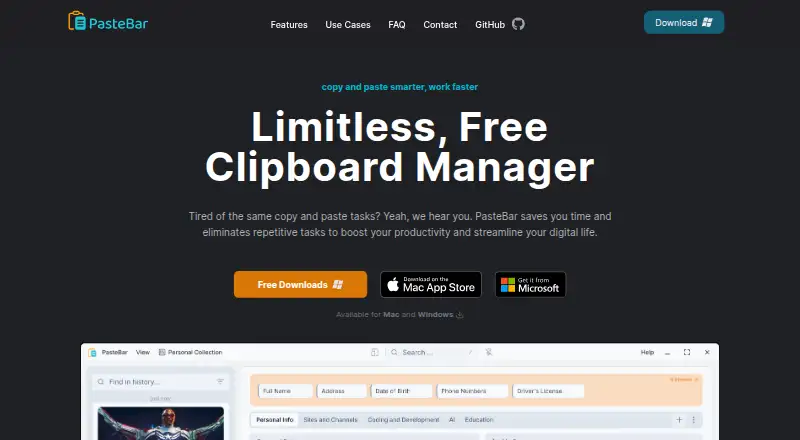
What PasteBar is
PasteBar is a clipboard manager for macOS and Windows that saves copied material for searching, organizing, and reuse. Its clipboard history is unlimited and searchable. Clips can be sorted into collections, tabs, and boards, then accessed through quick paste menus. Supported content includes text, images, files, links, and code snippets, with rich text support.
For repeated entries, users can create templates and clips with customizable form fields. PasteBar can also extract data from web pages and APIs through web requests and scraping. It detects and highlights syntax for programming languages including C, JavaScript, Python, Rust, SQL, and YAML. The maker says clipboard history and custom clips stay on the device rather than moving to cloud storage or external servers. Lock screen and passcode features provide additional protection. PasteBar is described as free and open source, with code available on GitHub. The Free plan includes unlimited clips, boards, and menus; unlimited collections and tabs are included with PasteBar Pro. It supports Apple Silicon and Intel Macs and Windows 10 and 11 on Intel, AMD, and ARM processors. The listed Free plan costs nothing.
Good
- Unlimited, searchable clipboard history.
- Handles text, images, files, links, and code.
- Customizable templates and form fields.
- History and custom clips stay on the local device.
- Free plan includes unlimited clips, boards, and menus.
Watch out
- Unlimited collections and tabs require PasteBar Pro.
- Available for macOS and Windows only.
Who it suits
PasteBar may suit people who regularly copy and paste, including creators, writers, designers, and programmers. It is available on macOS and Windows.
Verdict
PasteBar combines searchable clipboard history with organization, templates, and code-aware features. Note the distinction between the Free plan’s unlimited clips and the Pro plan’s unlimited collections and tabs.
Plans and prices
From PasteBar's own pricing page, checked 5 Oct 2026.
| Plan | Price | What it gives you |
|---|---|---|
| Free | Free | Unlimited clipboard history · unlimited clips, boards, and menus · Pro has unlimited collections and tabs |
The facts
Each one read from PasteBar's own pages, with the date it was checked.
What it does
- Audience
- The maker describes it as useful for people who regularly copy and paste, naming creators, writers, designers, and programmers among potential users.checked 5 Oct 2026
- Code support
- PasteBar automatically detects and highlights syntax for a list of programming languages including C, JavaScript, Python, Rust, SQL, and YAML.checked 5 Oct 2026
- Content types
- It supports text, images, files, links, and code snippets.checked 5 Oct 2026
- History
- It offers unlimited, searchable clipboard history.checked 5 Oct 2026
- Limits
- The FAQ says users can save unlimited clips, boards, and menus, while PasteBar Pro includes unlimited collections and tabs.checked 5 Oct 2026
- Open source
- The homepage describes PasteBar as free and open source with code available on GitHub.checked 5 Oct 2026
- Organization
- Clips can be organized into collections, tabs, and boards, with quick-access paste menus.checked 5 Oct 2026
- Product
- PasteBar is a clipboard manager for saving, organizing, searching, and reusing copied information.checked 5 Oct 2026
- Protection
- The maker lists lock screen and passcode features for additional protection.checked 5 Oct 2026
- Storage and privacy
- The maker says clipboard history and custom clips are stored exclusively on the local device and are not transferred to cloud storage or external servers.checked 5 Oct 2026
- Support
- The maker directs users with questions to its contact form and social media.checked 5 Oct 2026
- Supported systems
- PasteBar is listed for macOS and Windows, including Apple Silicon and Intel Macs and Windows 10 and 11 on Intel, AMD, and ARM processors.checked 5 Oct 2026
- Templates and forms
- Users can create clips with customizable form fields and templates for frequently entered data.checked 5 Oct 2026
- Web and API features
- The FAQ says PasteBar can extract data from web pages and APIs through web requests and scraping.checked 5 Oct 2026
Alternatives to PasteBar
- 1

Relic
Free planOpen sourceAndroidiOSWebAPI9.3From $5 a month - 2
Clipman
Free planOpen sourceAndroidiOSAPILinux9.2$1.99 one-time - 3

Pasteable
Free planAndroidiOSWebLinux8.3From $60 a year - 4

ClipboardFusion
Free planAndroidiOSWebExtension8.3$19 one-time - 5
OmniClip
Free planAndroidiOSWebExtension8.1Free plan - 6
Pastin
Free planiOSmacOS8.0From $29.99 a year