Pasta
Pasta is a clipboard history manager for macOS that keeps copied links, text, and images available to search and reuse.
What Pasta is
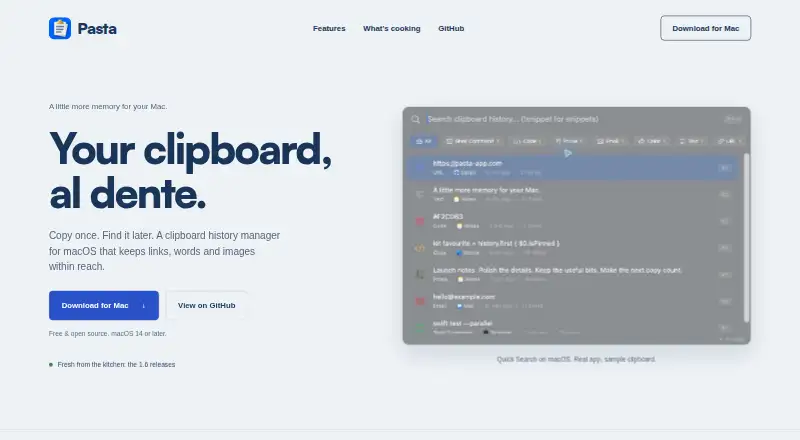
Pasta is a clipboard history manager for macOS that keeps copied links, text, and images available to search and reuse. Users can filter clipboard history, then paste a chosen item, plain text, or multiple clips together. It previews links, images, code, and colours, and detects items such as email addresses, JWTs, URLs, and environment variables. Reusable snippets can include dates and placeholders, with optional keyword expansion. Clipboard content is stored on the device by default, and no account is required. Sensitive items are skipped by default; iCloud sync, Tailnet Sync, crash reports, and analytics are off until enabled. Optional iCloud syncing can bring Mac and iPhone clipboard history together, while Tailnet Sync pairs Macs using Tailscale discovery and target approval. Pasta is free and open source under the MIT License. It supports macOS 14.0 (Sonoma) or later and iOS. Its security policy says the local database and images are not encrypted at rest by Pasta and recommends enabling FileVault.
Good
- Searches and filters saved clipboard items.
- Pastes multiple clips at once.
- Reusable snippets support dates and placeholders.
- Clipboard contents stay on-device by default.
- Free and open source under the MIT License.
Watch out
- Requires macOS 14.0 or later.
- Local database and images are not encrypted at rest by Pasta.
- Syncing and analytics are off until enabled.
Who it suits
Pasta suits Mac users who want searchable clipboard history and reusable snippets, including those who prefer local storage without an account. Users considering the optional syncing features should note that they are disabled until enabled.
Verdict
Pasta offers clipboard search, previews, and snippets, with local storage as its default and optional cross-device syncing. Its security policy notes that local data is not encrypted at rest by the app.
Plans and prices
From Pasta's own pricing page, checked 4 Oct 2026.
| Plan | Price | What it gives you |
|---|---|---|
| Free | Free | macOS 14.0 (Sonoma) or later · clipboard history manager |
The facts
Each one read from Pasta's own pages, with the date it was checked.
What it does
- Availability and license
- Pasta is free and open source under the MIT License.checked 4 Oct 2026
- Integrations
- Optional syncing uses the user's private iCloud database; optional Tailnet Sync pairs Macs through Tailscale discovery and target approval.checked 4 Oct 2026
- Local storage
- Clipboard contents are stored on the device by default, and Pasta does not require an account.checked 4 Oct 2026
- Previews and detection
- Pasta previews links, images, code, and colours, and its repository describes automatic detection for items such as emails, JWTs, URLs, and environment variables.checked 4 Oct 2026
- Privacy controls
- Sensitive clipboard items are skipped by default, while iCloud sync, Tailnet Sync pairings, crash reports, and analytics are off until enabled.checked 4 Oct 2026
- Search and paste
- Users can search and filter clipboard history, then paste selected items, plain text, or several clips at once.checked 4 Oct 2026
- Security limitation
- The security policy says the local database and images are not encrypted at rest by Pasta and recommends enabling FileVault.checked 4 Oct 2026
- Snippets
- Pasta supports reusable text snippets with dates and placeholders, plus optional keyword expansion.checked 4 Oct 2026
- Support
- The maker directs users to GitHub Issues for non-security issues and provides GitHub Security Advisories or email for security reports.checked 4 Oct 2026
- What it does
- Pasta is a clipboard history manager for macOS that keeps copied links, words, and images available to find and reuse.checked 4 Oct 2026
Where it runs
- Supported devices
- The maker describes Pasta as a Mac app and says Mac and iPhone clipboard history can be brought together through opt-in iCloud sync.checked 4 Oct 2026
Alternatives to Pasta
- 1

Relic
Free planOpen sourceAndroidiOSWebAPI9.4From $5 a month - 2
Clipman
Free planOpen sourceAndroidiOSAPILinux9.2$1.99 one-time - 3

Pasteable
Free planAndroidiOSWebLinux8.3From $60 a year - 4

ClipboardFusion
Free planAndroidiOSWebExtension8.3$19 one-time - 5
OmniClip
Free planAndroidiOSWebExtension8.1Free plan - 6
Pastin
Free planiOSmacOS8.0From $29.99 a year