Passphoto Maker
Passphoto Maker is a free Windows desktop application for creating and printing passport, visa, and ID photos.
What Passphoto Maker is
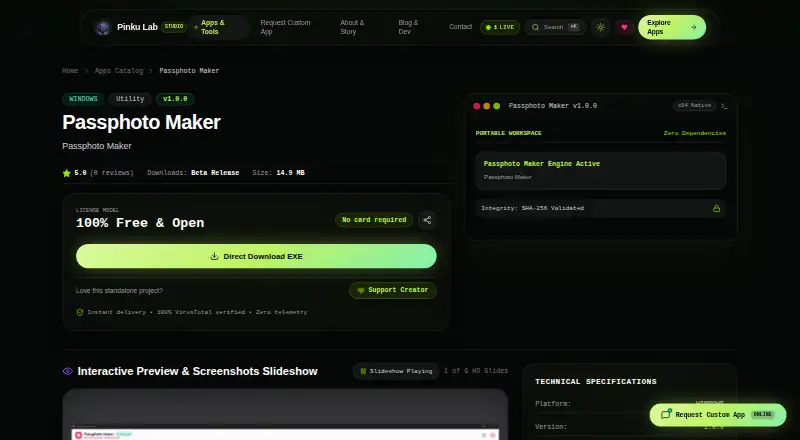
Passphoto Maker is a free Windows desktop application for creating and printing passport, visa, and ID photos. Pinku Lab describes it as intended for professional photo studios, cyber cafés, and home users. Listed sizes cover India, the United States, Schengen countries, the UK, and Canada, including India standard 1.5 × 2 inches and 35 × 45 mm, US 2 × 2 inches, and Canada 50 × 70 mm. Image options include an AI background remover, preset or custom background colors, and selectable frame styles. For printing, users can choose A4, 4×6, or 5×7 paper, use a four-column A4 layout, preview in Chrome, or print through Windows. Exports include single photos at 300 DPI and vector PDFs, with a selector for 2, 4, 6, 8, 12, 16, or 20 photos per sheet. The listed release is version 1.0.0 for Windows 10/11 (64-bit), with a 14.9 MB download. The product page says it operates client-side, collects no user data, and shares no data with third parties.
Good
- Lists sizes for India, the US, Schengen, UK, and Canada.
- Includes AI background removal and background color choices.
- Supports A4, 4×6, and 5×7 paper.
- Exports vector PDFs and 300 DPI photos.
- Product page says no user data is collected.
Watch out
- Available for Windows 10/11 (64-bit).
- Listed release is version 1.0.0.
- Download size is 14.9 MB.
Who it suits
It may suit photo studios, cyber cafés, and home users who need to prepare and print passport, visa, or ID photos on Windows.
Verdict
Passphoto Maker brings photo sizing, background adjustments, and print layouts into a free Windows application. Its listed destination sizes and sheet options make it relevant for users preparing ID-style photos.
Plans and prices
From Passphoto Maker's own pricing page, checked 7 Oct 2026.
| Plan | Price | What it gives you |
|---|---|---|
| Passphoto Maker | Free | Windows 10/11 (64-bit) · 14.9 MB · v1.0.0 · 100% Free & Open |
The facts
Each one read from Passphoto Maker's own pages, with the date it was checked.
What it does
- Data handling
- The product page says no user data is collected and no data is shared with third parties.checked 7 Oct 2026
- Exports
- It exports single photos at 300 DPI and vector PDFs, and offers a selector for 2, 4, 6, 8, 12, 16, or 20 photos per sheet.checked 7 Oct 2026
- Image tools
- Features include an AI background remover, preset and custom background colors, and selectable frame styles.checked 7 Oct 2026
- Offline operation
- The product page describes privacy as 100% client-side and network telemetry as zero.checked 7 Oct 2026
- Photo sizes
- Listed sizes include India standard 1.5 × 2 inches and 35 × 45 mm, US 2 × 2 inches, Schengen and UK 35 × 45 mm, and Canada 50 × 70 mm.checked 7 Oct 2026
- Printing
- It offers A4, 4×6, and 5×7 paper options, a four-column A4 layout, Chrome print preview, and direct Windows system printing.checked 7 Oct 2026
- Privacy addendum
- Pinku Lab’s privacy policy lists Passphoto Maker as storing no data, sharing none with third parties, and having no security architecture specified.checked 7 Oct 2026
- Purpose
- A desktop application for creating and printing passport, visa, and ID photos.checked 7 Oct 2026
- Support
- The product page lists [email protected] for bug reports and inquiries; the contact page gives a Monday–Saturday response window of 09:00–18:00 IST and an average response time of 4–24 hours.checked 7 Oct 2026
- Target users
- The maker describes it as designed for professional photo studios, cyber cafés, and home users.checked 7 Oct 2026
The company
- Headquarters
- Berhampur, Odisha, Indiachecked 28 Sep 2026
- Maker and location
- The product page credits Pinku Nayak and Pinku Lab, and says it is engineered in Berhampur, Odisha, India.checked 7 Oct 2026
Where it runs
- Windows release
- The listed release is version 1.0.0 for Windows 10/11 (64-bit), with a 14.9 MB download.checked 7 Oct 2026
Alternatives to Passphoto Maker
- 1
Cutout.Pro
Free planAndroidiOSWebAPI8.2From $5 a month - 2
ID Photo Studio
Free planAndroidiOSmacOS7.8$3.99 one-time - 3

ID Photo Maker
Free planiOS7.3From $19.99 a year - 4
Passport Room
Free planAndroidiOSWeb7.1$0.99 one-time - 5
Foxly Passport Photo
AndroidiOSWeb6.5$5 one-time - 6
MakePassportPhoto
Free planWeb6.5$2.99 one-time