Paribus 365
Paribus 365 adds data quality tools to Microsoft Dynamics 365 CRM, including fuzzy search, duplicate handling, and bulk cleansing.
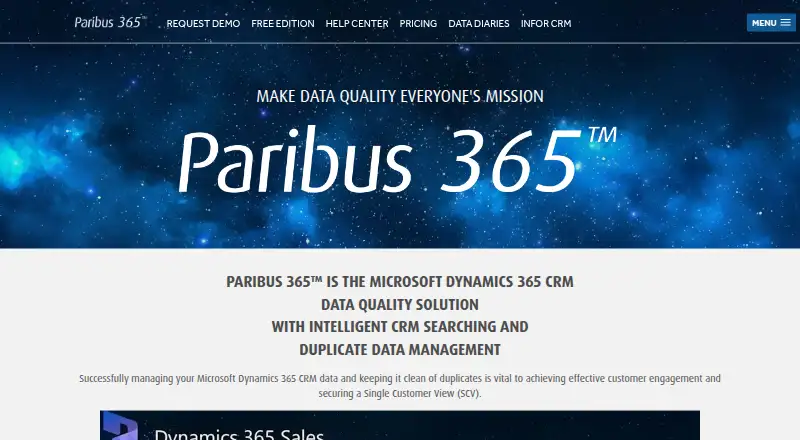
What Paribus 365 is
Paribus 365 adds data quality tools to Microsoft Dynamics 365 CRM, including fuzzy search, duplicate handling, and bulk cleansing. Its embedded search can find records across multiple entities when names are incomplete or misspelled. Before users add an Account, Contact, or Lead, it can alert them to an existing record; detected duplicates can then be reviewed and merged in the CRM workflow. For larger cleanup tasks, Data Cleansing searches across the system and supports review, approval, merging, and consolidation into a master record. Lead Management highlights existing customers and associates Leads with them, while Smart Entity Lookups helps users select the right CRM entity through fuzzy matching. The Free Edition supports unlimited users and up to 100,000 records. Data Cleansing is $825.00 per month with a minimum initial term of two months. A fully assisted 30-day free trial is available. The product is embedded in Dynamics 365 CRM and is available on web and Windows.
Good
- Fuzzy search finds incomplete or misspelled names.
- Alerts before duplicate Accounts, Contacts, or Leads are added.
- Free Edition supports unlimited users and up to 100,000 records.
- Bulk cleansing supports review, approval, merging, and consolidation.
- Free support and help resources are listed.
Watch out
- Search and Detect has a 10-user minimum.
- Search and Detect adds a monthly data-volume charge.
- Data Cleansing requires a two-month minimum initial term.
- The free record limit is 100,000.
Who it suits
Paribus 365 suits Dynamics 365 CRM users who need to find, prevent, review, and merge duplicate records. Its bulk cleansing and lead tools may also suit teams managing larger CRM datasets and customer qualification.
Verdict
Paribus 365 combines CRM search, duplicate prevention, and record cleanup within Dynamics 365. The Free Edition has a stated 100,000-record ceiling, while paid Search and Detect adds user and data-volume charges.
Plans and prices
From Paribus 365's own pricing page, checked 15 Oct 2026.
| Plan | Price | What it gives you |
|---|---|---|
| Free Edition | Free | Unlimited users · intelligent search · duplicate detection · duplicate prevention · merge support · up to 100K records · No credit card required |
| Paribus 365 Search and Detect Free Edition | Free | Unlimited users · up to 100K records · intelligent search · duplicate detection and prevention · merge support · No cost; no credit card required |
| Paribus 365 Search and Detect | $5.50 a month | Monthly cost varies by CRM users and indexed data volume · minimum 10 users · data volume above 10,000,000: Call · Per user per month, plus monthly data-volume charge; minimum 10 users. Data-volume charge: $125/month for 0–250,000 records; $250 for 250,001–500,000; $450 for 500,001–2,000,000; $850 for 2,000,001–5,000,000; $2000 for 5,000,001–10,000,000; over 10,000,000: Call. |
| Premium Edition | $180 a month | Unlimited data · per-user monthly cost · full multi-merge · real-time duplicate detection and prevention · full support · third-party/API integration · 30-day free trial · Minimum 12-month subscription; onboarding is a single one-time payment |
| Full Edition | $825 a month | Data cleansing · data merge · data consolidation · 30-day free trial · Minimum 2-month subscription; onboarding is a single one-time payment |
| Paribus 365 Data Cleansing | $825 a month | No additional charge based on activity volume or amount of cleansing · initial minimum 2-month engagement · Monthly commitment; minimum initial term of 2 months. Annual commitment: Call. |
The facts
Each one read from Paribus 365's own pages, with the date it was checked.
What it does
- API integration
- The current Premium Edition advertises third-party/API integration, and the site describes API connections for customer portals and integrated systems.checked 15 Oct 2026
- Bulk data cleansing
- The Data Cleansing service searches across the Dynamics 365 CRM system for large-scale duplication and supports review, approval, merging, and consolidation into a master record.checked 4 Oct 2026
- Custom actions
- Search results include built-in Review, Go To, Associate and Merge actions, and custom actions can be added with code.checked 15 Oct 2026
- Data cleansing
- Data Cleansing scans the Dynamics system for large-scale duplication and supports review before merging.checked 15 Oct 2026
- Documentation
- The Help Center provides FAQs, how-to guides, troubleshooting, technical articles, system requirements, release notes and document libraries.checked 15 Oct 2026
- Duplicate detection
- While users work with Dynamics entities, Paribus flags potential conflicting duplicates for review.checked 15 Oct 2026
- Duplicate prevention
- The product alerts users during record creation when an Account, Contact or Lead already exists.checked 15 Oct 2026
- Duplicate review and merge
- Users can review detected potential duplicates and merge them as part of their CRM workflow.checked 4 Oct 2026
- Dynamics API connectivity
- The Solution Manager connects to the target CRM through the Dynamics 365 API for installation and configuration.checked 15 Oct 2026
- Embedded search
- The product is embedded in Dynamics 365 CRM and provides fuzzy search across multiple entities, including when names are misspelled or incomplete.checked 4 Oct 2026
- Entity lookups
- Smart Entity Lookups uses fuzzy matching to help users select the correct CRM entity.checked 4 Oct 2026
- GDPR data scope
- Search and Detect synchronizes only selected attributes from active Account, Contact, Lead and Address entities and stores no transactional data such as emails or orders.checked 15 Oct 2026
- GDPR deletion
- There are no service backups; CRM additions, updates and deletions normally synchronize within an hour, and deleted records can be recovered by resynchronization.checked 15 Oct 2026
- Installation
- Installation uses a downloadable ZIP containing Paribus365.SolutionManager.exe; version 5.1.0 supports Dynamics 365 CRM v9.1+, Unified Client Interface, MFA/OAuth and .NET 4.6.2.checked 15 Oct 2026
- Integration
- The product is described as embedded in Microsoft Dynamics 365 CRM; the maker also lists a separate duplicate data management solution for Infor CRM.checked 4 Oct 2026
- Intelligent search
- Its fuzzy search is designed to find Dynamics records when names are incomplete, inconsistent or misspelled.checked 15 Oct 2026
- Lead management
- Lead handling highlights when a lead may already be an existing customer, helping qualification and avoiding conflicting outreach.checked 15 Oct 2026
- Licence status
- The product materials identify Paribus 365 as a QWARE Limited trademark and state that copyright is all rights reserved, with no open-source licence published.checked 15 Oct 2026
- Limit: data backups
- Search and Detect does not take historical backups, so recovery depends on running a resynchronization from CRM.checked 15 Oct 2026
- Limit: review evidence
- GetApp, Capterra and Software Advice each show no submitted user reviews, so repeated reviewer praise or complaints are not available there.checked 15 Oct 2026
The company
- Company founded and size
- LinkedIn describes QWARE as founded in 1997, headquartered in Winchester and employing 11–50 people.checked 15 Oct 2026
- Company incorporation
- Companies House records QWARE Limited as incorporated on 14 April 2021 with software-development SIC 62012.checked 15 Oct 2026
- Company legal record
- QWARE Limited is an active UK private limited company, company number 13334085, registered at Newfrith House, 21 Hyde Street, Winchester.checked 15 Oct 2026
Money
- Free edition limit
- The Free Edition includes unlimited users and supports up to 100,000 records.checked 4 Oct 2026
The full review of Paribus 365
Paribus 365 is a data-quality product built into Microsoft Dynamics 365 CRM. It is best for teams that want to find and manage duplicate records inside that CRM; organizations working across other systems should consider a broader-fit alternative. Its appeal is the combination of embedded search and cleanup, with a sizable free tier for smaller record sets.
Overview
Paribus 365 brings fuzzy search, duplicate controls, and cleanup into Dynamics 365 CRM workflows. Its search spans multiple entities and can find records despite misspelled or incomplete names. Before a user adds an Account, Contact, or Lead, duplicate alerts can flag a record that is already in the CRM. This is a practical fit for teams that want to catch duplicate entry at the point of work rather than rely only on periodic cleanup.
Users can review potential duplicates and merge them within their CRM workflow. For larger cleanup jobs, Data Cleansing searches across the CRM system and supports review, approval, merging, and consolidation into a master record. Lead Management highlights existing customers and associates them with Leads during qualification and engagement, while Smart Entity Lookups uses fuzzy matching to help users select the right CRM entity.
Key features
Find and prevent duplicates
Fuzzy multi-entity search helps when an exact-name lookup would miss a record. Duplicate prevention checks for existing Accounts, Contacts, and Leads before a new one is added, and detection and merge support lets users resolve potential matches in their normal CRM workflow. These tools are most useful when duplicate entry is a recurring CRM problem; they are not a substitute for a broader data-quality approach across other systems.
Clean records at scale
Data Cleansing searches the CRM for large-scale duplication and supports a review-and-approval process before records are merged and consolidated into a master. That controlled workflow is better suited to deliberate cleanup projects than ad hoc record edits. The separate service has a monthly commitment and minimum initial term, so it is a more substantial choice than simply enabling search and duplicate alerts.
Lead and entity support
Lead Management can surface existing customers and associate them with Leads during qualification and engagement. Smart Entity Lookups applies fuzzy matching to entity selection, reducing reliance on exact text matching when users choose a CRM record.
Pricing
Free Edition
Paribus 365 Search and Detect Free Edition costs nothing, with no credit card required. It includes unlimited users, up to 100,000 records, intelligent search, duplicate detection and prevention, and merge support. The lack of a seat cap makes it a strong starting point for teams that fit within the record ceiling, but it does not cover larger datasets.
Search and Detect
Paid Search and Detect costs $5.50 a month per user, plus a monthly data-volume charge, with a 10-user minimum. The volume charge is $125/month for 0–250,000 records, $250 for 250,001–500,000, $450 for 500,001–2,000,000, $850 for 2,000,001–5,000,000, and $2000 for 5,000,001–10,000,000; over 10,000,000 records requires a call. Billing is monthly based on usage. The per-user rate alone understates the cost: teams should account for both the minimum seat count and their indexed record band. A fully assisted 30-day free trial includes Search, Duplicate Prevention, Detection and Merge, Data Cleansing, Lead Management, and Entity Lookups.
Data Cleansing
Paribus 365 Data Cleansing costs $825 a month, with a minimum initial term of 2 months. Annual commitment requires a call. There is no additional charge based on activity volume or amount of cleansing, which makes this a more predictable option for a defined cleanup engagement than usage-volume billing. It is best for teams that need the dedicated cleanup service, not those seeking only ongoing search and duplicate prevention.
Platforms
Paribus 365 is available on web and Windows and is described as embedded in Microsoft Dynamics 365 CRM. Its hybrid deployment is relevant to organizations considering deployment options, but the product's stated workflow remains centered on Dynamics 365. The maker also offers a separate duplicate data management solution for Infor CRM.
Who it's for
Paribus 365 suits Dynamics 365 teams that need fuzzy record search, duplicate checks at entry, and an in-CRM way to review and merge matches. The Free Edition is especially relevant to teams with up to 100,000 records and multiple users. Larger teams should compare the combined user and data-volume charges against their needs; organizations that need a cleanup project can consider the separate Data Cleansing commitment. It is a poor fit for teams seeking a CRM-independent data-quality tool.
Pros and cons
- Pros: Embedded fuzzy search handles incomplete and misspelled names across multiple entities, making records easier to find than exact-match lookup alone.
- Pros: Duplicate alerts cover Accounts, Contacts, and Leads before creation, while review and merge support keeps correction within the CRM workflow.
- Pros: The Free Edition supports unlimited users and up to 100,000 records without a credit card, giving eligible teams room to adopt it without a per-seat charge.
- Cons: Paid Search and Detect requires at least 10 users and adds a data-volume charge, so its entry per-user price is not the full monthly cost.
- Cons: The product is built around Dynamics 365 CRM, limiting its fit for organizations that need consistent duplicate management across unrelated systems.
- Cons: Data Cleansing requires a two-month minimum initial engagement, which may be more commitment than a small or occasional cleanup needs.
Alternatives
Customer Data Quality Software is a useful category page for comparing options. Choose Melissa Data Quality instead if its broader set of platform options, including API, self-hosted, web, and desktop platforms, better matches your deployment needs. ZeroBounce is the alternative to consider when email verification is the priority; its free plan includes 100 monthly email verifications for a business account, with pay-as-you-go credits also offered. Choose Zingg if an open-source, self-hosted Linux option for batch probabilistic matching is a better fit. Senzing Entity Resolution is another option for teams evaluating entity resolution, with a listed subscription of $58,560 a year for 10M DSRs. Consider Byteplant Data Validation if address validation with country- and volume-dependent pay-as-you-go credits is the closer match. Workbooks is the alternative to examine when a broader CRM is needed rather than a Dynamics 365-focused data-quality tool. Data Lens may suit partners looking for a white-label Sales Analytics Platform. DQE One Unify is another option to consider for curative processing hosted in the vendor's cloud.
Verdict
Choose Paribus 365 if your team works in Dynamics 365 and wants one workflow for fuzzy search, duplicate prevention, merge review, and larger-scale cleanup. Its strongest reason to choose it is that those controls are embedded in the CRM, with a free tier that supports unlimited users up to 100,000 records. Look elsewhere if your work spans multiple systems or if paid Search and Detect's minimum seats and record-volume fees do not fit your budget.
Getting started
- Visit the Paribus 365 website.
- Choose the Free Edition or review the paid Search and Detect and Data Cleansing plans.
- Use the fully assisted 30-day free trial to access the listed product capabilities.
- Use Paribus 365 embedded in Microsoft Dynamics 365 CRM.
Limits worth knowing
The Free Edition supports up to 100,000 records. Paid Search and Detect requires at least 10 users and adds a monthly data-volume charge; Data Cleansing has a minimum initial term of two months.
Questions
Is Paribus 365 free?
Yes. The Free Edition costs nothing and requires no credit card. It supports unlimited users and up to 100,000 records.
How much do the paid plans cost?
Search and Detect is $5.50 a month per user, plus a monthly data-volume charge, with a 10-user minimum. Data Cleansing is $825 a month with a minimum initial term of two months.
Is there a free trial?
Yes. The maker offers a fully assisted 30-day free trial that includes Search, Duplicate Prevention, Detection and Merge, Data Cleansing, Lead Management, and Entity Lookups.
Which platforms does Paribus 365 support?
The listed platforms are web and Windows. The product is embedded in Microsoft Dynamics 365 CRM.
What does the Free Edition include?
It includes intelligent search, duplicate detection and prevention, merge support, unlimited users, and up to 100,000 records.
What does Search and Detect cost for data volume?
The monthly data-volume charge is $125 for 0–250,000 records, $250 for 250,001–500,000, $450 for 500,001–2,000,000, $850 for 2,000,001–5,000,000, and $2,000 for 5,000,001–10,000,000 records. For more than 10,000,000 records, the pricing says to call.
Alternatives to Paribus 365
- 1
Melissa Data Quality
Free planAndroidiOSWebAPI8.1From $350 a year - 2

ZeroBounce
Free planAndroidiOSWebAPI8.1Free plan - 3

Zingg
Free planOpen sourceAPILinuxmacOSSelf-hosted7.4Free plan - 4
Yugandhar Open MDM Hub
Free planOpen sourceWebAPILinuxSelf-hosted7.1Free plan - 5

Workbooks
AndroidiOSWeb6.9From $47 a month - 6

DataMatch Enterprise
WebAPILinuxSelf-hosted6.8