Paintstorm Studio
Paintstorm Studio is digital painting software for artists working across genres and techniques.
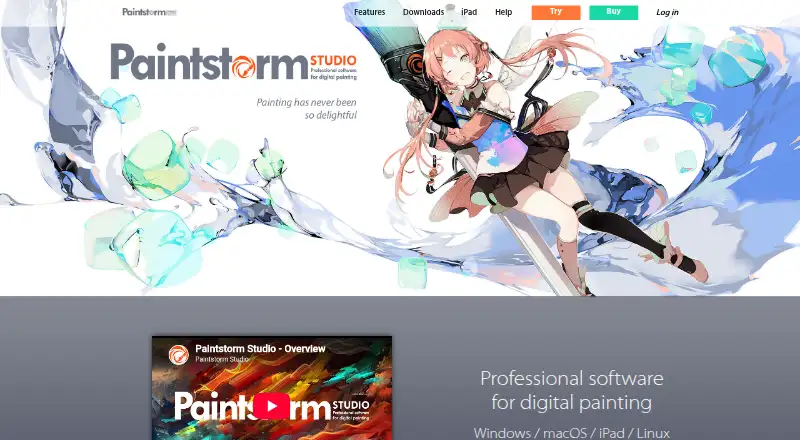
What Paintstorm Studio is
Paintstorm Studio is digital painting software for artists working across genres and techniques. Its brush tools include double brushes, textured brushes, controlled mask brushes, and customizable options. A mixing palette and blending modes can use colors from underlying layers, transparency, or the current layer. Drawing aids include stroke stabilization and correction, perspective rulers, symmetry up to 100 rays, and a GPU kaleidoscope with pattern repeater. For editing, it provides multi-layer transform and warp tools, multi-layer liquify, clone, seamless mode, and fast export. A free trial with all functions is available for Windows, macOS, Linux, and iPad; it is activated by email, and no trial duration is stated. Desktop registration requires an internet connection, but the registered app can then run offline. The listed perpetual license for one PC costs $25, paid once, with free perpetual updates; the iPad app costs $12.99, paid once. The iPad app requires iPadOS 13.1 or later and supports Apple Pencil. Desktop system requirements include a Core i3-4150 3.5GHz processor, 2GB memory, 100MB disk space, and OpenGL 3.2 or higher from version 2.31.
Good
- Customizable and textured brush options.
- Symmetry supports up to 100 rays.
- Includes multi-layer transform, warp, and liquify.
- Free trial offers all functions.
- Registered desktop app can be used offline.
Watch out
- Desktop registration requires an internet connection.
- License transfer between PCs is limited to once a week.
- Privacy policy cannot guarantee absolute security.
- iPad app requires iPadOS 13.1 or later.
Who it suits
Paintstorm Studio suits artists who want customizable brushes, layer editing tools, and drawing aids across desktop platforms or iPad. Its iPad app supports Apple Pencil.
Verdict
Paintstorm Studio combines configurable painting tools, drawing aids, and multi-layer editing across desktop and iPad. Check the distinct one-time prices and registration requirements for the platform you plan to use.
Plans and prices
From Paintstorm Studio's own pricing page, checked 20 Sep 2026.
| Plan | Price | What it gives you |
|---|---|---|
| Windows/macOS/Linux perpetual license | $25 a month | License for one PC · Free perpetual updates |
| iPad | — | Professional drawing app · Apple Pencil pressure, tilt, and direction support |
| iPad app | $12.99, paid once | iPad · iPadOS 13.1 or later · One-time purchase |
| Perpetual license for 1 PC | $25, paid once | Windows/MacOS/Linux · 1 PC · free perpetual updates · One-time fee |
The facts
Each one read from Paintstorm Studio's own pages, with the date it was checked.
What it does
- Brushes
- It supports double brushes, customizable brush options, textured brushes, and controlled mask brushes.checked 30 Sep 2026
- Color and blending
- It offers a mixing palette and blending modes that can use colors from underlying layers, transparency, or the current layer.checked 30 Sep 2026
- Drawing tools
- Features include stroke stabilization and correction, perspective rulers, symmetry up to 100 rays, and a GPU kaleidoscope with pattern repeater.checked 30 Sep 2026
- Editing
- The product includes multi-layer transform and warp tools, liquify for multiple layers, clone, seamless mode, and fast export.checked 30 Sep 2026
- iPad compatibility
- The App Store listing says the iPad app requires iPadOS 13.1 or later and supports Apple Pencil.checked 30 Sep 2026
- License transfer
- The registration FAQ says a license can be transferred between PCs no more than once a week.checked 30 Sep 2026
- Offline use
- Desktop registration requires an internet connection, but the registered app can then be used offline.checked 30 Sep 2026
- Purpose
- Paintstorm Studio is professional digital painting software intended for artists and work across genres and techniques.checked 30 Sep 2026
- Security and privacy
- The privacy policy says the service may require personally identifiable information, may use third-party services that collect identifying information, and cannot guarantee absolute security.checked 30 Sep 2026
- Support
- The registration FAQ directs customers who cannot register or log in to contact [email protected] for assistance.checked 30 Sep 2026
- System requirements
- The help page lists Core i3-4150 3.5GHz, 2GB memory, 100MB disk space, and OpenGL 3.2 or higher from version 2.31.checked 30 Sep 2026
Money
- Free plan
- Nochecked 20 Sep 2026
- Trial
- A free trial offers all functions, is activated by email, and is available for Windows, macOS, Linux, and iPad; no trial duration is stated.checked 30 Sep 2026
Alternatives to Paintstorm Studio
- 1

ibisPaint
Free planAndroidiOSmacOSWindows8.1From $27.99 a year - 2

Concepts
Free planAndroidiOSWindows8.0Free plan - 3

Drawpile
Free planOpen sourceAndroidiOSWebAPI7.9Free plan - 4
FireAlpaca
Free planLinuxmacOSWindows7.6$39.99 one-time - 5
Sketchbook
Free planAndroidiOSmacOSWindows7.5Free plan - 6

Clip Studio Paint
AndroidiOSWebmacOS7.4From $10.99 a year