Oxygen XML Editor
Oxygen XML Editor is a desktop XML authoring and development tool for beginners through experts, with versions for Windows, macOS and Linux and an Eclipse pl…
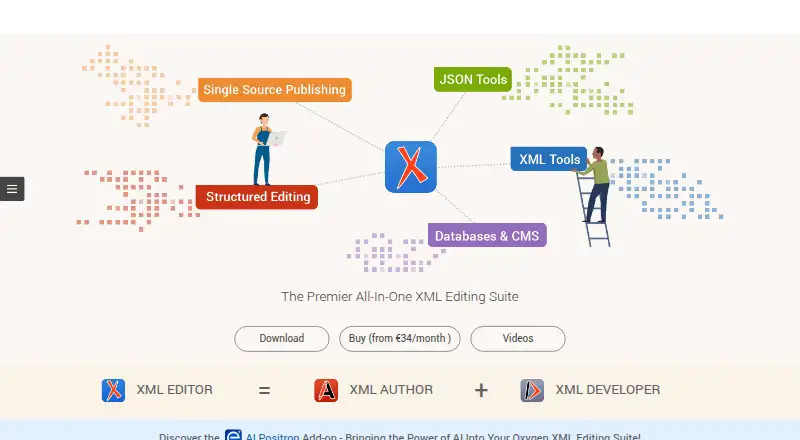
What Oxygen XML Editor is
Oxygen XML Editor is a desktop XML authoring and development tool for beginners through experts, with versions for Windows, macOS and Linux and an Eclipse plugin. It lets users work on XML in Text, Grid or Author modes, with as-you-type validation and context-sensitive editing for XML, JSON and HTML. Ready-made support covers DITA, DocBook, XHTML and TEI. Publishing scenarios can turn one source into outputs such as PDF, ePUB, HTML, WebHelp and plain HTML. The editor also connects to Microsoft SharePoint and WebDAV-enabled content management systems, and includes an Apache Subversion client for browsing repositories, committing, updating and viewing revision history. Professional and Enterprise subscriptions are listed at $34 a year and $53 a year, respectively; a free plan is not offered. A free 30-day evaluation requires a trial license key. On Linux, the bundled Java requires X.org; Wayland is not supported.
Good
- Edits XML in Text, Grid and Author modes.
- Validates XML, JSON and HTML as you type.
- Publishes multiple formats from one source.
- Includes an Apache Subversion client.
Watch out
- No free plan is available.
- The 30-day evaluation requires a trial license key.
- Linux's bundled Java requires X.org; Wayland is unsupported.
Who it suits
It suits people authoring, validating or publishing XML-based content, from beginners to experts. Teams using DITA, DocBook, XHTML or TEI may find its ready-to-use support relevant.
Verdict
Oxygen XML Editor combines XML editing, validation, publishing and version-control tools in a desktop application. Check the edition and licensing options you need, and note the Linux display-system limitation if applicable.
Plans and prices
From Oxygen XML Editor's own pricing page, checked 30 Sep 2026.
| Plan | Price | What it gives you |
|---|---|---|
| Professional 12-month subscription | $34 a year | user-based · Professional edition · billed annually |
| Enterprise (AI-ready) 12-month subscription | $53 a year | user-based · Enterprise edition · billed annually |
| Professional user-based · 1-year SMP | $942, paid once | perpetual license · 1 year Support & Maintenance Pack |
| Professional user-based · 2-year SMP | $1,080, paid once | perpetual license · 2 years Support & Maintenance Pack |
| Enterprise (AI-ready) user-based · 1-year SMP | $1,465, paid once | perpetual license · 1 year Support & Maintenance Pack |
| Enterprise (AI-ready) user-based · 2-year SMP | $1,678, paid once | perpetual license · 2 years Support & Maintenance Pack |
| Professional Floating · 1-year SMP | $2,827, paid once | floating license · 1 year Support & Maintenance Pack |
| Professional Floating · 2-year SMP | $3,240, paid once | floating license · 2 years Support & Maintenance Pack |
| Enterprise (AI-ready) Floating · 1-year SMP | $4,397, paid once | floating license · 1 year Support & Maintenance Pack |
| Enterprise (AI-ready) Floating · 2-year SMP | $5,037, paid once | floating license · 2 years Support & Maintenance Pack |
The facts
Each one read from Oxygen XML Editor's own pages, with the date it was checked.
The company
- Company customers
- Syncro Soft says it has customers from universities, Fortune 500 companies and Nasdaq 100 companies.checked 30 Sep 2026
- Founded
- 1998checked 23 Sep 2026
- Headquarters
- Craiova, Romaniachecked 23 Sep 2026
What it does
- Databases
- The Enterprise subscription adds support for IBM DB2, Oracle 10.2 and Microsoft SQL Server, while Professional excludes commercial database support.checked 30 Sep 2026
- Eclipse
- Oxygen XML Editor is available as an Eclipse plugin.checked 30 Sep 2026
- Editing modes
- XML files can be edited in Text, Grid and Author modes.checked 30 Sep 2026
- Frameworks
- Ready-to-use editing and publishing support includes DITA, DocBook, XHTML and TEI.checked 30 Sep 2026
- Integrations
- The editor integrates out of the box with Microsoft SharePoint and WebDAV-enabled content management systems.checked 30 Sep 2026
- Product purpose
- Oxygen XML Editor is an XML authoring and development tool for beginners through experts.checked 30 Sep 2026
- Publishing
- It provides preset and configurable scenarios that produce PDF, ePUB, HTML and other outputs from the same source.checked 30 Sep 2026
- Security certification
- Syncro Soft SRL is ISO 27001:2022 certified, but the certification applies to its information security management system rather than the Oxygen desktop applications.checked 30 Sep 2026
- Support
- The Oxygen community forum has over 30,000 posts from more than 12,000 users, and the support team and community respond daily.checked 30 Sep 2026
- Validation
- As-you-type validation and context-sensitive editing help keep XML, JSON and HTML documents well-formed and valid.checked 30 Sep 2026
- Version control
- The built-in Apache Subversion client supports repository browsing, commits, updates and revision history.checked 30 Sep 2026
Where it runs
- Linux limitation
- The bundled Java version requires X.org and Wayland is not supported.checked 30 Sep 2026
Money
- Trial
- The download page offers a free 30-day evaluation that requires a trial license key.checked 30 Sep 2026
The full review of Oxygen XML Editor
Oxygen XML Editor is a desktop XML authoring and development tool, with editing, validation and publishing built around structured content. It suits writers and developers working with formats such as DITA or DocBook who need control over both source and output. Its breadth is a strong fit for demanding XML workflows, though edition differences, substantial perpetual-license prices and a Linux display-system constraint deserve attention.
Overview
Oxygen combines text-oriented editing with visual modes and publishing scenarios, so the same source can feed outputs including PDF, EPUB, HTML and WebHelp. Ready-to-use support for DITA, DocBook, XHTML and TEI gives teams working in established documentation frameworks a faster route into structured authoring than a bare text editor.
Validation as you type and context-sensitive editing help catch structural problems while working with XML, JSON and HTML. That is useful when document validity matters, but it does not remove the need to understand the formats and rules being edited. The tool is aimed at beginners through experts, yet its breadth is most compelling for people whose work depends on structured content rather than occasional XML changes.
Key features
Editing and publishing
Text, Grid and Author modes offer different ways to work with XML, from direct source editing to more structured views. Configurable publishing scenarios generate multiple output formats from a common source, which supports single-sourcing and translation workflows. Review workflows are also supported, making Oxygen relevant to documentation teams rather than only individual developers.
Connections and version control
Out-of-the-box integration with Microsoft SharePoint and WebDAV-enabled content management systems can fit Oxygen into existing content repositories. Its Apache Subversion client handles repository browsing, commits, updates and revision history. This is a focused version-control feature set; the stated support is for Subversion.
An Eclipse plugin is available for users who want Oxygen in that environment. The Enterprise edition adds support for IBM DB2, Oracle 10.2 and Microsoft SQL Server; Professional excludes commercial database support. That distinction makes the edition choice consequential for database-backed work.
Pricing
There is no free plan. A free 30-day evaluation is offered, but it requires a trial license key. Paid choices include subscriptions and perpetual licenses paired with a Support & Maintenance Pack (SMP); the listed subscription prices are user-based, while perpetual options also include floating licenses.
- Professional 12-month subscription: $34 a year, billed annually, user-based. This is the lower-cost subscription for XML work that does not need commercial database support.
- Enterprise (AI-ready) 12-month subscription: $53 a year, billed annually, user-based. Choose it when the added commercial database support matters.
- Professional user-based perpetual: $942, paid once with a 1-year SMP, or $1,080, paid once with a 2-year SMP.
- Enterprise (AI-ready) user-based perpetual: $1,465, paid once with a 1-year SMP, or $1,678, paid once with a 2-year SMP.
- Professional Floating perpetual: $2,827, paid once with a 1-year SMP, or $3,240, paid once with a 2-year SMP.
- Enterprise (AI-ready) Floating perpetual: $4,397, paid once with a 1-year SMP, or $5,037, paid once with a 2-year SMP.
The perpetual options require a much larger one-time outlay than the subscriptions, and the SMP term is part of each listed option. Floating licensing is priced well above the user-based perpetual choices, so it is best considered only when that license type suits the organization. Confirm the edition and licensing arrangement before committing, especially if database support is essential.
Platforms
Oxygen is a desktop application for Windows, macOS and Linux, and it is also available as an Eclipse plugin. Linux users should check their environment first: the bundled Java version requires X.org and does not support Wayland. That limitation may rule it out on a Wayland-only setup.
Who it's for
Oxygen is a strong candidate for technical writers and developers who maintain XML-based documentation, need validation during editing, or publish several formats from a shared source. Teams using DITA, DocBook, XHTML or TEI gain the clearest framework-specific benefit. The Enterprise edition is the relevant choice for work involving the named commercial databases.
It is less attractive for someone who only makes occasional XML edits, wants a free tier, or needs a Linux editor that supports Wayland. Its subscription options lower the initial commitment, but the perpetual and floating licenses are expensive enough to justify careful consideration of ongoing workflow needs.
Pros and cons
- Pro: Text, Grid and Author modes accommodate different XML editing approaches, while context-sensitive editing and live validation help maintain document structure.
- Pro: Publishing scenarios can produce several formats from one source, supporting single-sourcing and translation work.
- Pro: Built-in Subversion functions and integrations with SharePoint and WebDAV systems can connect editing to established content workflows.
- Con: Commercial database support is restricted to Enterprise, so Professional may not suit database-dependent projects.
- Con: Perpetual license prices rise sharply for Enterprise and floating options compared with the user-based Professional license.
- Con: Linux users relying on Wayland cannot use the bundled Java setup as supported.
- Con: There is no free plan, and even the free evaluation requires a trial license key.
Alternatives
For a broader survey of documentation software, browse Help Authoring Tools.
- DITA Exchange is a paid alternative with API, self-hosted, web and Windows platforms; consider it when those deployment options are a better fit.
- Paligo is a paid web and API option with a free trial and a Business plan at $15,000 a year; its stated allowance includes two authors and two languages, making it a choice to compare for a web-based team workflow.
- MadCap Flare is a paid Windows and web option with a free trial; its Starter — Flare Desktop Only plan is $3,150 a year per author, a different desktop-oriented alternative for teams evaluating authoring software.
- Adobe RoboHelp offers individual subscriptions with annual commitment and monthly or annual payment; consider it if an individual subscription structure is preferable.
- XMLmind XML Editor has a free personal edition as well as paid options, so it is worth considering when a free plan is a priority.
- Heretto is a paid web-based alternative.
- Dr.Explain has a free Windows plan restricted to 20 topics, which may suit a narrowly scoped project.
- Author-it is a paid web-based alternative.
Verdict
Choose Oxygen XML Editor if structured XML authoring, validation and multi-format publishing are central to your work, particularly in a supported documentation framework. Its combination of editing modes, publishing workflows and Subversion tools is the main reason to choose it. Look elsewhere if you need a free plan, Wayland support on Linux, or commercial database access without moving to Enterprise.
Alternatives to Oxygen XML Editor
- 1
Dokiel
Free planOpen sourceWebLinuxmacOSSelf-hosted8.1From €420 a year - 2

Paligo
Free planWebAPI7.5Free plan - 3
HelpNDoc
Free planAPISelf-hostedWindows7.4€99 one-time - 4
XMLmind XML Editor
Free planWebLinuxmacOSWindows7.1$195 one-time - 5
Dr.Explain
Free planWindows7.0From $290 a year - 6

Heretto
WebAPILinuxmacOS6.7