
Overcaption
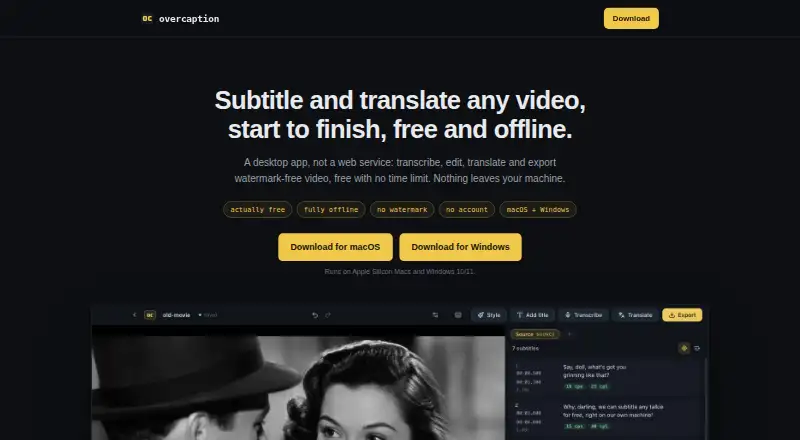
The facts below are what the maker publishes about Overcaption, checked and dated. Our editors have not written about it yet.
Plans and prices
From Overcaption's own pricing page, checked 11 Oct 2026.
| Plan | Price | What it gives you |
|---|---|---|
| Free | Free | No time limit · no watermark · no account · on-device transcription and translation · exports and burn-in up to 1080p · Free forever |
| Pro | — | Dynamic word-by-word captions · Batch processing · Brand kits · 4K export · Speaker detection · Cloud translation and transcription |
| Pro (monthly) | $19 a month | 10 hours/month each for cloud translation and transcription · license covers up to three personal machines · $19 / month |
| Pro (annual) | $99 a year | 10 hours/month each for cloud translation and transcription · license covers up to three personal machines · $99 / year |
The facts
Each one read from Overcaption's own pages, with the date it was checked.
What it does
- Audience
- The maker describes the app as a subtitle studio for turning speech transcripts into timed, edited and styled subtitles for video.checked 11 Oct 2026
- Batch processing
- Pro batch processing handles as many files as users add, while trial batches are limited to five files each.checked 11 Oct 2026
- Brand caption presets
- Yeschecked 19 Sep 2026
- Burn-in
- Watermark-free burn-in up to 1080p is included in the free tier; 4K export is a Pro feature.checked 11 Oct 2026
- Burn-in captions
- Yeschecked 19 Sep 2026
- Caption styling
- Yeschecked 19 Sep 2026
- Cloud data
- Optional cloud translation sends subtitle text, and optional cloud transcription sends the compressed audio track; the video file itself is not sent.checked 11 Oct 2026
- Editing
- The editor includes waveform retiming, find and replace, and checks for reading speed, line length and overlaps.checked 11 Oct 2026
- Formats
- The app imports and exports SRT, VTT and plain text, and can open a subtitle file without a video.checked 11 Oct 2026
- Languages
- The maker says transcription auto-detect covers about 100 languages and local translation covers 53.checked 11 Oct 2026
- Offline processing
- Transcription, editing, translation and burn-in run on the user's machine, and media files are not uploaded.checked 11 Oct 2026
- Purpose
- Overcaption is a desktop app for transcribing, editing, translating and exporting subtitles for video.checked 11 Oct 2026
- Speaker identification
- Yeschecked 19 Sep 2026
- Subtitle export
- other formatschecked 19 Sep 2026
- Support
- The maker accepts questions, bug reports, feature ideas and billing requests by email, and bug reports may also be submitted as GitHub issues.checked 11 Oct 2026
- Telemetry
- Usage telemetry is off unless the user opts in, and crash reports are sent only when the user chooses to send each one.checked 11 Oct 2026
- Transcription
- The app uses the whisper.cpp engine and provides word-level timestamps and downloadable models.checked 11 Oct 2026
- Translation
- On-device translation uses local models from Mozilla, Google and Tencent and supports 53 languages, with cloud translation available in Pro.checked 11 Oct 2026
Money
- Free plan
- Yeschecked 19 Sep 2026
Alternatives to Overcaption
- 1

Captions
Free planAndroidiOSWebAPI9.1From $4.99 a month - 2

Whisper
Free planOpen sourceAPILinuxmacOSSelf-hosted8.9$0.01 usage-based - 3

SRTGen
Free planWebAPI8.3From $4 a month - 4
Fluen AI Subtitle Generator
Free planWebAPIExtensionmacOS8.2Free plan - 5
ZapCap
Free planAndroidiOSWebAPI8.1From $8 a month - 6
ngram
Free planWebAPIExtension8.1From $29 a month