Oracle Mobile Authenticator
Oracle Mobile Authenticator provides a second verification method for signing in to applications protected by multi-factor authentication.
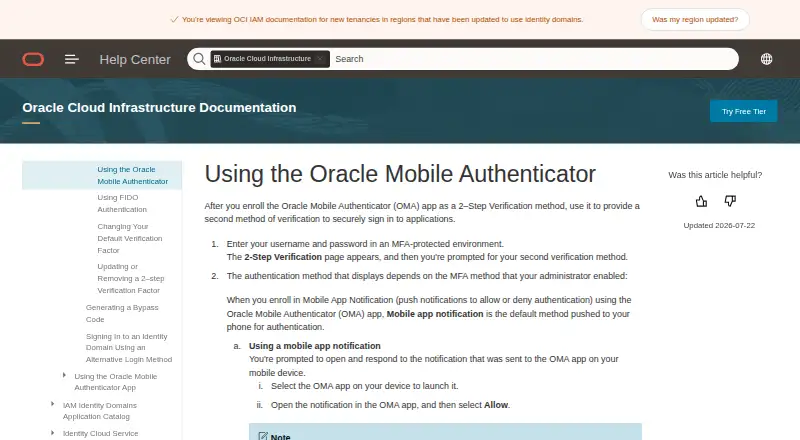
What Oracle Mobile Authenticator is
Oracle Mobile Authenticator provides a second verification method for signing in to applications protected by multi-factor authentication. After enrollment, it can generate a passcode for sign-in and receive push notifications. Oracle says authenticator apps can generate one-time passcodes while offline, but registering for push notifications and performing device compliance checks require an online connection. For passcode sign-in, the device clock must be synchronized, with no more than 90 seconds of difference permitted. On Surface Pro or Windows Desktop, enrollment requires entering the key manually or using the enrollment URL because of a QR-scanner camera limitation; manual keys on those devices must use BASE32 encoding. For Oracle Cloud Infrastructure MFA, a user can register only one device. If that device is unavailable, an administrator must disable MFA before the user can enroll again. Oracle also lists app protection policy, compliance policy, and silent key refresh as security features. Third-party TOTP authenticator apps can generate OTPs for Oracle IAM, but Oracle Mobile Authenticator is required for push notifications.
Good
- Generates passcodes for second-step sign-in.
- Passcodes can be generated while offline.
- Supports push notifications and silent key refresh.
- Available on iOS, Android, and Windows.
Watch out
- Push registration and compliance checks require an internet connection.
- Windows manual enrollment supports only BASE32 keys.
- OCI MFA allows only one registered device.
- An administrator must disable MFA if that device is unavailable.
Who it suits
Oracle Mobile Authenticator suits people who need a second verification method for applications protected by MFA. It may also fit Oracle IAM users who need push notifications, which require this app rather than a third-party TOTP authenticator.
Verdict
Oracle Mobile Authenticator provides passcodes and push notifications for MFA sign-ins, with passcode generation available offline. Note the enrollment constraints on some Windows devices and the one-device limit for Oracle Cloud Infrastructure MFA.
Plans and prices
From Oracle Mobile Authenticator's own pricing page, checked 11 Oct 2026.
| Plan | Price | What it gives you |
|---|---|---|
| Oracle Mobile Authenticator | Free | Oracle documentation describes the app but does not state a price or paid plan |
The facts
Each one read from Oracle Mobile Authenticator's own pages, with the date it was checked.
What it does
- Clock requirement
- For passcode sign-in, Oracle says the device clock must be synchronized and the maximum permitted time difference is 90 seconds.checked 11 Oct 2026
- Code type
- totpchecked 23 Sep 2026
- Integrations
- For OTP generation, Oracle IAM also works with third-party authenticator apps that follow the TOTP specification; OMA is required for push notifications.checked 11 Oct 2026
- Manual key format
- For manual enrollment on those Windows devices, OMA supports only BASE32 encoding.checked 11 Oct 2026
- Notification limitation
- Registering for push notifications and performing device compliance checks can only be done while online.checked 11 Oct 2026
- Offline passcodes
- Oracle says mobile authenticator apps can generate OTPs while offline.checked 11 Oct 2026
- Passcodes
- The app generates a passcode for the user to enter as a second verification method.checked 11 Oct 2026
- Purpose
- After enrollment, the app provides a second verification method for signing in to applications protected by MFA.checked 11 Oct 2026
- Security features
- Oracle says OMA supports app protection policy, compliance policy, and silent key refresh.checked 11 Oct 2026
- Security key
- The mobile authenticator app uses a secret key to generate OTPs and receive push notifications.checked 11 Oct 2026
The company
- Founded
- 1977checked 28 Sep 2026
- Headquarters
- Austin, Texas, United Stateschecked 28 Sep 2026
- Team administration
- Nochecked 23 Sep 2026
Money
- Free plan
- Yeschecked 23 Sep 2026
Where it runs
- OCI device limit
- For Oracle Cloud Infrastructure MFA, a user can register only one device, and an unavailable registered device requires an administrator to disable MFA before re-enrollment.checked 11 Oct 2026
- Push approvals
- With Mobile App Notification enabled, users can respond to a sign-in notification by selecting Allow.checked 11 Oct 2026
- Supported platforms
- iOS,Android,Windowschecked 23 Sep 2026
- Windows limitation
- On Surface Pro or Windows Desktop, users must enter the enrollment key manually or use the enrollment URL because the QR scanner has a camera limitation.checked 11 Oct 2026
The full review of Oracle Mobile Authenticator
Overview
Oracle Mobile Authenticator adds a second verification step to applications protected by MFA, using passcodes or push approvals after enrollment. It suits people signing in to Oracle IAM or Oracle Cloud Infrastructure who want mobile OTPs, including when offline. Its strongest fit is straightforward passcode-based MFA; Windows enrollment and OCI’s single-device rule call for more care.
Key features
The app generates TOTP passcodes from a secret key and can also receive push notifications. Offline passcode generation is useful when connectivity drops, but registering for push and completing device compliance checks require an internet connection. Passcode sign-in also depends on a synchronized device clock: Oracle permits a maximum difference of 90 seconds.
Oracle says OMA supports app protection policy, compliance policy, and silent key refresh. For OTP generation, Oracle IAM also accepts third-party authenticator apps that follow TOTP; push notifications, however, require OMA. That makes OMA the necessary choice for users who want Oracle’s push flow, but not the only option for code-based sign-in.
Pricing
Oracle Mobile Authenticator is a free app, with no paid plan to weigh against its MFA features. The free option covers its core passcode and push-authentication role; it is best suited to individual users who need a second sign-in method rather than team administration, which the app does not provide.
Platforms
OMA is available for iOS, Android, and Windows. On Surface Pro and Windows Desktop, the QR scanner’s camera limitation means enrollment requires manually entering the key or using the enrollment URL. Manual entry on those devices supports only BASE32 encoding, so users relying on another key format should use the URL route or enroll on a different supported device.
Who it's for
This is a practical fit for users whose applications are protected by Oracle MFA, especially those who value offline passcode generation or need push approvals. It is less suitable when an organization needs authenticator-team administration, or when users must be able to recover OCI MFA independently after losing access to their registered device.
For Oracle Cloud Infrastructure MFA, each user can register only one device. If that device is unavailable, an administrator must disable MFA before the user can re-enroll. That recovery dependency is a meaningful drawback for anyone who expects to keep a backup authenticator device.
Pros and cons
- Pro: Passcodes work offline, preserving code-based sign-in when a connection is unavailable.
- Pro: Push approvals are supported, and OMA is required for push notifications in Oracle IAM.
- Con: Push registration and device compliance checks must be completed online.
- Con: Windows camera limitations complicate QR enrollment, with manual enrollment restricted to BASE32.
- Con: OCI MFA allows only one registered device, and an administrator must disable MFA to enable re-enrollment if it is lost or unavailable.
- Con: Passcode sign-in can fail if the device clock differs by more than 90 seconds.
Alternatives
For a broader comparison of code-based options, see Authenticator apps. The other linked products are AI guardrail tools rather than MFA authenticators, so they are not direct substitutes for Oracle Mobile Authenticator.
- PromptGuard: choose it instead for AI prompt scanning, with a free tier capped at 20,000 scans a month, one API key, one project, and 24-hour log retention.
- Enkrypt AI Guardrails: consider it for API, self-hosted, or web AI guardrails; its Explore plan starts free with 500 credits and adds 50 credits monthly.
- NVIDIA NeMo Guardrails: choose it for an open-source Python guardrails library rather than an authenticator; external models and services may need separate setup.
- Fiddler Guardrails: consider it for real-time AI guardrails covering harmful exposure, hallucinations, toxicity, PII/PHI, prompt injection, and jailbreak attempts.
- OpenSecureAI Prompt Firewall: choose it for browser-based AI protections and a free allowance of 2,000 API requests a month.
- Amazon Bedrock Guardrails: consider it for content filters and denied-topic controls in Bedrock rather than MFA.
- Openlayer Guardrails: choose it for AI inference testing and guardrails, with a free Basic plan for one member and up to 20,000 inferences a month.
- PII Firewall: consider it for a self-hosted, open-source PII firewall rather than sign-in verification.
AI Guardrail Software and Artifact repository software are category directories, not alternatives to an MFA authenticator.
Verdict
Choose Oracle Mobile Authenticator if you need Oracle MFA passcodes, offline code generation, or Oracle push approvals and can manage enrollment and device recovery constraints. Look elsewhere if OCI MFA must support a backup device without administrator intervention, or if your need is team-managed authentication rather than an individual authenticator app.
Getting started
- Visit Oracle’s OMA documentation page.
- Install Oracle Mobile Authenticator on Android, iOS, or Windows.
- Enroll the app for the application protected by MFA.
- On Surface Pro or Windows Desktop, enter the enrollment key manually or use the enrollment URL.
- Keep the device online to register push notifications and perform compliance checks.
Limits worth knowing
Push notification registration and device compliance checks require an online connection. Oracle Cloud Infrastructure MFA allows one registered device; if it is unavailable, an administrator must disable MFA before re-enrollment.
Questions
Is Oracle Mobile Authenticator free?
The app is free.
Which platforms does OMA support?
OMA supports Android, iOS, and Windows.
Can it generate passcodes offline?
Yes. Oracle says mobile authenticator apps can generate one-time passcodes while offline.
Can another authenticator app be used?
For Oracle IAM OTP generation, third-party authenticator apps that follow TOTP can be used. OMA is required for push notifications.
What are the Windows enrollment requirements?
On Surface Pro or Windows Desktop, users must enter the enrollment key manually or use an enrollment URL. Manual enrollment supports BASE32 encoding only.
How many OCI MFA devices can a user register?
A user can register one device. If it becomes unavailable, an administrator must disable MFA before re-enrollment.
Alternatives to Oracle Mobile Authenticator
- 1

PromptGuard
Free planWebAPIExtensionLinux7.9From $19 a month - 2
CyberSecEval
Free planOpen sourceWebAPILinuxmacOS7.5Free plan - 3

NVIDIA NeMo Guardrails
Free planOpen sourceAPILinuxmacOSSelf-hosted7.4Free plan - 4

Enkrypt AI Guardrails
Free planWebAPISelf-hosted6.8From $1,608 a year - 5
OpenSecureAI Prompt Firewall
Free planWebSelf-hosted6.7From $49 a month - 6
Google Cloud Secret Manager
Free planWeb6.5From $0.02 a month