OpusCut
OpusCut is a browser-based AI video toolkit for turning long videos into short clips, subtitles, and voiceovers.
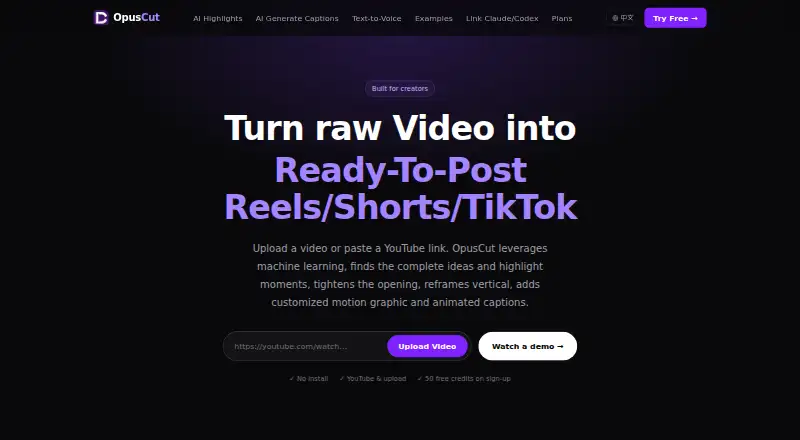
What OpusCut is
OpusCut is a browser-based AI video toolkit for turning long videos into short clips, subtitles, and voiceovers. Users can provide YouTube or Google Drive links, or upload common video formats up to 10 GB. Its highlight tool analyzes speech, emotion, and narrative completeness to find standalone moments, reframe them vertically, and add captions. Caption choices include KTV, Opus Pop, and static styles, with custom brand colors and font uploads. The subtitle tool transcribes speech, times captions to individual words, burns them into video, and supports SRT export on paid plans. Text-to-voice offers Chinese, English, and Japanese voices from the ElevenLabs library. Other listed features include AI titles and emojis, two-speaker splitting, automatic audio synchronization, and an MCP server for connecting tools such as Claude, Cursor, and ChatGPT to OpusCut tasks. New accounts receive 50 one-time credits, and no credit card is required to try the service. The free plan includes three downloads per month. Paid plans add monthly credits and features such as unlimited downloads, no watermark, 4K downloads, and SRT downloads. Generated clips and caption files are stored for seven days by default; the original video is not permanently stored. TikTok and Instagram sources are described as planned, not currently supported.
Good
- Accepts YouTube and Google Drive links or uploads up to 10 GB
- Finds highlights and reframes them vertically
- Offers Chinese, English, and Japanese text-to-voice
- New accounts receive 50 free credits
- Paid plans include SRT export
Watch out
- Free plan allows three downloads per month
- TikTok and Instagram sources are planned, not currently supported
- Generated clips and caption files are stored for seven days by default
Who it suits
OpusCut suits people who want to turn longer videos into captioned short clips in a browser. It may fit creators who need highlight detection, vertical reframing, voiceovers, or subtitle exports.
Verdict
OpusCut combines highlight finding, captioning, reframing, and voiceover tools for browser-based video work. New accounts can try it with one-time credits, while ongoing use and features such as SRT downloads depend on plan limits.
Plans and prices
From OpusCut's own pricing page, checked 8 Oct 2026.
| Plan | Price | What it gives you |
|---|---|---|
| Free | Free | 50 credits (one-time) · 3 free downloads/month · full editor · custom font upload · bilingual subtitles |
| Starter | $8.25 a month | 150 credits/month · unlimited downloads · no watermark · SRT download · email support · $99/yr・save $19.80 |
| Pro | $24.08 a month | 600 credits/month · unlimited downloads · no watermark · 4K download · SRT download · email support · $289/yr・save $58.88 |
| Studio | $70.75 a month | 2,500 credits/month · unlimited downloads · no watermark · AI audio auto-sync · 4K download · SRT download · email support · $849/yr・save $170.88 |
The facts
Each one read from OpusCut's own pages, with the date it was checked.
What it does
- AI integrations
- OpusCut provides an MCP server for connecting AI tools including Claude, Cursor, and ChatGPT to OpusCut tasks.checked 8 Oct 2026
- Caption styles
- Caption options include KTV, Opus Pop, and static styles, with customizable brand colors and font uploads.checked 8 Oct 2026
- Highlight clipping
- It analyzes speech, emotion, and narrative completeness to find standalone highlights, reframe them vertically, and add captions.checked 8 Oct 2026
- Inputs
- Users can provide YouTube or Google Drive links, or upload common video formats up to 10 GB.checked 8 Oct 2026
- Notable limits
- The help center lists YouTube links and local uploads as currently supported sources and says TikTok and Instagram support is planned.checked 8 Oct 2026
- Product
- OpusCut is a browser-based AI video toolkit for turning long videos into short clips, subtitles, and voiceovers.checked 8 Oct 2026
- Retention
- Generated clips and caption files are stored for a default of seven days and then automatically deleted; the original submitted video is not permanently stored by OpusCut.checked 8 Oct 2026
- Security
- The privacy policy says API communications use HTTPS with TLS 1.2 or later, database access uses row-level security, and stored video is private behind time-limited download URLs.checked 8 Oct 2026
- Subtitle export
- The subtitle tool transcribes speech, times captions to words, burns them into video, and supports SRT export on paid plans.checked 8 Oct 2026
- Support
- The help center lists [email protected] and says replies to its contact form take 1–2 business days.checked 8 Oct 2026
- Text to voice
- The text-to-voice tool offers Chinese, English, and Japanese voices from the ElevenLabs voice library.checked 8 Oct 2026
- Upload limit
- The site states that video uploads can be up to 10 GB.checked 8 Oct 2026
Money
- Free credits
- New accounts receive 50 free credits, and the site says no credit card is required to try the service.checked 8 Oct 2026
Alternatives to OpusCut
- 1

Captions
Free planAndroidiOSWebAPI8.3From $4.99 a month - 2
Vizard
Free planAndroidiOSWebAPI8.2From $29 a month - 3

OpusClip
Free planAndroidiOSWebAPI8.1From $15 a month - 4

Descript
Free planWebmacOSWindows8.0From $24 a month - 5

Choppity
Free planWebAPImacOSWindows7.8From $13.30 a month - 6
Vidio.ai
Free planiOSWebAPI7.8Free plan