
OpenScreen
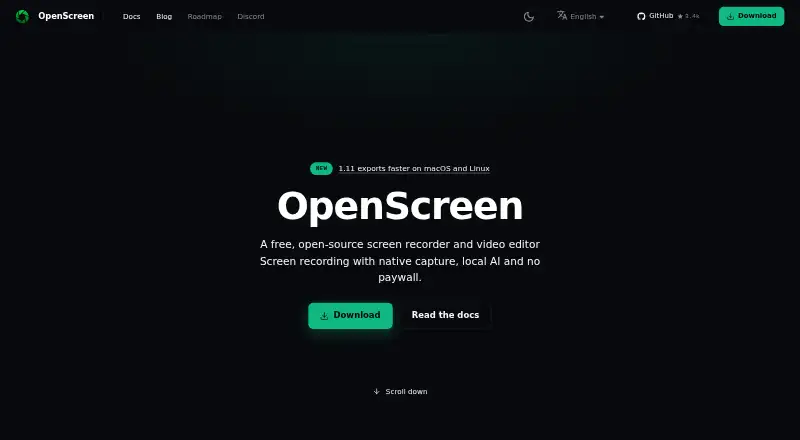
OpenScreen is a free, open-source screen recorder and video editor for making product demonstrations and walkthroughs.
What OpenScreen is
OpenScreen is a free, open-source screen recorder and video editor for making product demonstrations and walkthroughs. It runs on Windows, macOS, and Linux, and can capture webcam footage, system audio, and microphone input at up to 4K. Editing tools include trimming, speed ramps, cursor styling, backgrounds, annotations, blur regions, and transcript-based cuts. Webcam footage can be arranged in several layouts, with background blur, cutout, or replacement handled locally. Exports include MP4 at 720p, 1080p, or source resolution and 24, 30, or 60 frames per second, plus GIF. Transcription uses whisper.cpp on the device; after a one-time model download it can work offline, and captions can be styled and burned into video. The app also includes a command-line interface for headless recording, project editing, and rendering. Recording, transcription, and rendering happen locally. It has no hosted sharing, cloud storage, team workspaces, or comments; recordings stay on the user’s disk. The free plan is listed as free, with no paywall, premium tier, or usage caps, and permits personal and commercial use.
Good
- Records webcam, system audio, and microphone.
- Maximum video quality is 4K.
- Includes editing tools and transcript-based cuts.
- Recording and rendering happen locally.
- Free for personal and commercial use.
Watch out
- No hosted sharing or cloud storage.
- No team workspaces or comments.
- Captions are burned in; SRT and VTT exports are unavailable.
- Requires listed operating-system versions and system components.
Who it suits
OpenScreen suits people making demos or walkthroughs on Windows, macOS, or Linux who want local recording and editing. It may appeal to users who need camera and audio capture, offline transcription after setup, or command-line rendering.
Verdict
OpenScreen pairs recording with editing and local processing on three desktop platforms. Its main tradeoff is that sharing and collaboration features are absent, and captions cannot be exported as separate subtitle files.
Plans and prices
From OpenScreen's own pricing page, checked 10 Oct 2026.
| Plan | Price | What it gives you |
|---|---|---|
| Free | Free | No paywalls · no premium tier · no usage caps · personal and commercial use · Free forever |
The facts
Each one read from OpenScreen's own pages, with the date it was checked.
What it does
- AI integrations
- Optional AI editing and caption translation support provider keys for Claude, OpenAI, Gemini, Mistral, OpenRouter, MiniMax, and OpenAI-compatible endpoints.checked 10 Oct 2026
- Automatic zooms
- It places zooms based on recorded clicks using a fixed rule, without AI or a network call.checked 10 Oct 2026
- Camera
- Webcam footage can appear picture in picture, side by side, vertically stacked, or full screen, with background blur, cutout, or replacement processed locally.checked 10 Oct 2026
- Caption limits
- Captions are burned into the video, and the app does not export SRT or VTT caption files.checked 10 Oct 2026
- Captions
- Transcription uses whisper.cpp on the device; after the one-time model download, it can work offline, and captions can be styled and burned into the video.checked 10 Oct 2026
- Command-line interface
- The desktop app includes a CLI for headless recording, project editing, and MP4 or GIF rendering, with NDJSON output available through --json.checked 10 Oct 2026
- Editing
- The editor supports trims, speed ramps, cursor styling, backgrounds, annotations, blur regions, and transcript-based cuts.checked 10 Oct 2026
- Export
- It exports MP4 in H.264 at 720p, 1080p, or source resolution and 24, 30, or 60 fps, as well as GIF.checked 10 Oct 2026
- License and use
- OpenScreen is MIT licensed and free for personal and commercial use.checked 10 Oct 2026
- Maximum video quality
- 4kchecked 20 Sep 2026
- Microphone recording
- Yeschecked 20 Sep 2026
- Privacy
- Recording, transcription, and rendering happen locally, with no OpenScreen server, analytics, or crash-reporting SDK; AI provider requests are made only after the user connects a provider.checked 10 Oct 2026
- Sharing limits
- OpenScreen has no hosted sharing, cloud storage, team workspaces, or comments; recordings remain on the user's disk.checked 10 Oct 2026
- Support
- The project directs users to Discord for real-time help and GitHub Issues for bug reports and feature requests.checked 10 Oct 2026
- System audio
- Yeschecked 20 Sep 2026
- System requirements
- The site lists Windows 10 version 1903 or later, macOS 13 or later, and x64 Linux with PipeWire and xdg-desktop-portal; it recommends 8 GB minimum and 16 GB RAM.checked 10 Oct 2026
- Webcam recording
- Yeschecked 20 Sep 2026
- What it does
- OpenScreen is a free, open-source screen recorder and video editor for making polished product demos and walkthroughs.checked 10 Oct 2026
Money
- Free plan
- Yeschecked 20 Sep 2026
Where it runs
- Supported platforms
- windows,macos,linuxchecked 20 Sep 2026
Alternatives to OpenScreen
- 1

Cap
Free planOpen sourceWebAPIExtensionLinux9.0From $29 a year - 2

Loom
Free planAndroidiOSWebmacOS8.9From $18 a month - 3

Vmaker
Free planiOSWebExtensionmacOS8.9From $18 a month - 4

ScreenPal
Free planAndroidiOSWebmacOS8.8From $4 a month - 5

Claap
Free planAndroidiOSWebAPI8.8From €32 a month - 6

Screencastify
Free planWebExtensionLinuxmacOS8.7From $7 a month