OM Workspace
OM Workspace is free photo selection and editing software for camera users on Windows and macOS.
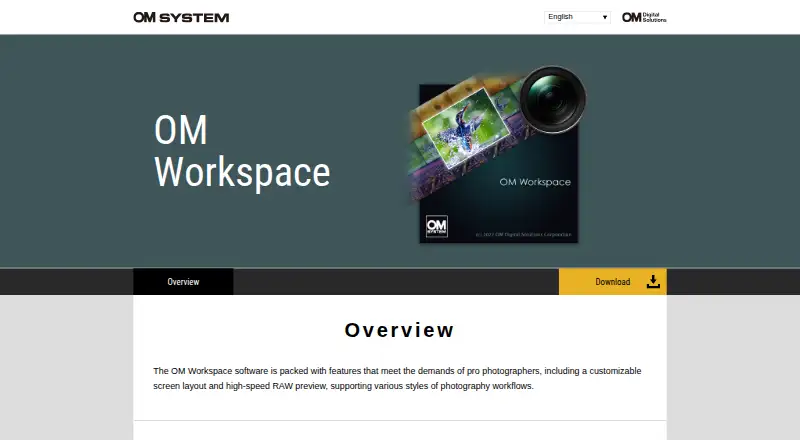
What OM Workspace is
OM Workspace is free photo selection and editing software for camera users on Windows and macOS. It groups sequential shots by shutter release or scene, then uses a focus analyzer to sort images by relative focus and follow a selected area as a subject moves. Light Box displays several images together, while five rating levels help filter collections. Editing tools cover exposure, white balance, tone, color, distortion correction, and Art Filter, with functions to combine, cut, and extract video. The program records RAW and editing details, supports returning to original settings, and lets users copy edits to selected images. AI Noise Reduction applies deep learning to RAW files from listed supported cameras under stated ISO and image-type conditions. USB RAW processing uses a connected supported camera engine, with connection and file restrictions. The download requires a camera serial number. Requirements list 2 GB RAM, 3 GB disk space, and 8 GB RAM for High Res Shot RAW processing.
Good
- Free download for camera users
- Groups sequential shots for review
- Focus analyzer tracks moving subjects
- Includes RAW editing history
- Offers video combine and extraction
Watch out
- Camera serial number required
- AI noise reduction has stated limits
- USB RAW processing has camera restrictions
- Requires Windows or macOS
Who it suits
It is aimed at photographers, including workflows described for professional users, who manage large collections from supported cameras. It fits Windows or macOS users able to provide a camera serial number.
Verdict
OM Workspace combines collection review, focus sorting, ratings, RAW editing, and selected video tools in a free camera-user download. Camera compatibility, serial-number access, and specified processing limits should be checked first.
Plans and prices
From OM Workspace's own pricing page, checked 8 Oct 2026.
| Plan | Price | What it gives you |
|---|---|---|
| OM Workspace | Free | Free download for camera users · camera serial number required |
The facts
Each one read from OM Workspace's own pages, with the date it was checked.
What it does
- AI noise reduction
- AI Noise Reduction uses deep learning on RAW files from listed supported camera models, and the maker says it has no effect on images below ISO 800 or on specified image types.checked 8 Oct 2026
- Audience
- The overview describes features designed to meet the demands of professional photographers.checked 8 Oct 2026
- Camera connection
- USB RAW processing uses a connected supported camera's image processing engine; it is unavailable with two cameras connected, and RAW files from a different camera cannot be processed this way.checked 8 Oct 2026
- Comparison and ratings
- Light Box displays multiple images for comparison, and images can be filtered using five rating levels.checked 8 Oct 2026
- Download condition
- The maker's support page says the free download is for camera users and requires entering the camera serial number.checked 8 Oct 2026
- Edit history
- The software records RAW processing and editing details, supports reverting to original settings, and allows editing details to be copied and pasted onto selected images.checked 8 Oct 2026
- Editing
- Editing tools include exposure and white balance adjustments, tone and color correction, distortion correction, Art Filter, and video combine, cut, and extract functions.checked 8 Oct 2026
- Focus analyzer
- The focus analyzer evaluates and sorts images in sequential shooting groups by relative focus, and can track a chosen evaluation area as a subject moves.checked 8 Oct 2026
- Image selection
- It groups sequentially shot images by shutter release or scene to make them easier to review.checked 8 Oct 2026
- Operating systems
- The download page offers a 64-bit Windows installer and a macOS installer; its current system requirements list Windows 11 and macOS versions 13–15 and 26.checked 8 Oct 2026
- Purpose
- OM Workspace helps photographers select the best shots from large collections and finish their images.checked 8 Oct 2026
- Support
- The download page directs users needing assistance to customer service for their area.checked 8 Oct 2026
- System requirements
- The download page lists at least 2 GB available RAM and 3 GB disk space, and at least 8 GB available RAM for High Res Shot RAW processing.checked 8 Oct 2026
Money
- Free plan
- Yeschecked 20 Sep 2026
The company
- Headquarters
- Hachioji, Tokyo, Japanchecked 28 Sep 2026
Alternatives to OM Workspace
- 1

Picsart
Free planAndroidiOSWebAPI9.0From $10.50 a month - 2

Photoroom
Free planAndroidiOSWebAPI9.0From $7.50 a month - 3
PhotoPad
Free planAndroidiOSWebExtension8.8Free plan - 4

Adobe Photoshop
AndroidiOSWebmacOS8.7 - 5

Adobe Lightroom
AndroidiOSWebmacOS8.7 - 6

BeFunky
Free planAndroidiOSWeb8.7Free plan