
NVIDIA FrameView
NVIDIA FrameView is a free Windows utility for measuring graphics performance and power use.
What NVIDIA FrameView is
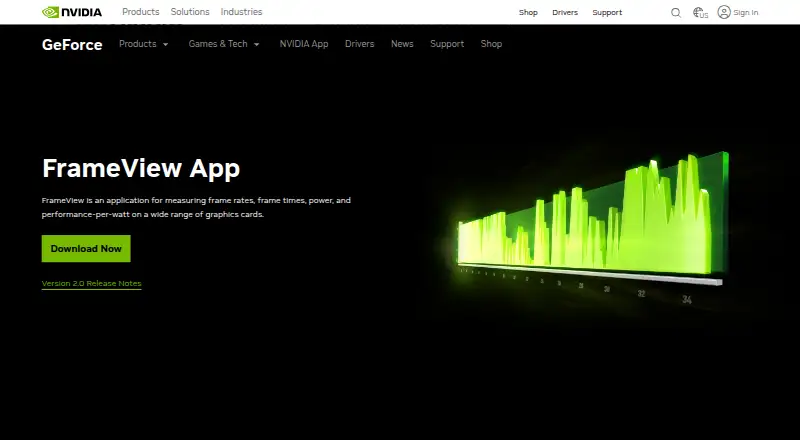
NVIDIA FrameView is a free Windows utility for measuring graphics performance and power use. It records frame rates, frame times, power, and performance-per-watt, and the user guide says it can capture PC latency alongside FPS without additional hardware. A configurable overlay shows live metrics, while benchmark results are saved to log files. The product page says FrameView uses PresentMon for analytics. It supports NVIDIA, AMD, and Intel single-GPU configurations, with DirectX 9–12, OpenGL, and Vulkan, as well as Universal Windows Platform apps and full-screen or windowed modes. Power readings differ by graphics vendor: FrameView measures chip and board power for NVIDIA GPUs, but chip power only for AMD GPUs. Correct AMD power measurement requires PCAT or another interposer setup. Windows 10 and above are listed as supported. DX9 and DX10 games do not display the overlay, though data capture is logged. NVIDIA also lists the overlay as unavailable with Battlefield 6 anticheat. Its redesigned overlay requires Multi-Plane Overlay support and can increase presentation latency if MPO is unavailable or disabled.
Good
- Free download for Windows 10 and above.
- Captures PC latency alongside FPS without extra hardware.
- Logs benchmark results as well as showing live metrics.
- Supports NVIDIA, AMD, and Intel single-GPU configurations.
Watch out
- DX9 and DX10 games do not show the overlay.
- AMD power readings cover chip power only.
- Correct AMD power measurement requires PCAT or another interposer.
- Battlefield 6 anticheat blocks the overlay.
Who it suits
FrameView suits Windows users who want to record graphics metrics across supported single-GPU configurations and graphics APIs. It is also relevant to users tracking power use or PC latency, provided they account for its vendor-specific power readings and overlay limits.
Verdict
FrameView provides a free way to capture frame, latency, and power metrics across several GPU vendors and graphics APIs. Check the AMD power requirements and overlay restrictions if those measurements matter to your setup.
Plans and prices
From NVIDIA FrameView's own pricing page, checked 11 Oct 2026.
| Plan | Price | What it gives you |
|---|---|---|
| FrameView | Free | Free download · Windows 10 and above · NVIDIA chip and board power; AMD chip power only |
The facts
Each one read from NVIDIA FrameView's own pages, with the date it was checked.
What it does
- AMD power limit
- The user guide says measuring correct AMD power requires PCAT or another interposer setup.checked 11 Oct 2026
- Analytics
- The product page says FrameView leverages PresentMon for analytics.checked 11 Oct 2026
- Game compatibility
- NVIDIA lists FrameView's overlay as unavailable with Battlefield 6 anticheat.checked 11 Oct 2026
- Graphics compatibility
- FrameView supports NVIDIA, AMD, and Intel single-GPU configurations and major graphics APIs including DirectX 9–12, OpenGL, and Vulkan.checked 11 Oct 2026
- Latency
- The user guide says FrameView can capture PC latency alongside FPS without additional hardware.checked 11 Oct 2026
- Live overlay
- The configurable overlay presents real-time metrics, and benchmark results are also saved to log files.checked 11 Oct 2026
- MPO requirement
- NVIDIA says the redesigned overlay requires Multi-Plane Overlay support and can increase presentation latency when MPO is unavailable or disabled.checked 11 Oct 2026
- Operating system
- The user guide lists Windows 10 and above as supported.checked 11 Oct 2026
- Overlay limits
- The user guide says DX9 and DX10 games do not display the overlay, though data capture is supported and logged.checked 11 Oct 2026
- Power measurement
- The product page specifies chip and board power measurement for NVIDIA GPUs and chip power only for AMD GPUs.checked 11 Oct 2026
- Purpose
- FrameView measures frame rates, frame times, power, and performance-per-watt on graphics cards.checked 11 Oct 2026
- Security
- NVIDIA says it evaluates reported security concerns and provides corrective actions, and publishes product security bulletins.checked 11 Oct 2026
- Support
- NVIDIA directs product users to its support page or a Customer Care agent.checked 11 Oct 2026
Where it runs
- Apps
- FrameView supports Universal Windows Platform apps as well as full-screen and windowed modes.checked 11 Oct 2026
The company
- Founded
- 1993checked 23 Sep 2026
- Headquarters
- Santa Clara, California, United Stateschecked 23 Sep 2026
Money
- Free plan
- Yeschecked 20 Sep 2026
Alternatives to NVIDIA FrameView
- 1
Geekbench
Free planAndroidiOSLinuxmacOS8.6$99 one-time - 2
CrossMark
Free planAndroidiOSLinuxmacOS8.0Free plan - 3

ZBrush
Free planiOSAPImacOSWindows7.9Free plan - 4
SiSoftware Sandra
Free planAndroidWindows7.8$74.99 one-time - 5
SPECapc for Siemens NX 2024
Free planWindows7.7Free plan - 6
UNIGINE Valley Benchmark
Free planLinuxmacOSWindows7.7$14.95 one-time