nizima LIVE
nizima LIVE tracks facial expressions and movement to animate Live2D models for VTubing, video calls, and other uses.
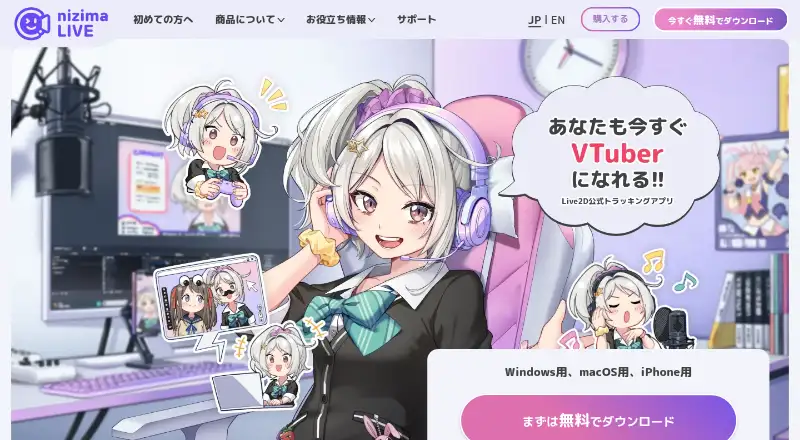
What nizima LIVE is
nizima LIVE tracks facial expressions and movement to animate Live2D models for VTubing, video calls, and other uses. Its tracking output does not show the user's real camera image, according to the maker. Users can adjust tracking parameters, configure lip sync from audio, and map tracking items to model parameters. Camera tracking needs a separate webcam or iPhone; connecting the nizima LIVE TRACKER iPhone app can provide higher-precision tracking than a webcam, according to the maker. The app includes over 100 preset items and supports items purchased on nizima or user-created data. Collaboration rooms allow up to eight users, and a room with at least one paid user removes free users' time limits. A free OBS Studio plugin is available, but streaming also requires separate streaming software such as OBS Studio. Sony mocopi can provide leg and waist movement when used with mocopi hardware and a compatible Live2D model. A free nizima account is required. The free plan allows 40 minutes of continuous camera use and displays a logo; paid plans offer unlimited camera use without a logo.
Good
- Supports Live2D tracking and audio lip sync
- Includes over 100 preset items
- Collaboration rooms support up to eight users
- Free OBS Studio plugin is available
- Free plan is available
Watch out
- Free plan limits continuous camera use to 40 minutes
- Free plan displays a logo
- Requires a free nizima account and separate camera
- Streaming requires separate software
Who it suits
nizima LIVE suits people animating Live2D models for VTubing, video calls, or other uses. It may also fit collaborators who want rooms for up to eight users, provided they have the required account and tracking camera.
Verdict
nizima LIVE combines model tracking, adjustable mapping, and collaboration options. Consider the free plan's camera limit and the separate account, camera, and streaming software requirements.
Plans and prices
From nizima LIVE's own pricing page, checked 30 Sep 2026.
| Plan | Price | What it gives you |
|---|---|---|
| nizima LIVE free plan | Free | 40-minute continuous camera use · logo displayed · Windows/macOS · some features limited · ¥0 · 1 user/month |
| nizima LIVE for indie | ¥550 a month | For individuals and small businesses with recent annual sales under ¥10 million · unlimited camera use · no logo · Windows/macOS · ¥550 per user/month; annual plan ¥5,280/year (¥440/month) |
| nizima LIVE for business | ¥3,300 a month | For medium and large businesses with recent annual sales of ¥10 million or more · unlimited camera use · no logo · Windows/macOS · ¥3,300 per user/month; annual plan ¥31,680/year (¥2,640/month) |
The facts
Each one read from nizima LIVE's own pages, with the date it was checked.
What it does
- Collaboration
- Collaboration rooms support up to eight users; a room with at least one paid user removes free users' time limits.checked 30 Sep 2026
- Commercial use
- The paid plans are presented for individuals or businesses according to annual sales, and the maker requires a separate individual contract when sales from the business using nizima LIVE reach ¥20 million or more annually.checked 30 Sep 2026
- Face tracking
- The maker says the app tracks facial movement without showing the user's real camera image in the output.checked 30 Sep 2026
- Full-body tracking
- Connecting Sony mocopi enables use of leg and waist movement, and requires a mocopi-compatible Live2D model and mocopi hardware.checked 30 Sep 2026
- iPhone tracking
- Connecting the iPhone app nizima LIVE TRACKER lets an iPhone act as a camera for higher-precision tracking than a webcam, according to the maker.checked 30 Sep 2026
- Items
- The app includes over 100 preset items and can load items purchased on nizima or user-created data.checked 30 Sep 2026
- Model adjustment
- Users can adjust tracking parameters, configure lip sync from audio, and map tracking items to Live2D model parameters.checked 30 Sep 2026
- Purpose
- nizima LIVE tracks facial expressions and movement to animate Live2D models for VTubing, video calls, and other uses.checked 30 Sep 2026
- Requirements
- Use requires a free nizima account, and camera tracking requires a separate webcam or iPhone.checked 30 Sep 2026
- Streaming integration
- The maker offers a free OBS Studio plugin, and streaming requires separate streaming software such as OBS Studio.checked 30 Sep 2026
- Support
- The maker provides tutorials, a manual, FAQs, and a contact channel staffed by nizima LIVE staff.checked 30 Sep 2026
Where it runs
- Platforms
- The desktop app is downloadable for Windows and macOS, and the maker links to an iPhone app; some macOS features are unsupported.checked 30 Sep 2026
The full review of nizima LIVE
nizima LIVE is a Live2D tracking and avatar-animation app for VTubing, video calls, and other camera-based uses. It is aimed at creators who want detailed control over how a model responds to facial movement, lip sync, and mapped parameters. The main trade-offs are a 40-minute continuous camera limit on the free tier and the need for separate camera, account, and streaming components.
Overview
The app converts facial expressions and movement into animation for a Live2D model without showing the user's real camera image in the output. Tracking parameters can be adjusted, lip sync can be driven by audio, and tracked items can be assigned to specific Live2D model parameters. That makes it a strong fit for creators refining an existing Live2D setup rather than users looking for a format-agnostic avatar tool.
Camera tracking needs either a webcam or an iPhone running the separate nizima LIVE TRACKER app. The maker says the iPhone route provides higher-precision tracking than a webcam, but it adds another app and device to the setup. A free nizima account is also required. Streaming is not built in as a complete broadcast environment: separate software such as OBS Studio is required, although nizima provides a free OBS Studio plugin.
Key features
- Adjustable tracking: Parameter controls, audio lip sync, and item-to-parameter mapping let users tune an avatar's response instead of accepting a fixed interpretation of facial movement.
- Preset and custom items: More than 100 presets are included. Items purchased on nizima and user-created data can also be loaded, giving established model workflows room to expand.
- Collaboration rooms: Rooms support up to eight users. A room with at least one paid participant removes the time limits for free users, which is useful for group sessions but still ties the unrestricted experience to a subscription holder.
- Full-body option: Sony mocopi can add leg and waist movement, provided users have mocopi hardware and a compatible Live2D model. This is an extension for creators prepared to invest in the required equipment, not a built-in replacement for camera-only tracking.
- Recording and camera output: nizima LIVE supports hand tracking, lip sync, virtual-camera output, and recording, covering the core production steps around a 2D Live2D avatar.
- Support resources: Tutorials, a manual, FAQs, and a contact channel staffed by nizima LIVE personnel give users several routes for solving setup and usage problems.
Pricing
The free plan costs ¥0 per user per month and runs on Windows and macOS. It permits 40 minutes of continuous camera use, displays a logo, and limits some features. It is suitable for trying the workflow or making short sessions, but the time cap is a practical obstacle for regular streams and long calls.
nizima LIVE for indie costs ¥550 per user per month, or ¥5,280 per year (¥440 per month). It is for individuals and small businesses with recent annual sales under ¥10 million. Unlimited camera use and logo removal make it the sensible upgrade for independent creators who use the app regularly without needing the business tier.
nizima LIVE for business costs ¥3,300 per user per month, or ¥31,680 per year (¥2,640 per month). It targets medium and large businesses with recent annual sales of ¥10 million or more, while retaining unlimited camera use and no logo. Businesses whose sales from nizima LIVE reach ¥20 million or more annually must make a separate individual contract, so commercial users should account for that additional requirement.
Both paid plans are priced per user, making the distinction important for teams and collaboration rooms rather than only for solo streamers.
Platforms
nizima LIVE runs on Windows and macOS. The iPhone is used as a higher-precision tracking camera through nizima LIVE TRACKER rather than as the main desktop application. The workflow is built around 2D Live2D models and can feed a virtual camera or recording setup.
Who it's for
Choose nizima LIVE if your avatar is a Live2D model and you want to tune tracking, lip sync, and parameter mapping in detail. The indie plan is particularly well matched to solo creators and small businesses that need uninterrupted camera use at a modest monthly cost. Business users with higher annual sales have a dedicated tier and a defined commercial-contract threshold.
It is less suitable for anyone wanting an all-in-one streaming application, since camera hardware, a nizima account, and separate broadcast software remain necessary. The free tier also works better for testing or short appearances than for sustained streaming.
Pros and cons
Pros
- Fine-grained Live2D control: Tracking parameters, audio lip sync, and parameter mapping support deliberate model tuning.
- Flexible tracking choices: Webcam support is supplemented by higher-precision iPhone tracking through nizima LIVE TRACKER.
- Useful expansion path: Presets, imported nizima purchases, custom data, collaboration rooms, and optional mocopi body movement cover both solo and group workflows.
- Clear paid upgrade: The indie plan removes the free tier's camera cap and logo at a low monthly price.
Cons
- Free-plan restriction: Forty minutes of continuous camera use is limiting for full-length streams.
- Multi-part setup: A separate camera or iPhone app, nizima account, and streaming program are required.
- Hardware-dependent body tracking: Full-body movement needs Sony mocopi hardware and a compatible model.
- Commercial threshold: Businesses reaching ¥20 million in annual sales from nizima LIVE require a separate individual contract.
Alternatives
For a broad directory of comparable tools, see VTuber Software.
Animaze is a freemium option for Android, iOS, Windows, and API workflows; choose it when cross-platform availability and its Plus tier's watermark removal and 60 FPS streaming matter more than nizima LIVE's Live2D-focused controls.
VTube Studio is a freemium Live2D tool on Android, iOS, macOS, and Windows with webcam, smartphone, and voice lip-sync support; it is the clearer choice when those broad platform options are the priority.
XR Animator is a free public version for Android, Linux, macOS, web, and Windows.
Webcam Motion Capture offers a free tier with all tracking features available to try and prepaid 90-day or 360-day options; pick it when non-recurring access is preferable.
veadotube is a freemium desktop option for Linux, macOS, and Windows.
PNGTuber Plus is free on Linux, macOS, and Windows with optional support payments and PNG-focused avatar tools.
vTuber Kit is a free Linux, macOS, and Windows app with no paid tiers stated.
VRL Cam is an iOS freemium app with a free plan covering personal, non-commercial use and qualifying individual creators.
Verdict
nizima LIVE is a strong recommendation for Live2D creators who value adjustable tracking and a clear path from short trials to unlimited camera use. Its main reason to choose it is the combination of parameter-level control, iPhone tracking, and support for collaborative and extended workflows. Look elsewhere if you need a single self-contained streaming suite, a platform outside Windows or macOS, or a free plan without a continuous-use limit.
Alternatives to nizima LIVE
- 1
XR Animator
Free planOpen sourceAndroidWebLinuxmacOS8.5Free plan - 2

Animaze
Free planAndroidiOSAPImacOS8.1From $19.99 a year - 3

VTube Studio
Free planAndroidiOSAPImacOS8.0$14.99 one-time - 4
PNGTuber Plus
Free planOpen sourceLinuxmacOSWindows7.4Free plan - 5
LuppetX
Free planAPIWindows7.2¥6,600 one-time - 6
veadotube
Free planLinuxmacOSWindows6.8From $8 a month