Neve
Neve is a WordPress theme for building blogs, e-commerce sites, and small-business websites.
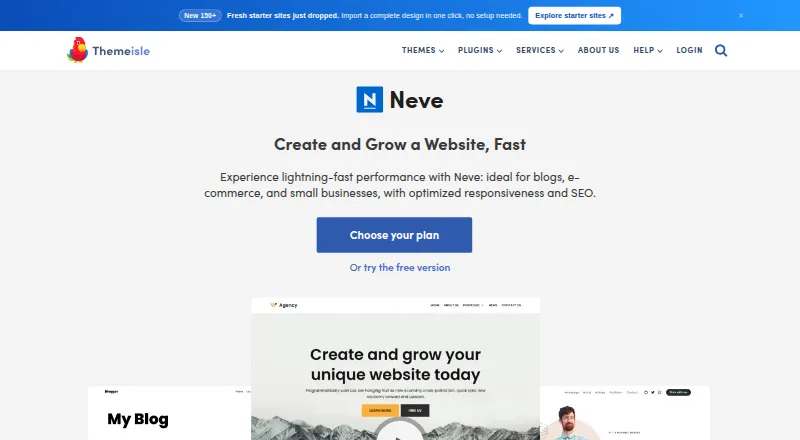
What Neve is
Neve is a WordPress theme for building blogs, e-commerce sites, and small-business websites. It supports Gutenberg and page builders including Elementor, Brizy, Beaver Builder, Visual Composer, SiteOrigin, and Divi Builder. Themeisle lists more than 110 starter sites and templates made for the Block Editor and Elementor. The theme includes drag-and-drop header and footer components, layout controls, and global color palettes. It is mobile-ready, AMP-compatible, translation-ready, and supports right-to-left languages. Neve is available as a free WordPress theme, with paid commercial upgrades and support; it has no free trial. Neve Pro adds WooCommerce options including shop layouts, wishlists, product comparison, quick view, and checkout templates. The Business plan includes compatibility options for Masteriyo LMS, LifterLMS, and LearnDash. Personal costs $69 a year, Business $149 a year, and Agency $259 a year; these are introductory prices and renewals are at full price. Paid plans include support tiers with listed response targets of 12 business hours for Standard, 8 for Priority, and 6 for Premium. Themeisle says its default WordPress install is 28KB and loaded in 0.6 seconds in its test.
Good
- Free WordPress theme is available
- Supports Gutenberg and multiple page builders
- Includes drag-and-drop header and footer components
- Supports RTL languages and AMP compatibility
- More than 110 starter sites and templates are listed
Watch out
- No free trial
- Paid plan prices are introductory, with renewals at full price
- LMS compatibility options are included in the Business plan
Who it suits
Neve suits WordPress site builders working on blogs, shops, or small-business websites who want theme customization controls and page-builder support. Its paid plans add WooCommerce features, starter templates, support tiers, or LMS compatibility options, depending on plan.
Verdict
Neve offers a free starting point with page-builder support and a range of layout controls. Paid plans add commerce, template, support, and LMS-related options, with annual prices and renewal terms to consider.
Plans and prices
From Neve's own pricing page, checked 29 Sep 2026.
| Plan | Price | What it gives you |
|---|---|---|
| Free | Free | Free WordPress theme; additional paid commercial upgrades or support |
| Personal | $69 a year | Unlimited sites · 1 year updates · Standard support (12 business hours) · Extended header/footer · Extended blog settings · Custom layouts/hooks · Elementor settings · Performance module · Content restriction · annual |
| Business | $149 a year | Unlimited sites · 1 year updates · Priority support (8 business hours) · 110+ starter sites/templates · Extended WooCommerce features · LMS Booster · annual |
| Agency | $259 a year | Unlimited sites · 1 year updates · Premium support (6 business hours) · Otter Blocks Pro · Domain Mapping · Templates Cloud · White Label · annual |
The facts
Each one read from Neve's own pages, with the date it was checked.
What it does
- Accessibility and languages
- Neve is mobile-ready, AMP-compatible, translation-ready, and supports RTL languages.checked 29 Sep 2026
- Active installations
- The WordPress.org listing reports more than 200,000 active installations.checked 15 Oct 2026
- API prerequisites
- The Abilities API documentation requires an active Neve theme, WordPress 6.9 or later, a compatible connector and suitable WordPress capabilities.checked 15 Oct 2026
- Builder compatibility
- The theme is documented as compatible with the block editor, Elementor, Bricks, Oxygen and WooCommerce.checked 15 Oct 2026
- Child-theme extensibility
- Themeisle documents child themes as the safe place for custom PHP so changes survive theme updates.checked 15 Oct 2026
- Commerce
- Neve Pro adds WooCommerce features such as shop layouts, wishlist, product comparison, quick view, and checkout templates.checked 29 Sep 2026
- Customization
- The theme provides drag-and-drop header and footer components, layout controls, and global color palettes.checked 29 Sep 2026
- Customization surfaces
- Neve settings are available through the WordPress Customizer, Neve Dashboard, header/footer builder and per-post options.checked 15 Oct 2026
- Design tools
- Neve supports Gutenberg and page builders including Elementor, Brizy, Beaver Builder, Visual Composer, SiteOrigin, and Divi Builder.checked 29 Sep 2026
- Developer CLI
- Neve exposes WP-CLI commands to activate licenses and enable, disable or inspect theme modules.checked 15 Oct 2026
- Documentation depth
- Themeisle advertises a large knowledge base with more than 300 product documents and 200 video tutorials.checked 15 Oct 2026
- Header and footer builder
- The Customizer provides drag-and-drop header and footer builders with three rows and reusable components.checked 15 Oct 2026
- Import requirement
- Starter-site imports require PHP XML functionality such as DOM, SimpleXML, XMLReader or XMLWriter.checked 15 Oct 2026
- License
- The public Neve repository identifies the theme as GPLv2 or later.checked 15 Oct 2026
The company
- Company founded
- LinkedIn lists Themeisle as founded in 2013.checked 15 Oct 2026
- Company headquarters
- Themeisle is headquartered in Bucharest, Romania.checked 15 Oct 2026
- Company legal name
- Crunchbase identifies Themeisle's legal name as Vertigo Studio SA.checked 15 Oct 2026
- Company origin
- Themeisle's history says the brand was launched as a WordPress theme store in September 2014 and Neve was released in October 2018.checked 15 Oct 2026
- Company size
- LinkedIn lists Themeisle as having 11–50 employees.checked 15 Oct 2026
- Founded
- 2012checked 28 Sep 2026
- Headquarters
- Bucharest, Romaniachecked 28 Sep 2026
Money
- Free distribution
- The core theme is free on WordPress.org and offers paid commercial upgrades and support.checked 15 Oct 2026
- Free download
- WordPress.org identifies Neve as a free theme with optional paid commercial upgrades or support.checked 29 Sep 2026
Where it runs
- Learning platforms
- The Business plan includes compatibility options for Masteriyo LMS, LifterLMS, and LearnDash.checked 29 Sep 2026
The full review of Neve
Neve is a lightweight theme for self-hosted WordPress sites, including blogs, online shops, and small businesses. It suits site owners who want broad page-builder compatibility and room to customize layouts. Its free version is a practical starting point; store, LMS, template, and support upgrades require a paid plan.
Overview
Neve combines a free WordPress theme with paid upgrades. Gutenberg and several popular page builders are supported, so it can fit an existing editing workflow rather than forcing a switch to one builder. Header and footer components, layout controls, and global color palettes give site owners ways to shape the presentation without building every element from scratch.
Themeisle reports that Neve’s default WordPress install is 28KB and loaded in 0.6 seconds in its test. That points to a small theme footprint, but does not establish how fast a finished site will load. Neve is also mobile-ready, AMP-compatible, translation-ready, and supports right-to-left languages, a useful range for sites serving different devices and language audiences.
Key features
Neve supports Gutenberg and Elementor, Brizy, Beaver Builder, Visual Composer, SiteOrigin, and Divi Builder. That breadth is valuable if you already rely on one of those tools; it is less compelling if your priority is a theme centered on a particular builder. More than 110 ready-to-import starter sites and templates for the Block Editor and Elementor offer a wide set of starting points, while drag-and-drop header and footer components, layout controls, and global color palettes let you adjust the result.
The free theme supports WooCommerce, but Neve Pro adds dedicated shop layouts, wishlist, product comparison, quick view, and checkout templates. Those features make the paid version the more suitable choice for a store that needs more than basic theme support. Business also includes compatibility options for Masteriyo LMS, LifterLMS, and LearnDash, making it the relevant tier for site owners building around those learning platforms.
Pricing
Neve is freemium, with no free trial. The Free plan costs nothing and is a free WordPress theme; paid commercial upgrades or support are optional. It is the sensible place to start for a basic site, but it does not include the paid-plan features and support tiers.
Personal costs $69 a year, billed $69/year at an introductory price, with renewals at full price. It includes unlimited sites, Standard support, and Neve Pro features. This is the entry paid option for users who want Neve Pro across multiple sites, but it does not include Business’s 110+ starter sites and templates, extended WooCommerce features, or LMS Booster.
Business costs $149 a year, billed $149/year at an introductory price, with renewals at full price. It includes unlimited sites, Priority support, 110+ starter sites and templates, extended WooCommerce features, and LMS Booster. It is the better fit for a store or learning-focused site that needs those additions; smaller sites may not need the step up from Personal.
Agency costs $259 a year, billed $259/year at an introductory price, with renewals at full price. It includes unlimited sites, Premium support, Otter Blocks Pro, domain mapping, Templates Cloud, and white label. It is aimed at users needing those agency-oriented tools, rather than someone seeking only a theme and basic customization. Support targets are 12 business hours for Standard, 8 for Priority, and 6 for Premium. Themeisle offers a 30-day no-questions-asked money-back guarantee for purchases.
Platforms
Neve is a classic theme for self-hosted WordPress sites and is available on web. It supports the block editor, child themes, WooCommerce, RTL languages, and accessibility-ready design.
Who it's for
Neve is a strong fit for WordPress site owners who want builder choice, starter designs, and customization controls, especially if they plan to grow into a store. The free version suits a basic site; Business is more appropriate when extended WooCommerce features or LMS compatibility options matter. It is less suitable for buyers who want to avoid recurring paid-plan renewals or do not need the paid features.
Pros and cons
- Pro: Builder support spans Gutenberg and six named page builders, so users can keep a supported editing workflow.
- Pro: More than 110 starter sites and templates, plus layout and color controls, give users both starting choices and ways to tailor them.
- Pro: The free plan provides a no-cost route to a WordPress theme, with optional paid upgrades rather than a required subscription.
- Con: Introductory annual prices renew at full price, so the initial charge is not the long-term cost.
- Con: The Free plan does not include the paid plans’ expanded commerce, LMS, templates, and support benefits.
Alternatives
Browse WordPress Themes if you want to compare Neve with the wider category. Blocksy is another freemium self-hosted WordPress theme with a free plan; consider it if you want to compare another no-cost starting point. Zakra also has a free plan and a paid annual option at $69 a year, making it worth comparing if its free demo sites or paid starter templates suit your needs. Genesis Framework offers a free download by request for WordPress.org self-hosted sites, an alternative if a request-based free download is preferable. OceanWP has a free WordPress theme, so it is another option to consider for a free start. Twenty Twenty-Five is free, with WordPress 6.7 and PHP 7.2 listed for its plan. Astra has a $69 a year annual Pro option for up to 3 websites, which may suit a buyer prioritizing that stated site allowance. Responsive has a $29.50 a year annual Personal Plan for 3 website licenses, an option to compare if that license count and price fit. GeneratePress offers a $59 a year GP Premium plan with 60+ starter sites and one year of updates and support, worth considering if those terms align better.
Verdict
Choose Neve if you want a flexible WordPress theme with a free starting point, broad builder support, and a clear path to richer store or LMS capabilities. Its strongest case is that range of workflows and upgrades; its main caveat is the full-price renewal after introductory annual pricing. If you need only a basic theme, start free; if the paid features do not justify ongoing renewal, look elsewhere.
Getting started
- Visit https://themeisle.com/themes/neve/.
- Get the free Neve theme or choose a paid plan.
- Install Neve on a self-hosted WordPress site.
- Choose Gutenberg or one of the supported page builders.
- Customize the site with header and footer components, layout controls, and color palettes.
Limits worth knowing
The free theme has optional paid commercial upgrades and support. Personal, Business, and Agency prices are introductory, and renewals are at full price.
Questions
Is Neve free?
Yes. Neve is a free WordPress theme, with optional paid commercial upgrades or support.
How much do the paid plans cost?
Personal costs $69 a year, Business $149 a year, and Agency $259 a year. These are introductory prices; renewals are at full price.
Does Neve have a free trial?
No, Neve does not offer a free trial.
Which page builders does Neve support?
It supports Gutenberg, Elementor, Brizy, Beaver Builder, Visual Composer, SiteOrigin, and Divi Builder.
What does Neve Pro add for stores?
Neve Pro adds WooCommerce shop layouts, wishlist, product comparison, quick view, and checkout templates.
Which learning platforms are covered by the Business plan?
The Business plan includes compatibility options for Masteriyo LMS, LifterLMS, and LearnDash.
Alternatives to Neve
- 1

Blocksy
Free planOpen sourceWebSelf-hosted7.7From $69 a year - 2

ColorMag
Free planOpen sourceWebSelf-hosted7.7Free plan - 3
Zakra
Free planOpen sourceWebSelf-hosted7.7From $69 a year - 4
Readable
WebSelf-hosted6.9From $99 a year - 5
Layers
Free planWebSelf-hosted6.8$29 one-time - 6
Sydney
Free planWebSelf-hosted6.7From $63 a year