
Blocksy
Blocksy is a WordPress theme for sites built with the Gutenberg block editor.
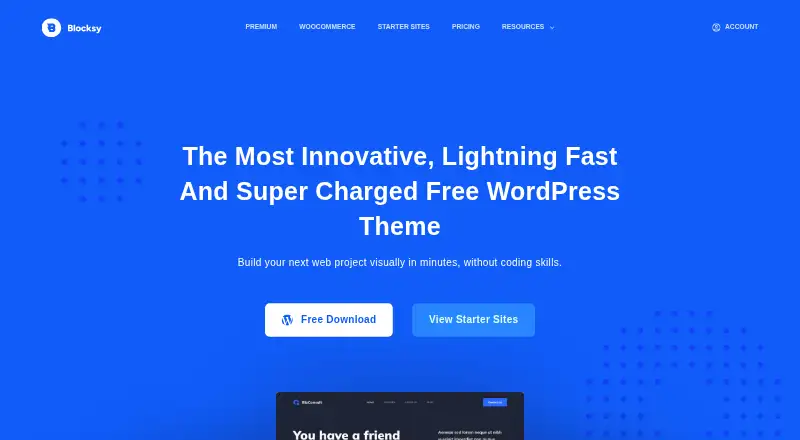
What Blocksy is
Blocksy is a WordPress theme for sites built with the Gutenberg block editor. Its live Customizer previews let site owners adjust colors, typography, layouts, headers, and footers. The theme also supports Elementor, Brizy, and Beaver Builder, and includes responsive design for mobile users. For online stores, Blocksy offers WooCommerce support and shop customization controls; additional shop features are available through Pro extensions. Blocksy Companion supplies importable starter sites for supported builders, including Gutenberg and Elementor. Built-in options cover Google Analytics, Schema.org markup, and OpenGraph metadata, and its Cookies Consent extension can require visitor consent before Analytics runs. The maker describes code splitting that loads JavaScript behavior when needed. Free extensions include Cookies Consent and Newsletter Subscribe; Pro extensions include Adobe Fonts, custom code snippets, custom fonts, and Local Google Fonts. Annual licenses require renewal for updates, premium templates, and support.
Good
- Live previews for visual customization
- Supports four listed page builders
- Includes WooCommerce shop controls
- Starter sites available through Blocksy Companion
- Includes Analytics, Schema.org, and OpenGraph options
Watch out
- No free trial is listed
- Annual licenses require renewal for updates and support
- Some shop features require Pro extensions
Who it suits
Blocksy suits WordPress site owners who want visual controls for site layouts and styling, including WooCommerce sellers and people building with Gutenberg or supported page builders.
Verdict
Blocksy combines theme styling controls, starter sites, and support for several page builders. The free theme offers a way to start, while some shop capabilities and extensions require a paid plan.
Plans and prices
From Blocksy's own pricing page, checked 30 Sep 2026.
| Plan | Price | What it gives you |
|---|---|---|
| Free | Free | Free theme and features listed in the comparison table |
| Personal | $69 a year | 1 production site · 1 year updates · 1 year support · all Pro starter sites · Shop Extra · Post Types Extra · White Label · annual |
| Business | $99 a year | 10 production sites · 1 year updates · 1 year support · all Pro starter sites · Shop Extra · Post Types Extra · White Label · annual |
| Agency | $149 a year | Unlimited production sites · 1 year updates · 1 year support · all Pro starter sites · Shop Extra · Post Types Extra · White Label · annual |
| Personal | $199, paid once | 1 production site · lifetime updates · lifetime support · all Pro starter sites · Shop Extra · Post Types Extra · White Label · lifetime |
| Business | $299, paid once | 10 production sites · lifetime updates · lifetime support · all Pro starter sites · Shop Extra · Post Types Extra · White Label · lifetime |
| Agency | $499, paid once | Unlimited production sites · lifetime updates · lifetime support · all Pro starter sites · Shop Extra · Post Types Extra · White Label · lifetime |
The facts
Each one read from Blocksy's own pages, with the date it was checked.
What it does
- Active installations
- The WordPress.org listing reports more than 300,000 active installations.checked 15 Oct 2026
- Analytics and metadata
- Blocksy has built-in Google Analytics, Schema.org markup, and OpenGraph metadata options; its Cookies Consent extension can gate Analytics on visitor consent.checked 30 Sep 2026
- Block editor
- Blocksy supports Gutenberg blocks, wide and full alignments, and four single-page layout types.checked 15 Oct 2026
- Core features
- Officially listed features include SEO optimization, GDPR assistance, schema markup, live customization, one-click importing, lazy loading, live search and responsive design.checked 15 Oct 2026
- Customization
- The theme includes live Customizer previews and controls for colors, typography, layouts, headers, and footers.checked 30 Sep 2026
- Developer documentation
- The documentation has a Developers section with 35 articles covering filters, actions and other extension techniques.checked 15 Oct 2026
- Documentation depth
- Official documentation is organized into general setup, theme options, post types, header and footer builders, extensions, modules, blocks, WooCommerce, integrations, troubleshooting and developer topics.checked 15 Oct 2026
- Extensibility
- Content Blocks Hooks let developers or editors place content at predefined theme locations, set priority and apply conditions by pages, taxonomies, roles and other criteria.checked 15 Oct 2026
- Extensions
- Blocksy Companion extensions include cookie consent, newsletter signup, product reviews and trending posts; Pro adds Adobe Fonts, custom fonts, local Google Fonts, advanced menus and multiple sidebars.checked 15 Oct 2026
- Footer and layout controls
- Customizer controls cover footer styles, widget areas, sidebars, pagination, colors and typography.checked 15 Oct 2026
- Header builder
- The official site describes a drag-and-drop header builder with nine header elements and device-specific controls.checked 15 Oct 2026
- Licence
- The public theme repository identifies Blocksy as GNU General Public License version 2 or later.checked 15 Oct 2026
- Licence activation limits
- Personal allows one production site, Business up to ten and Agency unlimited; recognized staging and development domains do not consume seats.checked 15 Oct 2026
- Limit: companion dependency
- Reviewers note that starter sites, extensions and several blocks require installing the separate Blocksy Companion plugin.checked 15 Oct 2026
- Limit: paid feature split
- Independent hands-on testing reports that advanced conditions, many shop controls, dark mode and other extensions require Pro, with the Personal plan excluding key shop features.checked 15 Oct 2026
- Limit: smaller ecosystem
- ThemeBurn says Blocksy is younger than Astra and has fewer third-party tutorials and community answers.checked 15 Oct 2026
- Limit: starter-site side effects
- A hands-on review reported that starter-site imports can add extra plugins and, in one shop import, duplicate WooCommerce pages.checked 15 Oct 2026
- Limit: support complaint
- A Trustpilot reviewer gave two stars after finding CreativeThemes dismissive when explaining that a Stackable feature required a separate third-party licence.checked 15 Oct 2026
- Notable news
- The changelog records Blocksy theme version 2.1.60 released on October 15, 2026.checked 15 Oct 2026
- Page-builder integrations
- The maker lists Gutenberg, Elementor, Brizy Builder and Beaver Builder as supported builders.checked 15 Oct 2026
- Page builders
- The maker lists Gutenberg, Elementor, Brizy, and Beaver Builder as supported page builders.checked 30 Sep 2026
The company
- Company
- The maker identifies its team as Sergiu Radu and Andrei Glingeanu and says they met in 2010; it does not state an HQ or company founding year on the about page.checked 30 Sep 2026
- Company facts
- LinkedIn lists Creative Themes as privately held, founded in 2009, headquartered in Austin, Texas and employing 51–200 people.checked 15 Oct 2026
- Company founders
- CreativeThemes says Blocksy was created by Sergiu Radu and Andrei Glingeanu, who met at a local IT event in 2010.checked 15 Oct 2026
The full review of Blocksy
Blocksy is a WordPress theme built around Gutenberg and site customization, with support for several other page builders. It suits site owners who want visual control over layouts and headers, plus a free starting point. Its main trade-off is that some shop capabilities and extensions require Pro.
Overview
Blocksy puts common design decisions—colors, typography, layouts, headers, and footers—into WordPress’s live Customizer, so changes can be previewed as they are made. Starter sites through Blocksy Companion offer a quicker route to a site structure, while support for Gutenberg, Elementor, Brizy, and Beaver Builder leaves room to work with different builders.
The theme is responsive and uses code splitting to load JavaScript behavior when needed. Those are useful design choices, but Blocksy’s performance description is its own characterization, not a substitute for judging how a particular site performs with its content and plugins.
Key features
- Live design controls: Customizer previews cover colors, typography, layouts, headers, and footers. This makes Blocksy a strong fit for owners who want theme-level control without limiting themselves to Gutenberg.
- Starter sites: Blocksy Companion provides importable templates for supported builders, including Gutenberg and Elementor. They give a site a starting structure rather than requiring every page to be assembled from scratch.
- WooCommerce controls: Blocksy supports WooCommerce and shop customization, but additional shop features sit behind Pro extensions. It can suit a store whose needs fit the free controls; a shop relying on those extra features should budget for a paid plan.
- Analytics and metadata: Built-in options cover Google Analytics, Schema.org markup, and OpenGraph metadata. The Cookies Consent extension can gate Analytics on visitor consent, a practical option for site owners who want that control.
- Extensions and integrations: Free extensions include Cookies Consent and Newsletter Subscribe. Pro adds Adobe Fonts, Custom Code Snippets, Custom Fonts, and Local Google Fonts. Breadcrumb integration works with Rank Math, Yoast SEO, SEOPress, and Breadcrumb NavXT.
Pricing
Blocksy is freemium, with no free trial. The free theme is listed as free. Personal costs $69,199 a year, Business $99,299 a year, and Agency $149,499 a year; each is billed annually or as a lifetime license. All three paid tiers include Pro starter sites and extensions. Personal covers one site, Business covers 10, and Agency covers unlimited sites.
Annual licenses include one year of updates and support; lifetime licenses include lifetime updates and support. The annual renewal matters if continued updates, premium templates, and support are important. Personal suits a single site, Business a small group of sites, and Agency a larger portfolio. The free plan avoids a license cost but gives up Pro starter sites and extensions, including the listed Pro font and code tools. Refunds may be requested within 14 days.
Platforms
Blocksy is for self-hosted WordPress sites and the web. It supports the block editor, child themes, RTL, and is marked accessibility ready. That combination serves a broad range of WordPress setups, but does not make it a hosted site builder.
Who it's for
Choose Blocksy if you want a customizable WordPress theme with live previews, starter sites, and a choice of supported page builders. It is particularly relevant to WooCommerce site owners who value shop styling controls and are prepared to pay for Pro features where needed. Look elsewhere if you need a hosted platform or want the additional extensions without a paid license.
Pros and cons
- Pro: Live Customizer controls cover key visual decisions, making theme adjustments visible while editing.
- Pro: Gutenberg, Elementor, Brizy, and Beaver Builder support gives site owners more than one builder path.
- Pro: Free extensions include consent controls and newsletter signup, while built-in analytics and metadata options cover common site needs.
- Con: Additional WooCommerce shop features and several extensions require Pro, which may raise the cost for stores or sites needing custom fonts or code snippets.
- Con: Annual licenses renew for updates, premium templates, and support; owners who want ongoing coverage need to account for that term.
Alternatives
For a wider comparison, browse WordPress Themes.
- Neve is another freemium WordPress theme with a free plan and self-hosted web availability; consider it if you want to compare another free starting point.
- Zakra has a free plan and a Zakra Pro annual tier priced at $69 a year, with 30+ starter templates. Choose it if that template count and stated price better fit your needs.
- Genesis Framework offers a free download by request for self-hosted WordPress sites and is labeled open source by StudioPress. It is an alternative for readers seeking that framework model.
- OceanWP offers a free WordPress theme with no free trial. Consider it if a free theme is the priority.
- Twenty Twenty-Five is a free WordPress theme. It is a straightforward alternative for readers seeking a free option.
- Astra offers a freemium model; its Pro Addon Only annual plan costs $69 a year and covers up to three websites with premium support. Consider it if that site allowance and support matter more.
- Responsive has a Personal annual plan at $29.50 a year for three website licenses and Pro customization. It may suit readers prioritizing a lower stated annual price and multiple site licenses.
- GeneratePress offers GP Premium for $59 a year, including 60+ starter sites and one year of updates and support. Consider it if that combination is a closer fit.
Verdict
Its free theme makes it possible to begin without a license cost, but stores and site owners who need Pro extensions should weigh the annual renewal and site limits. If those capabilities are central, the paid plan can make sense; if not, the free tier is the more appealing place to start.
Getting started
- Visit https://creativethemes.com/blocksy/.
- Choose the free theme or a paid license from $69/yr.
- Use Blocksy with a self-hosted WordPress site.
- Select a supported page builder and, if useful, import a starter site with Blocksy Companion.
Limits worth knowing
The free plan includes the free theme and features shown in the comparison table. Pro extensions and starter sites are included with paid plans; annual licenses need renewal for updates, premium templates, and support.
Questions
Is Blocksy free?
Yes.
Which platforms does Blocksy support?
It is listed for self-hosted and web use.
Which page builders does it support?
The maker lists Gutenberg, Elementor, Brizy, and Beaver Builder.
Does Blocksy support WooCommerce?
Yes. It includes shop customization controls, with additional shop features through Pro extensions.
Is there a free trial?
No. A free plan is available instead.
What happens when an annual license expires?
Annual licenses need renewal for updates, premium templates, and support. Refund requests may be made within 14 days.
Alternatives to Blocksy
- 1

ColorMag
Free planOpen sourceWebSelf-hosted7.7Free plan - 2
Neve
Free planOpen sourceWebAPISelf-hosted7.7From $69 a year - 3
Zakra
Free planOpen sourceWebSelf-hosted7.7From $69 a year - 4
Readable
WebSelf-hosted6.9From $99 a year - 5
Layers
Free planWebSelf-hosted6.8$29 one-time - 6
Sydney
Free planWebSelf-hosted6.7From $63 a year