
Net Nanny
Net Nanny is parental control software for filtering internet content and giving parents visibility into children’s online activity.
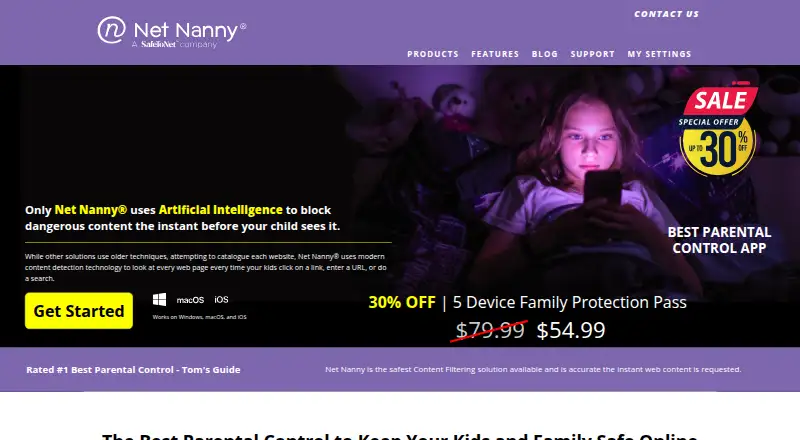
What Net Nanny is
Net Nanny is parental control software for filtering internet content and giving parents visibility into children’s online activity. It reviews website content in real time and lets parents allow, block or receive alerts for content in 14 categories. Parents can set daily internet-hour limits and access schedules, view app use and block selected apps. The Family Feed reports searches, apps used and alerts about pornography, suicide, weapons and drugs. YouTube reports include video names, lengths, view dates and direct links; parents can also block YouTube or set schedules and alerts. Parents can view a child’s primary mobile-device location in real time. The Parent Dashboard works from a device with a web browser and internet access. Supported operating systems listed by the support page are Windows, macOS and iOS; Android, Kindle Fire and Chromebook are unsupported. Net Nanny does not automatically email reports: activity data appears in the dashboard, and notifications go to the parent device. There is no free plan.
Good
- Filters website content in real time
- Parents can set internet schedules and limits
- Reports include YouTube video details
- Offers real-time location viewing
Watch out
- No free plan
- Android, Kindle Fire and Chromebook are unsupported
- Reports are not emailed automatically
- Listed device limit is one
Who it suits
It suits parents who want content filtering, screen-time controls, app blocking and activity visibility on supported devices. Families should check device coverage and platform support before choosing a plan.
Verdict
Net Nanny combines filtering and time controls with activity reports and location viewing. Its platform and device limits matter, and reports must be viewed in the Parent Dashboard rather than received by email.
Plans and prices
From Net Nanny's own pricing page, checked 11 Oct 2026.
| Plan | Price | What it gives you |
|---|---|---|
| 1 Desktop | $39.99 a year | 1 desktop · Windows or macOS · $39.99/Year; page also shows $49.99 |
| 5 Devices Family Protection Pass | $54.99 a year | Up to 5 devices · iOS, macOS, or Windows · $54.99/Year; page also shows $79.99 |
| 20 Devices Family Protection Pass | $89.99 a year | Up to 20 devices · iOS, macOS, or Windows · $89.99/Year; page also shows $129.99 |
The facts
Each one read from Net Nanny's own pages, with the date it was checked.
What it does
- Activity reports
- Yeschecked 20 Sep 2026
- Content filtering
- Yeschecked 20 Sep 2026
- Dashboard
- The Parent Dashboard can be accessed from a device with a web browser and internet access to view activity and update profile settings.checked 11 Oct 2026
- Data handling
- The privacy policy says Net Nanny services are hosted in a US-based AWS cloud environment and identifies Firebase, Braze, AppFlyer, and Aptitude as app tracking technologies.checked 11 Oct 2026
- Family Feed
- The Family Feed reports online searches, apps used, and alerts about pornography, suicide, weapons, and drugs.checked 11 Oct 2026
- Location
- Net Nanny says parents can view a child’s primary mobile-device location in real time.checked 11 Oct 2026
- Location tracking
- Yeschecked 20 Sep 2026
- Product
- Net Nanny is parental control software for families that filters internet content and provides visibility into children’s online activity.checked 11 Oct 2026
- Real-time filtering
- The product reviews website content in real time and lets parents allow, alert on, or block content in 14 categories.checked 11 Oct 2026
- Reporting limit
- Net Nanny says it does not automatically email reports; reporting data is available in the Parent Dashboard and notifications go to the parent device.checked 11 Oct 2026
- Screen time
- Parents can set daily internet-hour limits and schedules for when a child can access the internet.checked 11 Oct 2026
- Screen-time schedules
- Yeschecked 20 Sep 2026
- Security
- The privacy policy says personal information is encrypted in transit and at rest and access controls are used; it does not guarantee complete security.checked 11 Oct 2026
- Support
- Support is available by live chat during service hours or by email, with email replies promised before the end of the next business day.checked 11 Oct 2026
- YouTube monitoring
- YouTube reports include video names, lengths, view dates, and direct links, and parents can block YouTube or set schedules and alerts.checked 11 Oct 2026
Where it runs
- App blocking
- Yeschecked 20 Sep 2026
- App controls
- Parents can see which apps a child uses and block selected apps.checked 11 Oct 2026
- Device limit
- 1checked 20 Sep 2026
- Supported platforms
- The support page lists Windows, macOS, and iOS as supported operating systems.checked 11 Oct 2026
- Unsupported devices
- The support page says Android, Kindle Fire, and Chromebook devices are currently unsupported.checked 11 Oct 2026
The company
- Company history
- Net Nanny says it has been trusted by over one million parents and has offered parental-control software since 1996.checked 11 Oct 2026
Money
- Free plan
- Nochecked 20 Sep 2026
Alternatives to Net Nanny
- 1
Kaspersky Safe Kids
Free planAndroidiOSWebmacOS8.8From $14.99 a year - 2

Qustodio
Free planAndroidiOSmacOSWindows8.5From $72.94 a year - 3

MMGuardian
AndroidiOSWebmacOS8.3From $59.90 a year - 4

OurPact
Free planAndroidiOS8.2From $69.99 a year - 5

Mobicip
AndroidiOSmacOSWindows8.0From $2.99 a month - 6

FamilyTime
AndroidiOSmacOSWindows8.0From $2.41 a month