nEO iMAGING
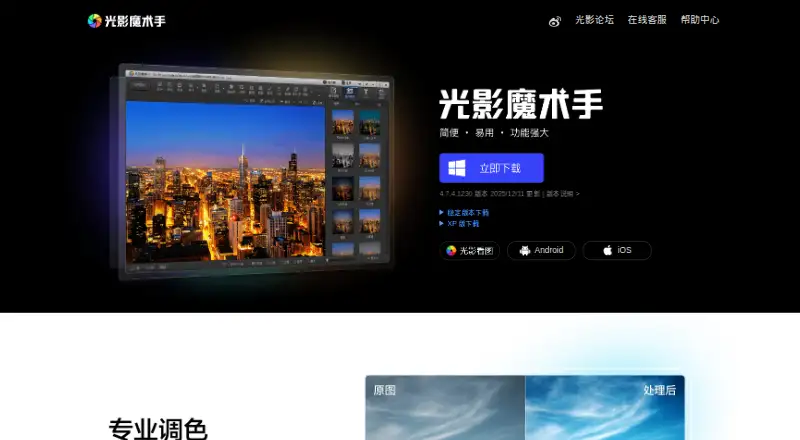
The facts below are what the maker publishes about nEO iMAGING, checked and dated. Our editors have not written about it yet.
Plans and prices
From nEO iMAGING's own pricing page, checked 23 Sep 2026.
| Plan | Price | What it gives you |
|---|---|---|
| nEO iMAGING registration | $24.99 a month | One system per license · Buyers outside Canada pay US$24.99; page lists different prices for Canadian buyers. |
| nEO iMAGING (光影魔术手) | Free | The maker says the software became completely free in 2008; an older Traditional Chinese page says personal use only and prohibits commercial use. |
The facts
Each one read from nEO iMAGING's own pages, with the date it was checked.
What it does
- AI retouching
- Nochecked 23 Sep 2026
- Background removal
- The 0.24 release page says it added cutout and background-removal tools integrated with cropping.checked 8 Oct 2026
- Batch editing
- Yeschecked 23 Sep 2026
- Batch processing
- The maker describes batch processing with automatic actions and batch renaming rules that can use EXIF information.checked 8 Oct 2026
- Cloud sync
- Nochecked 23 Sep 2026
- Composites
- The feature page describes combining multiple photos into one image with preset layouts, including 2×2 and 3×3.checked 8 Oct 2026
- Downloads
- The mobile page directs Windows users to visit the official site from a computer to download.checked 8 Oct 2026
- Editing effects
- Its feature page describes effects including positive-film simulation, high-ISO noise reduction, decorative and torn-edge frames, and soft-focus simulation.checked 8 Oct 2026
- History
- The maker says the first version launched in 2004, the product was acquired by Xunlei in 2008, and version 4.1.0 beta was released in 2013.checked 8 Oct 2026
- Integrations
- The maker's feature page says watermarks may be made with tools such as Photoshop and then used in nEO iMAGING.checked 8 Oct 2026
- Layer editing
- Nochecked 23 Sep 2026
- Masking tools
- Nochecked 23 Sep 2026
- Portrait retouching
- The portrait beautification feature combines skin smoothing with soft-focus effects and aims to retain details such as eyes and hair.checked 8 Oct 2026
- Purpose
- The maker describes it as a professional photo editing tool for ordinary users, for photography post-processing, quick edits, batch processing and photo printing.checked 8 Oct 2026
- RAW photo support
- Yeschecked 23 Sep 2026
- RAW support
- A legacy feature page says RAW support covered camera models from Nikon, Canon, Pentax, Minolta, Sigma, Fuji and Olympus.checked 8 Oct 2026
- Support
- The about page lists the official forum, official Weibo account and [email protected] for contact.checked 8 Oct 2026
- Watermarks
- The feature page says watermarking supports transparent or semi-transparent PSD, PNG and GIF files, and can apply a watermark to photos in batch.checked 8 Oct 2026
The company
- Company
- The site's footer names 深圳市迅雷网文化有限公司 (Shenzhen Xunlei Network Culture Co., Ltd.) and displays a Guangdong ICP filing number.checked 8 Oct 2026
Money
- Free plan
- Nochecked 23 Sep 2026
Where it runs
- Platform
- desktopchecked 23 Sep 2026
Alternatives to nEO iMAGING
- 1

Picsart
Free planAndroidiOSWebAPI9.0From $10.50 a month - 2

Photoroom
Free planAndroidiOSWebAPI9.0From $7.50 a month - 3
PhotoPad
Free planAndroidiOSWebExtension8.8Free plan - 4

Adobe Photoshop
AndroidiOSWebmacOS8.7 - 5

Adobe Lightroom
AndroidiOSWebmacOS8.7 - 6

BeFunky
Free planAndroidiOSWeb8.7Free plan