Neo Backup
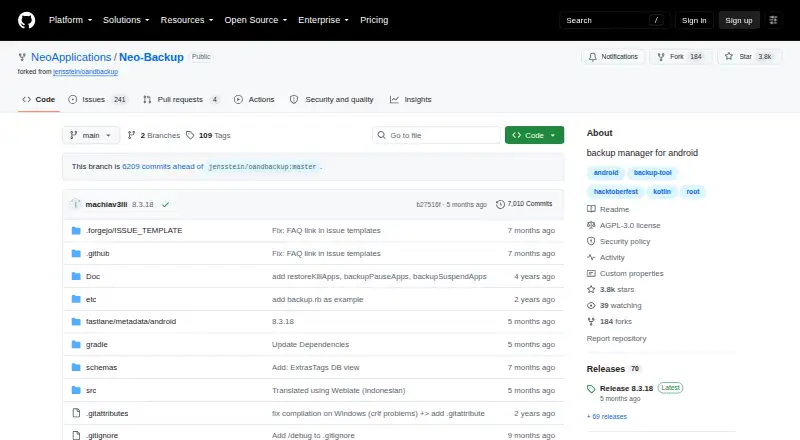
The facts below are what the maker publishes about Neo Backup, checked and dated. Our editors have not written about it yet.
The facts
Each one read from Neo Backup's own pages, with the date it was checked.
Where it runs
- Android compatibility
- The FAQ lists Android 8 Oreo as the oldest supported version and says the newest stable Android version is supported unless stated otherwise.checked 12 Oct 2026
What it does
- Backup contents
- Users can choose which app data parts to back up, including external data, OBB files, and media files, which are not included by default.checked 12 Oct 2026
- Backup modes
- It supports individual and batch backup and restore, plus scheduled backups.checked 12 Oct 2026
- Backup scope
- mixedchecked 20 Sep 2026
- Compatibility limit
- The README says version 5.0.0 introduced new encryption and databases that are incompatible with older versions.checked 12 Oct 2026
- Computer backup
- Nochecked 20 Sep 2026
- Download channels
- The repository links to GitHub, Codeberg, F-Droid, and IzzyOnDroid as download sources.checked 12 Oct 2026
- Encryption
- When enabled, backups are encrypted with AES256 using a password set in the app, which is required for restoring the data.checked 12 Oct 2026
- Individual and batch operations
- It supports backing up and restoring one app at a time or multiple apps in batches.checked 12 Oct 2026
- Intended audience
- The project describes Neo Backup as an Android backup solution and a free and open-source tool descended from OAndBackup.checked 12 Oct 2026
- License
- The project is licensed under GNU Affero General Public License version 3.checked 12 Oct 2026
- Mobile backup
- Yeschecked 20 Sep 2026
- Optional encryption
- When enabled, backups are encrypted with AES256 using a password set in the app.checked 12 Oct 2026
- Purpose
- Neo Backup is an Android backup and recovery app for individual apps and their data.checked 12 Oct 2026
- Release channel
- The repository provides downloadable releases, and its release page lists version 8.3.18 as the latest release.checked 12 Oct 2026
- Remote storage limit
- The FAQ says Neo Backup was developed with local storage in mind and is not optimized for remote storage.checked 12 Oct 2026
- Restore modes
- filechecked 20 Sep 2026
- Root required
- The app requires a rooted Android phone to access APKs, app data, system apps, and special backups.checked 12 Oct 2026
- Scheduled backups
- It supports scheduled backups with no stated limit on the number of schedules and lets users create custom app lists.checked 12 Oct 2026
- Schedules
- Users can create an unlimited number of schedules and custom lists of installed apps.checked 12 Oct 2026
- Server backup
- Nochecked 20 Sep 2026
- Special backups
- Special backups include SMS/MMS, call logs, Wi-Fi access points, and Bluetooth, though the project says support for other special data is incomplete.checked 12 Oct 2026
- Storage and sync
- The FAQ says Android's Storage Access Framework lets Neo Backup save to external SD cards or cloud providers, and the README recommends pairing it with a sync tool such as Syncthing or Nextcloud.checked 12 Oct 2026
- Storage options
- The FAQ says the Storage Access Framework lets Neo Backup store backups on external SD cards or cloud providers.checked 12 Oct 2026
Alternatives to Neo Backup
- 1

IDrive
Free planAndroidiOSWebLinux8.4From $0.25 a month - 2

Google Photos
Free planAndroidiOSWebAPI8.3Free plan - 3

iCloud Backup
Free planAndroidiOSWebAPI8.3From $0.99 a month - 4

PhoneCopy
Free planAndroidiOSWebLinux8.2From €1.99 a month - 5

Acronis True Image
AndroidiOSWebAPI7.7From $49.99 a year - 6

TeraBox
Free planAndroidiOSWebLinux7.7From $35.99 a year