MyPaint
MyPaint is a free tool for painting and sketching artwork from scratch.
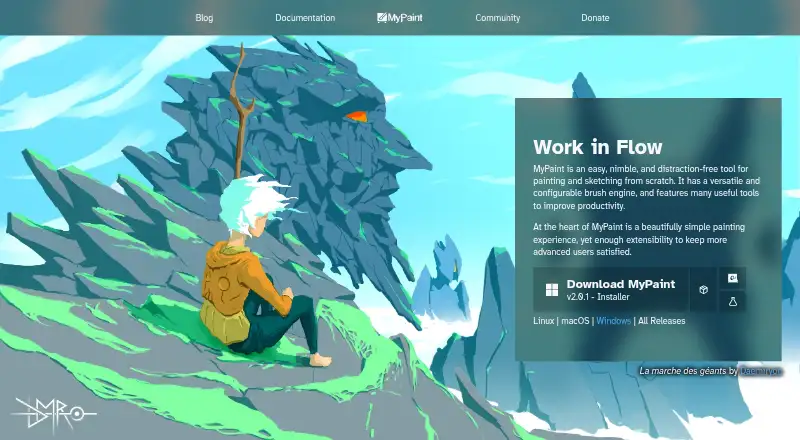
What MyPaint is
MyPaint is a free tool for painting and sketching artwork from scratch. The project is community-led, with its raster painting software developed over many years by volunteer developers and artists. Its configurable brush engine includes brushes that can emulate charcoal, pencils, ink and paint, and users can make custom brushes with unconventional responses. MyPaint also supports layers, pressure sensitivity and stroke stabilization; its color management is basic. Fullscreen mode clears interface clutter while allowing tools to be revealed when needed. The software is available for Linux, macOS and Windows, with the official site linking to v2.0.1 downloads through Flathub, MacPorts and an installer. Documentation includes user manuals, FAQs, backend documentation and contributor guides. The project also links to forums, Mastodon, DeviantArt, YouTube and Discord. MyPaint is listed as free, and there is no free trial.
Good
- Configurable brush engine with standard and custom brushes.
- Supports layers and pressure sensitivity.
- Includes stroke stabilization.
- Available for Linux, macOS and Windows.
Watch out
- Color management is basic.
- No free trial is offered.
Who it suits
MyPaint suits people looking for a free desktop tool to paint or sketch from scratch. Its brush customization and pressure sensitivity may also suit artists who want to shape how brushes respond.
Verdict
MyPaint offers a configurable brush engine and core painting tools across three desktop platforms. Its basic color management is worth noting if color control is important to your work.
Plans and prices
From MyPaint's own pricing page, checked 2 Oct 2026.
| Plan | Price | What it gives you |
|---|---|---|
| MyPaint | Free | The official site links to downloads for Linux, macOS, and Windows |
The facts
Each one read from MyPaint's own pages, with the date it was checked.
What it does
- Brush engine
- MyPaint has a versatile, configurable in-house brush engine.checked 2 Oct 2026
- Brush styles
- Standard brushes can emulate charcoal, pencils, ink, and paint.checked 2 Oct 2026
- Community
- The site links to community forums, Mastodon, DeviantArt, YouTube, and Discord.checked 2 Oct 2026
- Custom brushes
- Users can create expressive brushes with unconventional responses.checked 2 Oct 2026
- Development
- The project says its code has been built over many years by volunteer developers and artists.checked 2 Oct 2026
- Documentation
- The documentation site provides user manuals, FAQs, backend documentation, and contributor guides.checked 2 Oct 2026
- Downloads
- The official site links to MyPaint v2.0.1 downloads through Flathub, MacPorts, and an installer.checked 2 Oct 2026
- Fullscreen
- Fullscreen mode declutters the interface, while allowing users to reveal tools when needed.checked 2 Oct 2026
- Project
- The MyPaint project describes itself as a community-led effort to develop a simple rasterised digital painting tool.checked 2 Oct 2026
- Purpose
- MyPaint is a tool for painting and sketching from scratch.checked 2 Oct 2026
Money
- Free plan
- Yeschecked 20 Sep 2026
Where it runs
- Platforms
- The official site offers download choices for Linux, macOS, and Windows.checked 2 Oct 2026
Alternatives to MyPaint
- 1

Visme
Free planAndroidiOSWebAPI9.2From $12.25 a month - 2
Figma
Free planAndroidiOSWebmacOS9.1From $3 a month - 3
LibreOffice Impress
Free planOpen sourceAndroidiOSWebAPI9.1$8.99 one-time - 4

Picsart
Free planAndroidiOSWebAPI9.0From $10.50 a month - 5

Desygner
Free planAndroidiOSWebAPI9.0From $19 a month - 6

Recraft
Free planAndroidiOSWebAPI8.9Free plan