Movavi Photo Editor
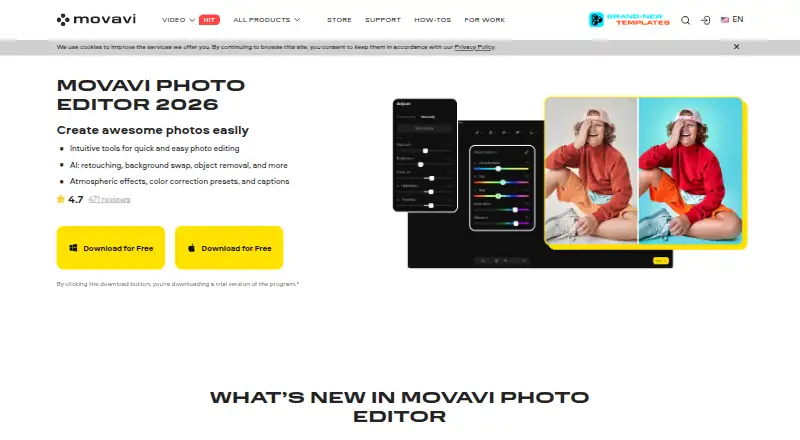
The facts below are what the maker publishes about Movavi Photo Editor, checked and dated. Our editors have not written about it yet.
Plans and prices
From Movavi Photo Editor's own pricing page, checked 22 Sep 2026.
| Plan | Price | What it gives you |
|---|---|---|
| Photo Editor | — | No watermark · No-limits photo export · AI photo enhancement · AI background replacement · Object removal · Photo colorization |
| Photo Editor — Lifetime | $49.95, paid once | No watermark · No-limits photo export · Lifetime license; the page shows $49.95 (incl. VAT). |
The facts
Each one read from Movavi Photo Editor's own pages, with the date it was checked.
What it does
- AI features
- The product page lists photo enhancement, background replacement, object removal, photo colorization, portrait retouching, and color correction presets.checked 12 Oct 2026
- AI retouching
- Yeschecked 22 Sep 2026
- Audience
- Movavi describes its products as designed for beginner content creators who may lack ideas and experience.checked 12 Oct 2026
- Batch editing
- Yeschecked 22 Sep 2026
- Cloud sync
- Nochecked 22 Sep 2026
- Large image limit
- Movavi says correct processing of image files larger than 6000×8000 pixels cannot be guaranteed.checked 12 Oct 2026
- Masking tools
- Yeschecked 22 Sep 2026
- Offline use
- Movavi says Photo Editor runs entirely offline once installed.checked 12 Oct 2026
- Payment security
- The purchase page says payments are processed through the 2Checkout payment gateway and describes payments and personal information as protected.checked 12 Oct 2026
- Photo editing
- Movavi Photo Editor offers tools for quick photo editing, including AI retouching, background replacement, and object removal.checked 12 Oct 2026
- Privacy
- Movavi's privacy policy says it uses service providers for payment processing, fraud prevention, analytics, marketing, customer support, and hosting.checked 12 Oct 2026
- RAW photo support
- Yeschecked 22 Sep 2026
- Refund
- The purchase page advertises a 14-day money-back guarantee for technical or other problems that cannot be solved, subject to its refund policy.checked 12 Oct 2026
- Support
- Movavi directs users with activation or usage problems to its Help Center for answers, live support, manuals, and quick guides.checked 12 Oct 2026
- Supported formats
- Movavi says the editor supports JPEG, PNG, TIFF, WebP, and BMP input formats.checked 12 Oct 2026
Money
- Free plan
- Nochecked 22 Sep 2026
- Free version limit
- The free version lets users save up to 10 images, and those images carry a watermark.checked 12 Oct 2026
- Trial limit
- The trial version allows up to 10 saved images with a watermark and disables screenshots.checked 12 Oct 2026
Where it runs
- Mac requirements
- The listed Mac requirements include macOS 12.0 or higher, an Intel Core i5 or higher, and 6 GB RAM.checked 12 Oct 2026
- Platform
- multi-platformchecked 22 Sep 2026
- Platforms
- Movavi lists Photo Editor for Windows and Mac.checked 12 Oct 2026
- Windows requirements
- The listed Windows requirements include Windows 10/11 64-bit, an Intel Core i5 or higher, and 6 GB RAM.checked 12 Oct 2026
Alternatives to Movavi Photo Editor
- 1

Picsart
Free planAndroidiOSWebAPI9.0From $10.50 a month - 2

Photoroom
Free planAndroidiOSWebAPI9.0From $7.50 a month - 3
PhotoPad
Free planAndroidiOSWebExtension8.8Free plan - 4

Adobe Photoshop
AndroidiOSWebmacOS8.7 - 5

Adobe Lightroom
AndroidiOSWebmacOS8.7 - 6

BeFunky
Free planAndroidiOSWeb8.7Free plan