Mole-Win
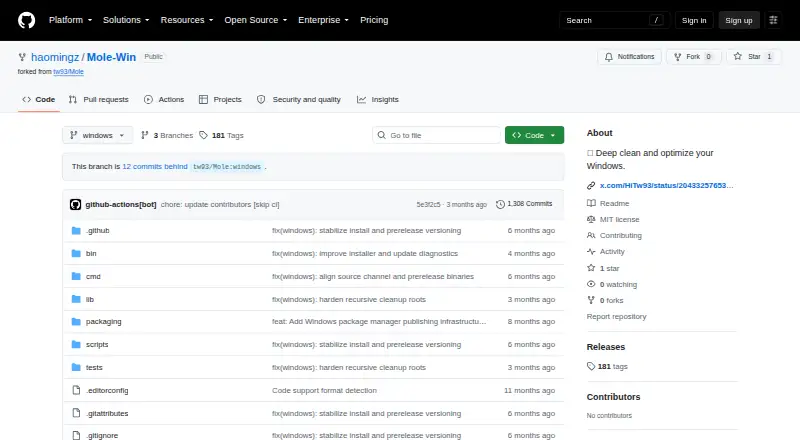
The facts below are what the maker publishes about Mole-Win, checked and dated. Our editors have not written about it yet.
The facts
Each one read from Mole-Win's own pages, with the date it was checked.
Where it runs
- App removal
- Its uninstaller removes apps and related AppData, preferences, and hidden remnants.checked 11 Oct 2026
- Supported OS
- The Windows version is designed for Windows 10/11 and requires PowerShell 5.1 or later.checked 11 Oct 2026
- Windows limitations
- The README lists the installer cleanup command, PowerShell completion setup, nightly updates, and optimize whitelist as unavailable on Windows.checked 11 Oct 2026
What it does
- Cleanup
- It scans and removes temporary files, caches, and browser leftovers.checked 11 Oct 2026
- Disk analysis
- The analyzer visualizes disk usage and helps manage large files.checked 11 Oct 2026
- Distribution
- The Windows version uses a Git source channel for installation and updates; the README says it does not use Homebrew or stable release installs.checked 11 Oct 2026
- Experimental status
- The project warns that the Windows version is not mature and advises against using it on computers that are critical or contain important data.checked 11 Oct 2026
- Feature gaps
- The Windows port lacks a dedicated installer-file cleanup command, PowerShell completion setup, nightly updates, and optimize whitelist controls.checked 11 Oct 2026
- Installation
- The README provides a PowerShell one-line installer and manual installation instructions.checked 11 Oct 2026
- License
- The repository identifies the project as MIT licensed.checked 11 Oct 2026
- Limitations
- The README describes the Windows version as experimental and says it is not mature.checked 11 Oct 2026
- Monitoring
- The status command provides a real-time dashboard with system health, hardware information, and performance metrics.checked 11 Oct 2026
- Optimization
- The optimize command can clear caches, refresh Windows Search indexing, optimize startup programs, and perform listed system repairs.checked 11 Oct 2026
- Project cleanup
- The purge command finds project build artifacts such as node_modules, target, build, and dist for cleanup.checked 11 Oct 2026
- Purpose
- Mole is a toolkit for deep cleaning and optimizing Windows.checked 11 Oct 2026
- Requirements
- Mole-Win is designed for Windows 10/11 and requires PowerShell 5.1 or later.checked 11 Oct 2026
- Safety controls
- Cleanup and optimization support dry-run previews, and the README warns that file deletion is permanent.checked 11 Oct 2026
- Support
- The README directs users to the contributing guide and invites them to open issues or pull requests.checked 11 Oct 2026
- System monitoring
- The status command displays real-time system health and CPU, memory, disk, and network metrics.checked 11 Oct 2026
- Uninstaller
- The uninstaller removes apps and related leftovers, including AppData, preferences, logs, registry entries, extensions, and plugins.checked 11 Oct 2026
Alternatives to Mole-Win
- 1
IObit Uninstaller
Free planWindows8.2Free plan - 2

Wise Program Uninstaller
Free planWindows8.1From $14.95 a year - 3
Argente Uninstall Manager
Free planWindows7.9From €9 a year - 4

Geek Uninstaller
Free planWindows7.6Free plan - 5

Uninstalr
Free planWindows7.4$39 one-time - 6
Revo Uninstaller
Windows7.3