Desktop Zoomer
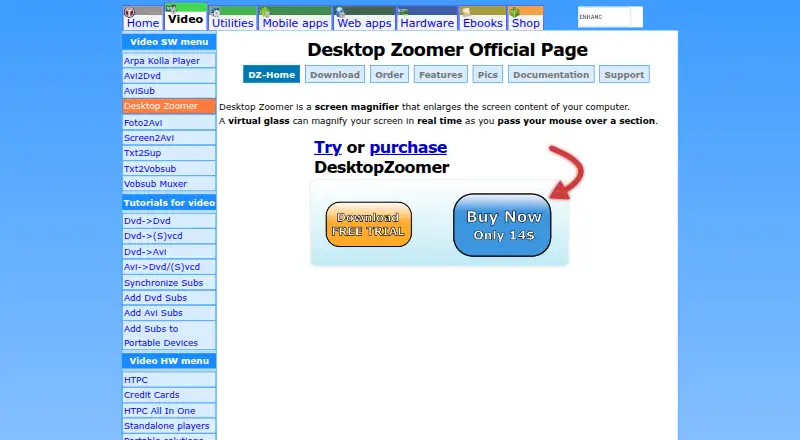
The facts below are what the maker publishes about Desktop Zoomer, checked and dated. Our editors have not written about it yet.
Plans and prices
From Desktop Zoomer's own pricing page, checked 5 Oct 2026.
| Plan | Price | What it gives you |
|---|---|---|
| Desktop Zoomer license | $14, paid once | Single copy license · Price listed per copy |
| Desktop Zoomer license (2–5 copies) | $12, paid once | Price per copy for 2–5 copies |
| Desktop Zoomer license (6–10 copies) | $10, paid once | Price per copy for 6–10 copies |
| Desktop Zoomer license (11+ copies) | $9, paid once | Price per copy for 11+ copies |
| 11+ copies | $9, paid once | 11+ copies · price per copy · 9$ per copy |
| 6-10 copies | $10, paid once | 6-10 copies · price per copy · 10$ per copy |
| 2-5 copies | $12, paid once | 2-5 copies · price per copy · 12$ per copy |
| 1 copy | $14, paid once | 1 copy · Share*it checkout · registration name and key by email · 14$ |
The facts
Each one read from Desktop Zoomer's own pages, with the date it was checked.
What it does
- Downloads
- Latest release 1.4.1 is offered as installable and portable builds for Windows 32-bit and 64-bit.checked 14 Nov 2026
- Integrations
- Integration with another product is generally not offered and is decided case by case by contacting the author; Screen2Avi cannot record Desktop Zoomer, while Screen2Avi PRO can.checked 14 Nov 2026
- Languages and support
- The author has translated it to Greek, English, and Italian, offers a refund for a correct new translation, and support is via documentation, a contact form, email, and a forum.checked 14 Nov 2026
- Lens controls
- Zoom steps by 0.1 from 1 to 99.0, and the lens can sit under the cursor, stay fixed, or follow the mouse, including a full-screen lens with a thumbnail preview.checked 14 Nov 2026
- License model
- A license is tied to a person, not a machine; one person may use it on several computers, and only the registered version may be used commercially.checked 14 Nov 2026
- Multi-monitor and profiles
- It supports multiple monitors on one PC, hotkeys, and creating, loading, saving, and deleting profiles.checked 14 Nov 2026
- Screenshots
- Users can capture the zoomed view or the original region as BMP or JPEG, with JPEG compression set from 0 to 100.checked 14 Nov 2026
- Security and warranty
- Installers are described as 100% clean with VirusTotal reports and MD5 keys, and the software is provided as-is with no warranty or obligation to support or upgrade it.checked 14 Nov 2026
- Upgrades
- Buyers of a 1.xx license get minor upgrades free of charge; future major upgrades such as 2.xx require re-registration.checked 14 Nov 2026
- Visual effects
- Effects include grayscale, negative, horizontal and vertical flip, brightness, contrast, saturation, and a web designer glass that shows RGB, HEX, and pixel coordinates.checked 14 Nov 2026
- What it does
- Desktop Zoomer is a screen magnifier whose virtual glass enlarges screen content in real time as the mouse passes over a section.checked 14 Nov 2026
- Who it is for
- The registered copy is for personal and commercial use by the license owner, including portable use on other computers used only by that owner.checked 14 Nov 2026
Money
- Trial limits
- The unregistered build is a full release limited to 30 runtimes, shows an unregistered message in the lens, and cannot be used commercially.checked 14 Nov 2026
Where it runs
- Windows 8 mode
- On Vista, 7, and 8, Windows 8 mode uses the matching 32- or 64-bit build, uses GPU acceleration when Aero is available, and drops brightness and some cursor options.checked 14 Nov 2026
- Windows versions
- The current product is stated to run on Windows 8, 7, Vista, and XP in both 32-bit and 64-bit versions.checked 14 Nov 2026
Alternatives to Desktop Zoomer
- 1
Microsoft Quick Assist
Free planWebmacOSWindows6.9Free plan - 2
Q-Dir
Free planWindows6.4Free plan - 3
Fusion
Windows6.2From $187 a year - 45.9Free plan
- 5
Magnifixer
Free planWindows5.9$15 one-time - 6
GNOME Shell Magnifier
Free planLinux5.8Free plan