KMag
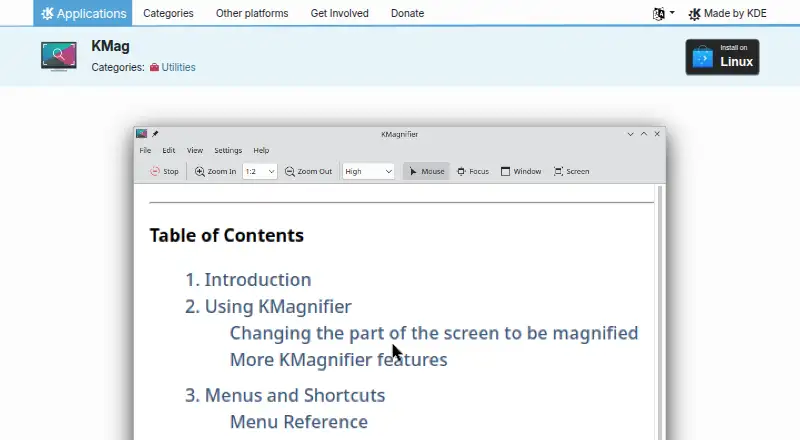
The facts below are what KDE publishes about KMag, checked and dated. Our editors have not written about it yet.
Plans and prices
From KMag's own pricing page, checked 14 Nov 2026.
| Plan | Price | What it gives you |
|---|---|---|
| KDE software | Free | no ads · no spyware · no subscription services · no forced updates · free of charge |
The facts
Each one read from KMag's own pages, with the date it was checked.
What it does
- Always on top
- The window can be set to stay above other windows.checked 14 Nov 2026
- Color-vision simulation
- It can simulate color-vision deficiencies to help design accessible interfaces.checked 14 Nov 2026
- Cursor limit
- It cannot detect the current cursor shape and shows the default cursor instead.checked 14 Nov 2026
- Install
- On Linux it installs through Discover and other AppStream stores, or the distribution package manager.checked 14 Nov 2026
- License
- The program is licensed under the GNU General Public License, listed as GPL-2.0+ on the app page.checked 14 Nov 2026
- Low-power use
- The handbook says it is optimized for machines with low processing power.checked 14 Nov 2026
- Low vision and pixel work
- People with low vision, artists checking graphics at the pixel level, and image-processing researchers are named users.checked 14 Nov 2026
- Magnifier modes
- By default it follows the mouse; Selection Window Mode and Whole Screen Mode are alternatives.checked 14 Nov 2026
- Output features
- The zoomed image can be printed, saved to a file, copied to the clipboard, or rotated.checked 14 Nov 2026
- Refresh and CPU
- Refresh can be Very Low through Very High, and stopping updates brings CPU use to zero.checked 14 Nov 2026
- Screen capture
- It can grab a portion of the screen and save it to disk, including a zoomed capture.checked 14 Nov 2026
- Support
- Help is the KMag Handbook, the KDE forum, and the kde-accessibility mailing list, plus a guided bug report.checked 14 Nov 2026
- Trust
- KDE states that its software is free of charge and contains no ads, spyware, or subscription services.checked 14 Nov 2026
- What it does
- KMag is a Linux utility that magnifies part of the screen.checked 14 Nov 2026
- Who it is for
- It is aimed at people with visual disabilities and people doing image analysis or web development.checked 14 Nov 2026
Alternatives to KMag
- 1
Microsoft Quick Assist
Free planWebmacOSWindows6.9Free plan - 2
Q-Dir
Free planWindows6.4Free plan - 3
Desktop Zoomer
Windows6.2$9 one-time - 4
Fusion
Windows6.2From $187 a year - 5
Magnifixer
Free planWindows5.9$15 one-time - 6
GNOME Shell Magnifier
Free planLinux5.8Free plan