Moa
Moa is a free Linux emulator and simulator for computers built around 68000 and Z80 CPUs and their peripherals.
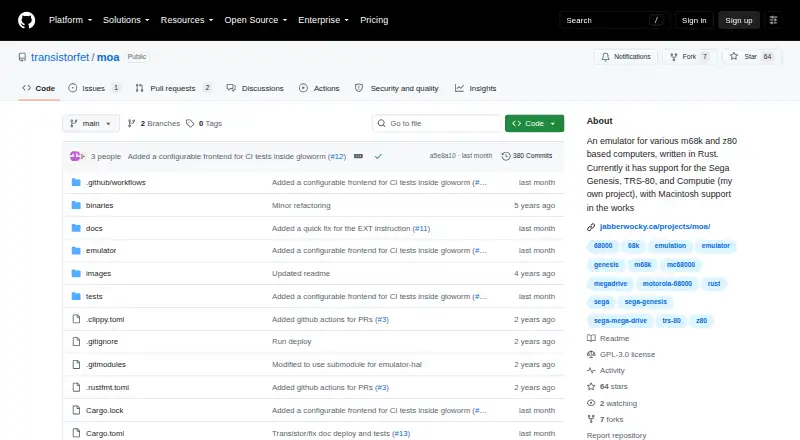
What Moa is
Moa is a free Linux emulator and simulator for computers built around 68000 and Z80 CPUs and their peripherals. The public Rust project can simulate the Sega Genesis, Computie 68000, and TRS-80 Model I, and its repository uses the GPL-3.0 license. Genesis emulation draws screen layers and supports pixel priority plus shadow and highlight modes, but currently supports NTSC and VDP mode 5, with no implemented audio. Some games fail to display or accept controller input, while titles requiring extra cartridge memory or NVRAM usually crash. Computie can run its monitor and boot the operating-system kernel from CompactFlash. TRS-80 emulation runs Level I or II BASIC through a windowed frontend, though cassette and floppy drives are unsupported. A debugger steps through ROM instructions, shows registers, manages breakpoints, and inspects or changes memory. Macintosh 512k support is partial and its ROM does not boot.
Good
- Free GPL-3.0 project
- Supports Genesis, Computie, and TRS-80
- Built-in ROM debugger
- Frontend scaling and speed controls
Watch out
- No downloadable releases
- Genesis audio is unimplemented
- TRS-80 drives are unsupported
- Macintosh support is incomplete
Who it suits
Moa suits Linux users exploring classic computer hardware and emulator development. It is also useful for debugging ROM instructions and experimenting with the listed systems.
Verdict
Moa offers several historical-system simulations with a built-in debugger and configurable frontend. Compatibility remains limited in the specific areas listed, including Genesis games, audio, Macintosh booting, and TRS-80 storage devices.
The facts
Each one read from Moa's own pages, with the date it was checked.
What it does
- Audio option
- A command-line option disables audio device creation, while simulated audio devices continue to run in the simulation.checked 9 Oct 2026
- Availability
- The GitHub releases page states that there are no releases to download.checked 9 Oct 2026
- Computie
- The Computie simulation can run the 68k-SMT board monitor, load the Computie OS kernel, and boot it from CompactFlash.checked 9 Oct 2026
- Computie features
- The Computie emulator can run the monitor program and boot the Computie OS kernel from a CompactFlash card.checked 8 Oct 2026
- Debugger
- The built-in debugger can step through ROM instructions, display CPU registers, set breakpoints, inspect memory, and modify memory locations.checked 9 Oct 2026
- Frontend controls
- The minifb frontend supports window scaling options of 1, 2, or 4 and a speed option that changes the gameplay clock.checked 8 Oct 2026
- Genesis compatibility
- Some Genesis games fail to display or respond to controller input, and games requiring extra cartridge memory or NVRAM usually crash.checked 8 Oct 2026
- Genesis features
- The Genesis emulator draws screen layers and supports pixel priority and shadow and highlight color modes.checked 9 Oct 2026
- Genesis limits
- Genesis emulation currently supports NTSC mode and VDP mode 5, has no audio implementation, and some games have display or controller issues.checked 9 Oct 2026
- Host integration
- The Computie frontend opens PTYs for serial and SLIP, launches pyserial-miniterm and slattach, and configures host routing; its commands may need adjustment for different hosts.checked 9 Oct 2026
- Implementation
- Moa is written in Rust and its repository uses submodules, which the project instructs users to clone recursively.checked 9 Oct 2026
- Language
- Moa is written in Rust.checked 8 Oct 2026
- License
- The repository identifies its license as GPL-3.0.checked 9 Oct 2026
- Project start
- The project page says Moa started September 26, 2021.checked 9 Oct 2026
- Purpose
- Moa is an emulator and simulator for computers using various 68000 and Z80 CPUs and peripherals.checked 9 Oct 2026
- Source and license
- The project source is public on GitHub and the repository identifies its license as GPL-3.0.checked 8 Oct 2026
- Speed controls
- The frontend supports window scaling and a speed option that changes the gameplay clock relative to the frontend update loop.checked 9 Oct 2026
- Supported systems
- It can simulate the Sega Genesis, Computie, and TRS-80 Model I; Macintosh 512k support is partially implemented, but its ROM does not boot.checked 9 Oct 2026
- TRS-80
- The TRS-80 emulator runs Level I or Level II BASIC, but does not yet support cassette or floppy drives.checked 9 Oct 2026
- TRS-80 features
- The TRS-80 emulator can run Level I or Level II BASIC and accepts keyboard input through a windowed frontend.checked 8 Oct 2026
- TRS-80 limits
- Cassette tape and floppy drives are not supported for the TRS-80.checked 8 Oct 2026
The company
- Founded
- 2021checked 28 Sep 2026
- Maker
- The maker’s site identifies Moa as a personal project and lists the contact address [email protected]; it does not state an HQ or founding date.checked 8 Oct 2026
Where it runs
- Macintosh status
- Macintosh 512k support is partially implemented, but its ROM does not boot.checked 8 Oct 2026
Alternatives to Moa
- 1

Intave
Free planWebSelf-hosted7.3From €0.79 a month - 2
GuardAC
Free planOpen sourceWebAPI7.1Free plan - 3
Shard
Free planWebSelf-hosted6.8From 1,490 RUB a month - 4
MLSAC
Free planWebWindows6.4Free plan - 5

Polar Anticheat
WebAPILinuxSelf-hosted6.4From €15 a month - 6
CheckHacks
Free planWebSelf-hosted6.1Free plan