MiniPx
MiniPx is a browser-based image tool for compressing, converting, and resizing files, with additional background removal, upscaling, and passport-photo tools.
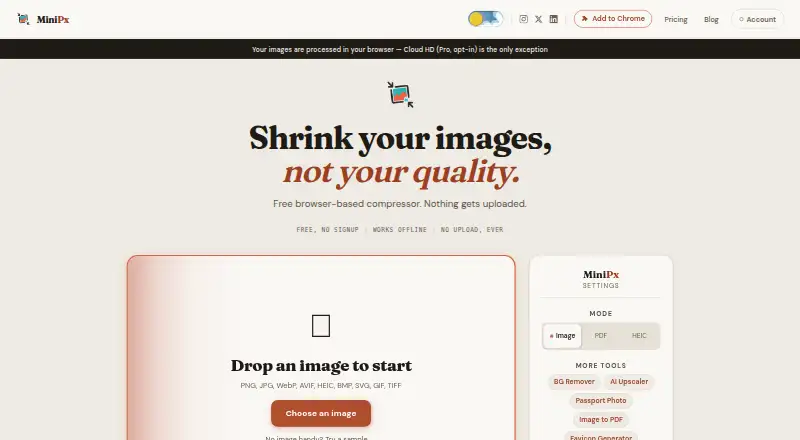
What MiniPx is
MiniPx is a browser-based image tool for compressing, converting, and resizing files, with additional background removal, upscaling, and passport-photo tools. Compression, conversion, and resizing remain free and unlimited without signup or a daily cap. The free plan accepts JPEG, PNG, WebP, AVIF, HEIC, BMP, SVG, GIF, and TIFF files, with batches of up to five files and a listed maximum upload size of 200. Compression presets are Gentle, Smart, and Tiny, and target sizes range from 10 KB through 1 MB. Processing for the core tools runs locally in the browser, removes EXIF metadata, and works offline after the first page load. Three on-device AI tools share two free runs before a cooldown. Pro adds unlimited batch sizes, responsive exports, platform presets, browser-saved presets, text watermarking, and optional Cloud HD processing. Pro licenses can activate on up to five browsers. MiniPx works as a web service and Chrome extension; API access is not available.
Good
- Unlimited free compression, conversion, and resizing
- Supports nine listed image formats
- Core processing runs locally in the browser
- Works offline after the first page load
- Removes EXIF metadata from outputs
Watch out
- Free batches are limited to five files
- AI tools share two free runs
- API access is unavailable
- Cloud HD requires Pro
Who it suits
MiniPx suits people who need browser-based image compression, conversion, resizing, and format changes. Pro features are aimed at power users, small teams, and web developers needing responsive exports.
Verdict
MiniPx covers everyday image preparation with generous free core tools and local browser processing. Consider Pro when you need larger batches, responsive exports, presets, watermarking, or Cloud HD.
Plans and prices
From MiniPx's own pricing page, checked 7 Oct 2026.
| Plan | Price | What it gives you |
|---|---|---|
| Free | Free | Unlimited compression, conversion, and resizing; batches up to 5 files; ads shown; AI tools have limits. · Unlimited single-image compression, conversion and resizing · batches up to 5 files · 2 shared on-device AI runs · ads · forever |
| Pro Monthly | — | 35% off first month; renews monthly until cancellation; VAT/GST may be shown before payment. · Unlimited batch processing · 150 Cloud HD runs/month, including 10 HD runs · activate on up to 5 browsers · Monthly; renews until stopped |
| Pro Annual | $2,939 a year | $10 off first year; billed once a year; renewal can be stopped by email. · Unlimited batch processing · 200 Cloud HD runs/month, including 10 HD runs · activate on up to 5 browsers · Once a year |
The facts
Each one read from MiniPx's own pages, with the date it was checked.
What it does
- Analytics
- The maker says it uses Google Analytics for page views, which processes IP addresses and pseudonymous identifiers.checked 7 Oct 2026
- API access
- Nochecked 24 Sep 2026
- Batch limit
- Free batches are limited to 5 files; Pro allows unlimited files per batch.checked 7 Oct 2026
- Batch processing
- Yeschecked 24 Sep 2026
- Batch Watermarking
- Pro adds text watermarking with 9 anchor positions, opacity, and size controls.checked 28 Sep 2026
- Chrome extension
- The Chrome extension includes 13 tools that run locally and makes no network requests of its own, according to the maker.checked 7 Oct 2026
- Cloud HD
- Cloud HD is an opt-in, Pro-only server path for seven AI tools; uploaded photos are deleted when processing finishes and within 24 hours at the latest.checked 7 Oct 2026
- Cloud HD Limits
- Cloud HD provides 150 monthly runs on Monthly and 200 on Annual, including 10 HD runs.checked 28 Sep 2026
- Compression controls
- Compression presets are Gentle, Smart and Tiny, and users can compress to a target size from 10 KB through 1 MB.checked 7 Oct 2026
- Compression modes
- bothchecked 24 Sep 2026
- Formats
- The free plan accepts JPEG, PNG, WebP, AVIF, HEIC, BMP, SVG, GIF and TIFF files.checked 7 Oct 2026
- Image resizing
- Yeschecked 24 Sep 2026
- Image tools
- MiniPx compresses, converts and resizes images, with additional tools including background removal, upscaling and passport photo creation.checked 7 Oct 2026
- Max upload size
- 200checked 24 Sep 2026
- Metadata controls
- Yeschecked 24 Sep 2026
- Metadata Removal
- Outputs remove EXIF metadata including GPS location, device information, and timestamps.checked 28 Sep 2026
- Offline Support
- MiniPx works offline after the first page load.checked 28 Sep 2026
- Offline use
- Compression, resizing and format conversion work offline after the page loads; AI tools need model downloads the first time they are used.checked 7 Oct 2026
Where it runs
- Browser Activations
- Pro licenses can be activated on up to 5 browsers.checked 28 Sep 2026
- Browser Processing
- Images are processed locally in the browser using the Canvas API.checked 28 Sep 2026
Money
- Free AI Limit
- The three on-device AI tools share 2 free runs, followed by a cooldown.checked 28 Sep 2026
- Free Batch Limit
- The free tier supports batches of up to 5 files.checked 28 Sep 2026
- Free Compression
- Compression, conversion, and resizing remain free and unlimited with no signup or daily cap.checked 28 Sep 2026
- Free plan
- Yeschecked 24 Sep 2026
Alternatives to MiniPx
- 1
imgproxy
Free planOpen sourceAndroidiOSWebAPI9.3Free plan - 2
Hive
Free planOpen sourceAndroidiOSWebAPI8.6From $5 a month - 3

Kraken.io
Free planWebAPIExtensionLinux8.4From $50 a year - 4
JPEGmini
Free planWebAPILinuxmacOS8.3From $199 a year - 5
Optimizilla
Free planWeb7.9From $9 a month - 6
Compressify
Free planAndroidiOSWebExtension7.9From $4.99 a month