
Mermaid
Mermaid is an open-source JavaScript tool that turns Markdown-inspired text definitions into diagrams and visualizations.
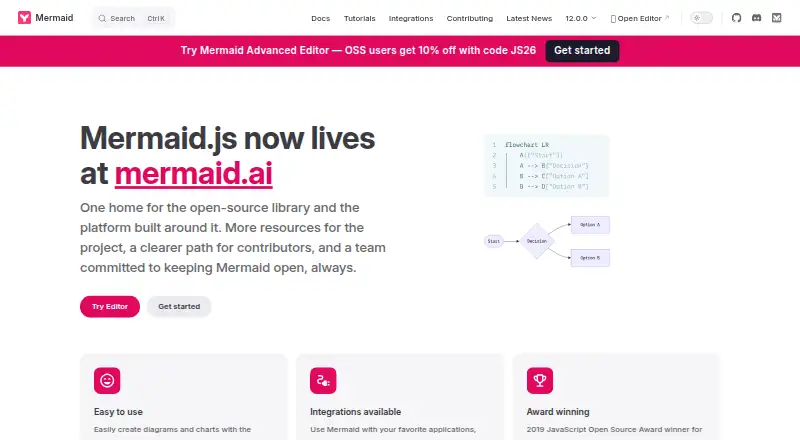
What Mermaid is
Mermaid is an open-source JavaScript tool that turns Markdown-inspired text definitions into diagrams and visualizations. Its listed diagram types include flowcharts, sequence and class diagrams, state diagrams, Gantt charts, timelines, mindmaps, Git graphs, use case diagrams, and event modeling diagrams. Users can also describe an idea, upload a document, or paste a transcript to generate a diagram, then refine it through a context-aware conversation. The platform supports real-time co-editing, click-based adjustments, and live links that recipients can open without logging in. Mermaid can be used through its Live Editor, installed as an npm dependency, loaded from a CDN, or deployed through its API. Listed integrations include development tools, office applications, and community projects. The free Basic tier includes up to six diagrams, a diagram size limit of 60, 15 AI credits, and one team and project creation. Plus costs $10 a month billed annually; Premium costs $20 a month billed annually. Exports include PNG, SVG, and Markdown, and imports use .mmd files. Version history is available.
Good
- Supports ten listed diagram types.
- Offers real-time co-editing and click-based adjustments.
- Live links do not require recipient login.
- Can be used through an editor, package, CDN, or API.
- Exports PNG, SVG, and Markdown.
Watch out
- Basic allows up to six diagrams.
- Basic diagram size limit is 60.
- Basic includes 15 AI credits.
- npm installation requires Node.js 22.12.0 or later.
Who it suits
Mermaid suits teams and visual thinkers, including developers, analysts, educators, technical writers, and project managers. It can also suit users who want to work with diagram text definitions or share diagrams through live links.
Verdict
Mermaid combines text-based diagramming with collaborative editing, live sharing, and a range of integrations and deployment options. Review the Basic limits or annual billing terms for paid plans to see which tier fits your work.
Plans and prices
From Mermaid's own pricing page, checked 11 Oct 2026.
| Plan | Price | What it gives you |
|---|---|---|
| Basic | Free | Up to 6 diagrams · Limited diagram size (60) · 15 AI credits · 1 team and project creation |
| Plus | $10 a month | Unlimited diagrams · Limitless diagram size · 300 AI credits per year · Billed Annually |
| Premium | $20 a month | Unlimited diagrams · Limitless diagram size · 2,000 AI credits per year · Unlimited viewer seats · Unlimited teams and projects · Billed Annually |
| Enterprise | Priced on request | Custom pricing · Unlimited diagrams · Limitless diagram size · Unlimited AI credits · SSO · Custom contract and invoicing · IP management · Dedicated Customer Success Manager · Billed Annually |
The facts
Each one read from Mermaid's own pages, with the date it was checked.
What it does
- AI creation
- Mermaid says users can describe an idea, upload a document, or paste a transcript to generate a diagram and continue refining it through a context-aware conversation.checked 11 Oct 2026
- Community support
- The Mermaid.js integrations page lists community integrations such as GitHub, GitLab, Notion, Obsidian, Joplin, and Azure DevOps.checked 11 Oct 2026
- Deployment
- Mermaid can be used through the Live Editor, installed as an npm dependency, loaded from a CDN, or deployed using its API.checked 11 Oct 2026
- Diagram types
- The documentation lists diagram types including flowcharts, sequence diagrams, class diagrams, state diagrams, ER diagrams, Gantt charts, mind maps, timelines, Sankey diagrams, and architecture diagrams.checked 11 Oct 2026
- Editing and sharing
- The platform offers real-time co-editing, click-based diagram adjustments, and live links that can be shared without requiring the recipient to log in.checked 11 Oct 2026
- Enterprise security
- Mermaid Chart's enterprise page lists SSO/SAML authentication, SOC 2 compliance, encryption at rest, centralized seat management, and domain lockdown.checked 11 Oct 2026
- Integrations
- Listed integrations include VS Code, JetBrains IDEs, Cursor, Windsurf, Claude Code, ChatGPT, Confluence, Jira, Google Docs, Microsoft Word, and PowerPoint.checked 11 Oct 2026
- Purpose
- Mermaid is a JavaScript diagramming and charting tool that renders Markdown-inspired text definitions into diagrams and visualizations.checked 11 Oct 2026
- Security controls
- Mermaid's rendering security setting defaults to strict, which encodes HTML tags in text and disables click functionality; sandbox mode renders in a sandboxed iframe.checked 11 Oct 2026
- Security reporting
- The project asks users to report vulnerabilities by email and says it aims to reply within three working days.checked 11 Oct 2026
- Who it serves
- Mermaid describes the platform as intended for teams and visual thinkers, and names developers, data engineers, analysts, educators, consultants, technical writers, and project managers among its audiences.checked 11 Oct 2026
Where it runs
- Browser and runtime requirement
- Mermaid v12 bundles target ES2024, the documentation aims to support Safari 17.4 or later, and installing the npm package requires Node.js 22.12.0 or later.checked 11 Oct 2026
Money
- Free tier limits
- The Basic tier includes up to six diagrams, a diagram size limit of 60, and 15 AI credits; the pricing page also describes limited AI and one team and project creation.checked 11 Oct 2026
The full review of Mermaid
Mermaid is a text-driven diagramming and charting tool for developers, technical writers, analysts, educators, and teams that want visualizations to live alongside code or documents. It also serves visual thinkers through AI-assisted creation and collaborative editing, but users who prefer unrestricted canvas work should weigh its text-first workflow and Basic limits carefully.
Overview
Mermaid turns Markdown-inspired definitions into flowcharts, sequence diagrams, class diagrams, state diagrams, Gantt charts, timelines, mind maps, Git graphs, use case diagrams, and event modeling diagrams. That breadth covers software architecture, planning, process explanation, and documentation in one format. The defining trade-off is interaction: structured text is efficient for repeatable, reviewable diagrams, while people who primarily arrange shapes visually may find a canvas-oriented product more natural.
Mermaid Chart extends the format with real-time co-editing, click-based diagram adjustments, and live links that viewers can open without an account. AI can create a starting diagram from an idea, uploaded document, or transcript and support further refinement in a context-aware conversation. Those additions make Mermaid viable for mixed technical and nontechnical teams, although sustained AI use and larger diagram collections require a paid tier.
Key features
Creation and collaboration
The text definition is the central asset: it can be reviewed, edited, and maintained as part of a technical workflow rather than treated as a standalone graphic. Export to PNG, SVG, or Markdown supports presentation, documentation, and source-oriented use, while .mmd import helps bring existing Mermaid definitions into the workflow. Version history provides a way to revisit changes.
Mermaid supports integrations with VS Code, JetBrains IDEs, Cursor, Windsurf, Claude Code, ChatGPT, Confluence, Jira, Google Docs, Microsoft Word, and PowerPoint. Community integrations include GitHub, GitLab, Notion, Obsidian, Joplin, and Azure DevOps. This range is particularly useful when diagrams must appear in both developer tools and business documentation, though the experience will vary by integration.
Deployment and security
Use the Live Editor, install Mermaid as an npm dependency, load it from a CDN, or deploy it through the API. That flexibility suits documentation pipelines and self-managed environments as well as browser editing. Mermaid v12 targets ES2024; its documentation aims to support Safari 17.4 or later, and the npm package requires Node.js 22.12.0 or later. Those requirements can rule it out for older browser or runtime environments.
Rendering defaults to strict security, encoding HTML tags in text and disabling click functionality. Sandbox mode renders in a sandboxed iframe. The project accepts vulnerability reports by email and aims to respond within three working days. Mermaid Chart enterprise controls include SSO/SAML, SOC 2 compliance, encryption at rest, centralized seat management, and domain lockdown.
Pricing
Mermaid is open source and free to use, with a Basic tier at free. Basic allows up to six diagrams, a diagram-size limit of 60, 15 AI credits, and one team and project creation, with limited AI. It is suitable for occasional diagrams or evaluation, not a large shared workspace.
Plus costs $10 a month, billed annually. It removes diagram-count and size limits and supplies 300 AI credits per year. This is the sensible tier for an individual or small team producing diagrams regularly, provided unlimited viewer access and multiple projects are unnecessary.
Premium costs $20 a month, billed annually. It keeps unlimited diagrams and limitless size, raises AI allocation to 2,000 credits per year, and adds unlimited viewer seats, teams, and projects. Choose it when collaboration scale, rather than just authoring volume, is the constraint.
Enterprise uses custom pricing, billed annually. It adds unlimited AI credits, SSO, custom contracts and invoicing, IP management, and a dedicated Customer Success Manager. Organizations needing those controls should request a quote; smaller users gain little from this tier.
A free trial is offered, but the paid plans shown use annual billing, so confirm renewal and budget implications before committing.
Platforms
Mermaid is available through web, API, extension, Linux, macOS, Windows, and self-hosted deployments. The broad delivery choices support both browser users and teams embedding diagrams in software or infrastructure.
Who it's for
Mermaid is a strong fit for developers, data engineers, analysts, educators, consultants, technical writers, project managers, and teams that need diagrams synchronized with documentation or code. It is less suitable for users who want a purely visual, shape-first editor or who cannot meet the modern browser and Node.js requirements.
Pros and cons
- Pros: Broad diagram coverage from one text format; AI generation from ideas, documents, or transcripts; real-time co-editing and login-free live links; many editor, documentation, and collaboration integrations; flexible browser, package, CDN, API, and self-hosted deployment.
- Cons: Basic limits users to six diagrams, size 60, 15 AI credits, and one team/project; annual billing applies to Plus, Premium, and Enterprise; ES2024, Safari 17.4+, and Node.js 22.12.0+ requirements may exclude older environments; text-first authoring is not ideal for canvas-focused users.
Alternatives
draw.io is the better choice for a free, open-source, shape-oriented tool with no sign-up requirement across web, desktop, and mobile platforms.
EdrawMax suits users seeking a freemium visual application with mobile and desktop coverage, a free tier, and AI tokens.
Sparx Enterprise Architect is aimed at UML modeling and multi-user projects.
Structurizr fits teams prepared for server-based licensing charged per installation and unique-user range.
Creately is an option for free collaborative canvases with unlimited collaborators and canvases, subject to item limits.
Microsoft Visio is preferable when a paid Microsoft ecosystem product and OneDrive-backed plan are the priority.
PlantUML is a free, open-source alternative for text-defined diagrams without a free trial.
Archi is a free open-source desktop option for Linux, macOS, and Windows.
For broader comparisons, see Diagram Software and Diagramming Software.
Verdict
Choose Mermaid if you want maintainable, text-based diagrams that can move between code, documentation, AI assistance, and collaborative sharing. Its open-source foundation and deployment flexibility are compelling, but the Basic caps, annual paid terms, and modern runtime requirements make another tool a better fit for unrestricted visual editing, legacy environments, or occasional users who need more than six diagrams.
Alternatives to Mermaid
- 1

Structurizr
Free planOpen sourceWebAPILinuxmacOS8.3From £300 a month - 2

Creately
Free planWebAPILinuxmacOS8.1Free plan - 3

SmartDraw
AndroidiOSWebAPI7.9From $8.95 a month - 4

Sparx Enterprise Architect
Free planWebAPILinuxmacOS7.9$245 one-time - 5

EdrawMax
Free planAndroidiOSWebLinux7.7From $5.90 a month - 6

draw.io
Free planOpen sourceAndroidiOSWebWindows7.6Free plan