Mapcrafter
Mapcrafter is a free, GPL-licensed Minecraft map renderer that produces browser-viewable images using Leaflet.js.
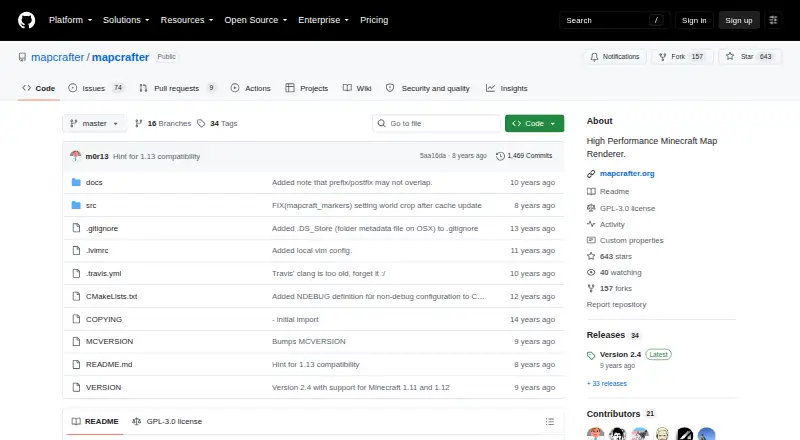
What Mapcrafter is
Mapcrafter is a free, GPL-licensed Minecraft map renderer that produces browser-viewable images using Leaflet.js. It offers top-down 2D and isometric 3D views, four world rotations, and day, night, and cave render modes. Overlays can display information such as slime-spawn and nighttime-monster locations, and markers can be generated from world data. Configuration files let users select worlds, views, and other rendering parameters. Listed capabilities include biome colors, incremental rendering, and multithreading. The software runs on Linux and Unix-like systems such as Mac OS, while Windows support is experimental. Building it requires a C++ compiler, CMake, make, and libraries including libpng, libjpeg, and Boost components; Debian and Ubuntu packages are available. It supports offline viewing, server maps, and dimension maps. The software requires Anvil world format and Minecraft 1.6 resource packs. The maintainer says they can no longer develop new features, though issues and pull requests may still be addressed.
Good
- Free software under the GPL license
- Provides both top-down 2D and isometric 3D views
- Offers day, night, and cave render modes
- Can generate markers from world data
- Debian and Ubuntu packages are available
Watch out
- Windows support is experimental
- Requires Anvil world format and Minecraft 1.6 resource packs
- Building requires a C++ toolchain and libraries
- Maintainer can no longer develop new features
Who it suits
Mapcrafter suits Minecraft players who want browser-viewable 2D or 3D maps with render modes, overlays, and markers. It is also an option for users comfortable building software or using Debian and Ubuntu packages.
Verdict
Mapcrafter offers configurable browser maps, multiple views, and several render modes at no cost. Its experimental Windows support, build requirements, and stated maintenance limitation are important considerations.
Plans and prices
From Mapcrafter's own pricing page, checked 1 Oct 2026.
| Plan | Price | What it gives you |
|---|---|---|
| Mapcrafter | Free | GPL-licensed software · requires Anvil world format · requires Minecraft 1.6 resource packs |
The facts
Each one read from Mapcrafter's own pages, with the date it was checked.
What it does
- Build requirements
- Building requires a C++ compiler, CMake, make and libraries including libpng, libjpeg and Boost components.checked 1 Oct 2026
- Customization
- Configuration files control which worlds are rendered, render views and other render parameters.checked 1 Oct 2026
- License
- Mapcrafter is free software available under the GPL license.checked 1 Oct 2026
- Maintenance
- The GitHub README says the maintainer is no longer able to develop new features, though issues and pull requests may still be addressed.checked 1 Oct 2026
- Markers
- Markers can be generated automatically from Minecraft world data.checked 1 Oct 2026
- Operating systems
- It runs on Linux and Unix-like systems such as Mac OS, with experimental Windows support.checked 1 Oct 2026
- Output
- It renders Minecraft worlds to images viewable in a web browser using Leaflet.js.checked 1 Oct 2026
- Overlays
- Overlays can show information such as slime-spawn and nighttime-monster locations.checked 1 Oct 2026
- Package support
- Debian and Ubuntu packages are provided, and the package repository supplies a public key used to sign packages.checked 1 Oct 2026
- Performance
- The documentation lists biome colors, incremental rendering and multithreading among its capabilities.checked 1 Oct 2026
- Purpose
- Mapcrafter is a high-performance Minecraft map renderer written in C++.checked 1 Oct 2026
- Render modes
- Available render modes include day, night and cave.checked 1 Oct 2026
- Render views
- It provides 2D top-down and 3D isometric render views.checked 1 Oct 2026
- Rotations
- It supports four different world rotations.checked 1 Oct 2026
- Support
- Users can report bugs and feature requests through GitHub issues or contact the maintainer through IRC.checked 1 Oct 2026
The full review of Mapcrafter
Overview
Mapcrafter is a C++ renderer that turns Minecraft worlds into browser-viewable maps. It is best suited to players and server operators who are comfortable configuring and building software. Its varied map views and overlays give it useful flexibility, but experimental Windows support and the maintainer’s stated inability to develop new features weigh against choosing it for a Windows-dependent or actively evolving project.
Key features
Mapcrafter renders world images for viewing in a browser with Leaflet.js, with both 2D top-down and 3D isometric views. Four rotations and day, night, and cave render modes let users tailor a map to its purpose, while overlays can show details such as slime-spawn and nighttime-monster locations. Markers can also be generated automatically from world data. This range is useful for server maps and exploration, though configuration files—not just selecting a preset—control worlds, views, and other render parameters.
Biome colors, incremental rendering, and multithreading are among the documented capabilities. Together, they make Mapcrafter better suited to maintaining a configurable map project than producing only a single static overview. It supports offline viewing and dimension maps as well as server maps, but requires Anvil world format and Minecraft 1.6 resource packs.
Pricing
Mapcrafter is free software under the GPL license. Its Mapcrafter plan costs nothing; there are no paid tiers to weigh against the configuration work or build requirements.
Platforms
Mapcrafter runs on Linux and Unix-like systems including macOS. Debian and Ubuntu packages are provided, while building from source requires a C++ compiler, CMake, make, and libraries including libpng, libjpeg, and Boost components. Windows support is experimental, so Windows users should expect less dependable platform support than Linux or macOS users. The rendered maps are viewed on the web.
Who it's for
Mapcrafter makes sense for technically comfortable Minecraft players and server operators who want configurable browser maps, multiple views, and overlays without paying for a renderer. It is a weaker fit for anyone who needs straightforward Windows support, avoids build and configuration work, or depends on a steady stream of new features. The maintainer says new feature development is no longer possible, although issues and pull requests may still be addressed; bug reports and feature requests can be submitted through GitHub issues, and the maintainer can be contacted through IRC.
Pros and cons
- Pro: 2D and isometric views, four rotations, and day, night, and cave modes offer meaningful control over how a world is presented.
- Pro: Overlays and automatically generated markers help make maps useful for locating world features, not just viewing terrain.
- Pro: GPL-licensed and free, with offline, server, and dimension map support.
- Con: Configuration files and substantial source-build dependencies make setup a more technical undertaking.
- Con: Windows support is experimental, and the maintainer cannot develop new features.
Alternatives
Minecraft World Map Viewers is the broader category to explore when comparing map tools.
- BedrockMap is worth considering for a hosted workflow: its free tier allows one world upload, a 1500x1500-block render area, two renders per day, three zoom levels, and public sharing links.
- The Explorer's Friend is another free option for readers looking for an MIT-licensed server-side Minecraft map mod or plugin.
- Bedrock Viz is the relevant alternative for Minecraft Bedrock Edition worlds.
- Tectonicus is another free Minecraft map-rendering option.
- uNmINeD is another free option, with free use specified for personal use.
- mcmap is another free, GPL-3.0-licensed option with precompiled builds.
- BlueMap is an alternative for Java Edition worlds; its server plugin or mod requires Java 25+, while its standalone CLI documentation lists Java 21+.
- MCA Saenk is a free alternative for Windows.
Verdict
Choose Mapcrafter if you want a free, configurable renderer for browser-based Minecraft maps and value its range of views, modes, and overlays. Its main appeal is that flexibility without a price tag; look elsewhere if you need reliable Windows support or ongoing new-feature development.
Alternatives to Mapcrafter
- 1

BedrockMap
Free planAndroidiOSWebAPI8.0From $4 a month - 2
The Explorer's Friend
Free planWebAPILinuxmacOS7.0Free plan - 3
Bedrock Viz
Free planWebLinuxmacOSWindows6.8Free plan - 4
MCA Saenk
Free planWindows6.3Free plan - 5
mcview
Free planiOSmacOSWindows6.2Free plan - 6
Tectonicus
Free planLinuxmacOSWindows6.2Free plan