MacDown
MacDown is a free, open-source Markdown editor for macOS, released under the MIT License.
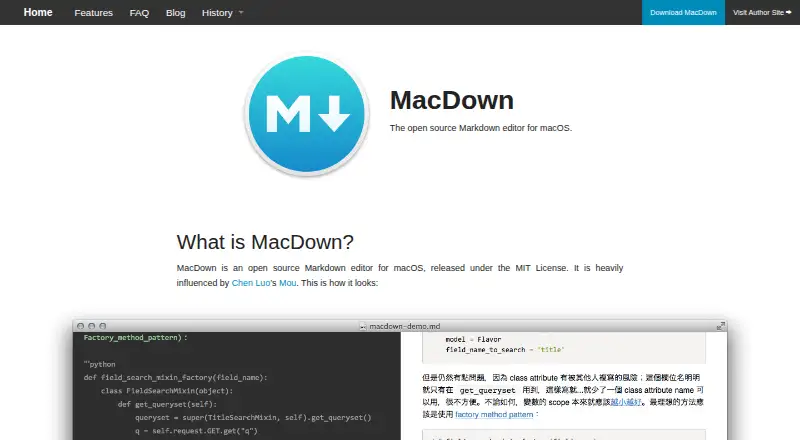
What MacDown is
MacDown is a free, open-source Markdown editor for macOS, released under the MIT License. It renders Markdown to HTML with Hoedown and provides a configurable live preview. Rendering tools support TeX-like mathematics, GFM task lists, and Jekyll front matter. GFM compatibility can be configured for tables, fenced code, strikethrough, autolinks, and task lists, though resulting HTML may differ slightly in structure. Fenced code blocks with language identifiers receive Prism highlighting, and customizable auto-completion can be disabled. MacDown opens local files and exports to HTML or PDF, but offers no cloud sync. The listed download is version 0.7.3 at 19.9 MB, with a Homebrew Cask command also provided. It is available only for macOS; the maker says ports for other platforms are not currently planned. macOS may show an unidentified-developer warning because no registered Mac developer certificate exists. VIM edit mode is unsupported, and compatibility before macOS 10.8 is not promised.
Good
- Free MIT-licensed open-source editor
- Configurable live Markdown preview
- TeX-like math and GFM features
- Prism highlighting for fenced code
- HTML and PDF export
Watch out
- macOS only; no current ports planned
- No cloud synchronization
- VIM edit mode is unsupported
- Unidentified-developer warning may appear
Who it suits
MacDown suits macOS writers and developers who want a free local Markdown editor with live preview and configurable rendering. It is less suitable for users needing cloud sync, VIM mode, or another operating system.
Verdict
MacDown offers focused Markdown editing with live rendering, extensions, and local-file workflows. Its macOS-only availability and unsupported VIM mode define the main limits.
Plans and prices
From MacDown's own pricing page, checked 5 Oct 2026.
| Plan | Price | What it gives you |
|---|---|---|
| MacDown | Free | macOS Markdown editor · MIT License |
The facts
Each one read from MacDown's own pages, with the date it was checked.
What it does
- Auto-completion
- MacDown includes customizable auto-completion that can be turned off.checked 5 Oct 2026
- Cloud sync
- Nochecked 20 Sep 2026
- Code highlighting
- Fenced code blocks with language identifiers are highlighted using Prism.checked 5 Oct 2026
- Compatibility limit
- The FAQ says MacDown does not support VIM edit mode because implementing it would require rebuilding the editor from the ground up.checked 5 Oct 2026
- Donation
- The maker accepts PayPal tips and says donations do not provide anything in return.checked 5 Oct 2026
- Donations
- The FAQ describes donations as tipping only and says donors receive nothing in return.checked 5 Oct 2026
- Download
- The site offers MacDown version 0.7.3 as a 19.9 MB download and gives a Homebrew Cask install command.checked 5 Oct 2026
- Export formats
- HTML,PDFchecked 20 Sep 2026
- GFM compatibility
- The FAQ says MacDown can be configured for GFM compatibility, with minor structural differences in the resulting HTML.checked 5 Oct 2026
- GFM support
- The FAQ says MacDown can be configured for GFM compatibility with tables, fenced code blocks, strikethrough, autolinks, and task lists, with minor structural differences in resulting HTML.checked 5 Oct 2026
- Latest stable download listed
- The home page lists MacDown Version 0.7.3 as a 19.9 MB download and also gives the Homebrew Cask command.checked 5 Oct 2026
- Live preview
- It uses Hoedown to render Markdown into HTML and provides a configurable live preview.checked 5 Oct 2026
- Local file support
- Yeschecked 20 Sep 2026
- Markdown extensions
- Rendering tools include TeX-like math syntax, GFM task lists, and Jekyll front matter.checked 5 Oct 2026
- Markdown flavor
- customchecked 20 Sep 2026
- Product
- MacDown is an open source Markdown editor for macOS released under the MIT License.checked 5 Oct 2026
- Rendering
- It uses Hoedown to render Markdown into HTML and provides a configurable live preview.checked 5 Oct 2026
- Rendering options
- Additional rendering tools support TeX-like math syntax, GFM task lists, and Jekyll front matter.checked 5 Oct 2026
The company
- Founded
- 2014checked 28 Sep 2026
- Maker
- The site identifies the author as Tzu-ping Chung and says he lives in Taipei, Taiwan.checked 5 Oct 2026
Money
- Free plan
- Yeschecked 20 Sep 2026
Where it runs
- macOS requirement
- The FAQ discusses support for macOS versions earlier than 10.8 as difficult to promise without slowing development.checked 5 Oct 2026
- Other platforms
- The maker says there are no current plans in progress for ports to other platforms due to lack of time.checked 5 Oct 2026
- Platform support
- The FAQ says the author does not currently have time to build ports for other platforms.checked 5 Oct 2026