
livepoll.io
livepoll.io is a web platform for audience polling, Q&A, and quizzes during presentations, training, classes, and other facilitated sessions.
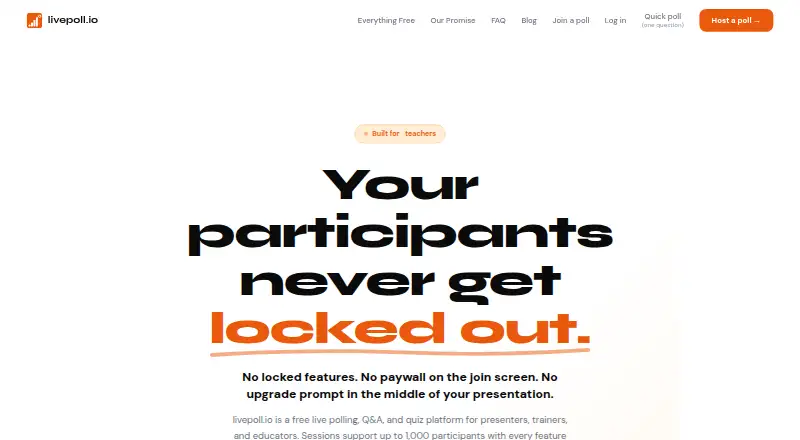
What livepoll.io is
livepoll.io is a web platform for audience polling, Q&A, and quizzes during presentations, training, classes, and other facilitated sessions. It supports 12 question types, including multiple choice, word clouds, ranking, image choice, quizzes, and Q&A. Responses arrive in real time, and presenters choose when participants can see the results. Participants can join from a phone or laptop using a six-character code or QR code, without installing an app or creating an account. The Free plan costs nothing and includes unlimited questions and sessions, all question types, live results, CSV and PDF exports, and QR codes. Its default limit is 1,000 participants per session; presenters can raise that to 2,000 or 3,000 in the dashboard, while larger events require contacting the company. Ended sessions can be shared by link and followed by an optional asynchronous survey. The AI session builder generates questions from a plain-English description, subject to daily fair-use limits that reset the next day. Ads may appear on participant-facing pages, but presenter screens and exports are ad-free.
Good
- Includes 12 question types.
- Participants join by code or QR without an account.
- Free plan has unlimited questions and sessions.
- Sessions can be exported as CSV or PDF.
- Results appear in real time.
Watch out
- Free plan defaults to 1,000 participants per session.
- Larger events require contacting the company.
- Ads may appear on participant-facing pages.
- AI builder has daily fair-use limits.
Who it suits
livepoll.io suits presenters, trainers, educators, and other facilitators who want audience input through polls, quizzes, or Q&A. The free session capacity may fit groups up to 1,000 participants.
Verdict
livepoll.io combines several audience-response formats with live results, session exports, and code- or QR-based joining. For larger events, check the session capacity options and contact the company if attendance exceeds 3,000.
Plans and prices
From livepoll.io's own pricing page, checked 8 Oct 2026.
| Plan | Price | What it gives you |
|---|---|---|
| Free | Free | Up to 1,000 participants per session · unlimited questions and sessions · all question types · AI session builder subject to fair-use limits · Forever; no credit card, trial, or expiry |
The facts
Each one read from livepoll.io's own pages, with the date it was checked.
What it does
- Advertising
- Ads may appear on participant-facing pages, while presenter screens and CSV or PDF exports are ad-free; the maker says participant data is not passed to advertisers.checked 8 Oct 2026
- AI builder
- The AI session builder generates questions from a plain-English description and has per-account daily fair-use limits that reset the next day.checked 8 Oct 2026
- Capacity
- The free default is 1,000 participants per session; presenters can raise a session to 2,000 or 3,000 in the dashboard, and larger events require contacting the company.checked 8 Oct 2026
- Exports and follow-ups
- Ended sessions can be shared by link, exported as CSV or PDF, and followed by an optional async survey.checked 8 Oct 2026
- Live Q&A
- Yeschecked 24 Sep 2026
- Live results
- Responses appear in real time, and presenters can control when results become visible.checked 8 Oct 2026
- Optional paid options
- The maker says optional per-session paid options are available to remove participant-facing ads or run a session above 1,000 participants, but this page does not state their prices.checked 8 Oct 2026
- Participant access
- Participants join with a six-character code or QR code from a phone or laptop without installing an app or creating an account.checked 8 Oct 2026
- Privacy
- Participants can answer anonymously without an account, and the company says it does not sell data or use it for targeted advertising.checked 8 Oct 2026
- Product
- livepoll.io is an audience polling platform for live polls, Q&A, and quizzes, aimed at presenters, trainers, educators, and other facilitators.checked 8 Oct 2026
- Question types
- The product supports 12 question types, including multiple choice, word clouds, quizzes, ranking, image choice, and Q&A.checked 8 Oct 2026
- Security and data
- The privacy policy says data is stored in Supabase on AWS in the United States, encrypted in transit and at rest, with access limited to authenticated users.checked 8 Oct 2026
- Support
- The company lists [email protected] for support, partnership, press, and legal inquiries.checked 8 Oct 2026
- Zoom integration
- A Zoom app provides polls, quizzes, and Q&A in a meeting sidebar; its stated permissions are to read the Zoom profile and run inside meetings.checked 8 Oct 2026
The company
- Company
- Livepoll Technologies, Inc. says it is a privately held, bootstrapped Delaware corporation registered in 2026 and based in Texas.checked 8 Oct 2026
- Founded
- 2026checked 28 Sep 2026
- Headquarters
- Texas, United Stateschecked 28 Sep 2026
Money
- Free plan
- Yeschecked 24 Sep 2026
The full review of livepoll.io
Overview
livepoll.io is an audience-response tool for presenters, educators, trainers, and other session leaders. It suits events that need several ways to gather input without asking attendees to install an app or create an account. Its free plan allows up to 1,000 participants per session, though ads may appear on participant pages.
Key features
Participation and results
Twelve question types cover polls, quizzes, word clouds, rankings, image choices, and Q&A. That range lets a facilitator vary an activity without switching tools; live results can be held back until the presenter chooses to reveal them, which is useful when seeing others’ answers might influence a response. Attendees join from a phone or laptop using a six-character code or QR code, and can answer anonymously.
After the session
Ended sessions can be shared by link or exported as CSV or PDF, and an optional asynchronous survey supports follow-up after the live event. These options make the tool more useful than a one-time show of results, particularly for trainers and educators who need to revisit responses.
AI and capacity
An AI session builder drafts questions from a plain-English description. Its daily fair-use limit applies per account and resets the next day, so it is a starting aid rather than an unlimited content pipeline. The default capacity is 1,000 participants; presenters can raise a session to 2,000 or 3,000 in the dashboard, while larger events require contacting the company.
Privacy and integrations
The company says participant data is not sold or used for targeted advertising, and is not passed to advertisers. Ads may still appear on participant-facing pages; presenter screens and exports are ad-free. The privacy policy says data is stored in the United States on Supabase hosted on AWS, encrypted in transit and at rest, with access limited to authenticated users. A Zoom app brings polls, quizzes, and Q&A into a meeting sidebar; its stated permissions are to read the Zoom profile and run inside meetings.
Pricing
livepoll.io uses a freemium model and has no free trial. The Free plan costs nothing and includes all question types, unlimited questions and sessions, live results, CSV and PDF exports, QR codes, and up to 1,000 participants per session. That is a substantial allowance for regular classes, workshops, and many events, without a session quota. The trade-off is that participant-facing ads may appear.
Optional per-session paid options can remove those ads or raise capacity above 1,000 participants. Their prices are custom pricing, so organizers should confirm the cost before relying on them for an event. Sessions can be set to 2,000 or 3,000 participants in the dashboard; events above 3,000 require contacting the company.
Platforms
The platform is available on web, Android, iOS, Linux, macOS, and Windows. Participants can join from a phone or laptop without installing an app, while the Zoom app offers a meeting-sidebar option.
Who it's for
It is a strong fit for presenters, trainers, educators, and facilitators who want varied live interactions, anonymous participation, and post-session exports without per-session question or session limits. It is less suitable when participant-facing ads are unacceptable, or when an event exceeds 3,000 attendees and requires a confirmed capacity arrangement.
Pros and cons
- Pros: The free plan supports up to 1,000 participants per session and unlimited sessions, making it practical for recurring activities as well as large groups.
- Pros: Twelve question types, presenter-controlled result visibility, and code or QR joining cover varied live formats without an attendee account or app install.
- Pros: CSV and PDF exports, shareable sessions, and optional async surveys extend the value beyond the live meeting.
- Cons: Participant-facing ads may appear unless an optional paid session option removes them.
- Cons: Capacity above 3,000 requires contacting the company, and paid-option prices are custom pricing.
- Cons: The AI builder has daily per-account fair-use limits, which constrain repeated question generation.
Alternatives
Choose Poll Everywhere if its free plan’s 40-person audience limit fits your sessions, or if a 30-day allowance of 700 people matters more than livepoll.io’s 1,000-person default; Poll Everywhere also offers a free trial. Nearpod may suit classroom users who prefer a lesson-oriented option: its free Silver plan includes 300 MB of storage and 40 student joins per lesson, while Gold costs $159 a year and includes 1 GB of storage and 75 joins.
EngageSlide is worth considering for smaller live groups: its free plan caps participation at 10 per session but includes unlimited audiences per month and all slide types. AhaSlides offers a free plan for up to 50 participants, with five quiz questions and three poll questions per presentation, so it is a fit when those smaller caps are enough.
StreamAlive has a free plan with unlimited sessions but only five participants per session, a better match for very small groups. Decka limits its free plan to 50 people per activity, two live sessions a month, and 200 people a month; choose it only if those quotas fit your schedule and audience.
LessonUp offers a free account with interactive features and saved lesson results, with a Start plan at $7 a month, billed per teacher per month. Socrative may fit assessment-focused users who can work within its free limits of five quizzes, one room, 50 students per activity, and 30-day report history.
For broader category comparisons, see Interactive Presentation Software, Polling Software, and Audience Response Systems.
Verdict
Choose livepoll.io for recurring or large-group sessions that benefit from multiple interaction formats, controlled live results, and useful exports on a free plan. Look elsewhere if participant-facing ads are a nonstarter or if you need a confirmed arrangement for audiences above 3,000 without first contacting the company.
Getting started
- Visit https://livepoll.io/.
- Use the Free plan, which includes all question types and unlimited sessions and questions.
- Create a session and share its six-character code or QR code with participants.
- Participants can join from a phone or laptop without installing an app or making an account.
- Raise session capacity to 2,000 or 3,000 in the dashboard if needed.
- Install the Zoom app to run polls, quizzes, and Q&A in a meeting sidebar.
Limits worth knowing
The Free plan defaults to 1,000 participants per session, though presenters can raise that to 2,000 or 3,000 in the dashboard; larger events require contacting the company. The AI session builder has per-account daily fair-use limits that reset the next day.
Questions
Is livepoll.io free?
Yes. The Free plan is listed as free and includes all question types, unlimited questions and sessions, live results, CSV and PDF exports, and QR codes.
How many participants can join a session?
The free default is 1,000 participants per session. Presenters can raise a session to 2,000 or 3,000 in the dashboard; larger events require contacting the company.
Do participants need an account or app?
No. Participants can join from a phone or laptop with a six-character code or QR code without installing an app or creating an account.
Which platforms are listed?
The listed platforms are Android, iOS, Linux, macOS, web, and Windows.
Can I export or share session results?
Ended sessions can be shared by link and exported as CSV or PDF. An optional asynchronous survey can follow a session.
Does livepoll.io work with Zoom?
A Zoom app provides polls, quizzes, and Q&A in a meeting sidebar. Its stated permissions are to read the Zoom profile and run inside meetings.
Alternatives to livepoll.io
- 1

Particify
Free planOpen sourceAndroidiOSWebAPI9.2From €12 a month - 2

Poll Everywhere
Free planAndroidiOSWebmacOS9.1From $10 a month - 3

Hypersay
Free planAndroidiOSWebLinux8.9Free plan - 4

Votinova
Free planAndroidiOSWebAPI8.8From €9 a month - 5
iClicker
Free planAndroidiOSWebmacOS8.5$4.99 one-time - 6

AhaSlides
Free planWebmacOSWindows8.4Free plan