Lite XL
Lite XL is a free, lightweight text editor written in C and Lua, with a bundle smaller than 5MB.
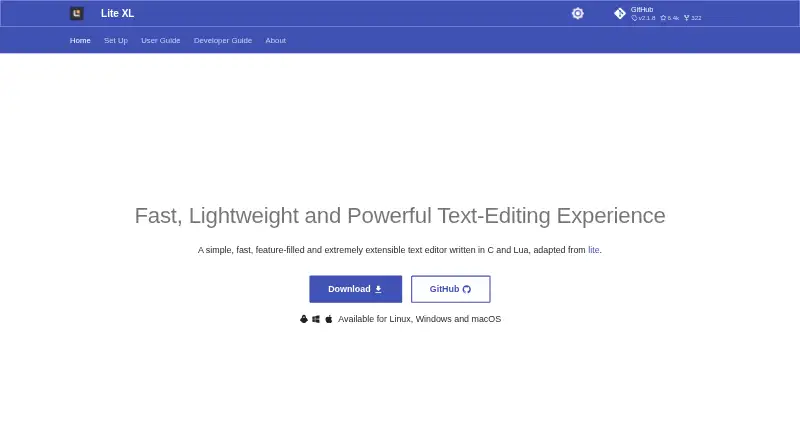
What Lite XL is
Lite XL is a free, lightweight text editor written in C and Lua, with a bundle smaller than 5MB. It runs on Windows, Linux, and macOS, and the project says it can also run on some single-board computers with weak ARM CPUs and 1GB of RAM. Default tools include multiline editing, autocomplete, pane splitting, and multi-cursor editing; macro recording is also listed. A file browser, fuzzy file finder, and project search help navigate work, but there is no find-and-replace across a project. Lua scripting supports customization, while plugins can add capabilities. The documented lpm plugin manager installs, updates, and uninstalls plugins. Lite XL does not include a language server client by default; an LSP plugin can add autocomplete, diagnostics, symbol search, and go-to-definition. Optional plugins include an integrated terminal, Git diff gutter, EditorConfig, and linter support. Official downloads are provided for Windows, Linux, and macOS, with minimum versions of Windows 7 SP2, Ubuntu 18.04, and OS X El Capitan. Lite XL is free software under the MIT license.
Good
- Free software under the MIT license
- Bundle is smaller than 5MB
- Supports multi-cursor editing and macro recording
- Lua scripting and plugins extend the editor
Watch out
- No project-wide find-and-replace
- No language server client by default
- Official binary releases cover only Windows, Linux, and macOS
- Community plugin safety and quality are not guaranteed
Who it suits
Lite XL suits people seeking a small, scriptable text editor with plugin-based extensions. Its official downloads target Windows, Linux, and macOS users.
Verdict
Lite XL offers core editing tools in a small, extensible package at no charge. Note that language server features and other integrations rely on plugins, whose safety and quality the team does not guarantee.
Plans and prices
From Lite XL's own pricing page, checked 8 Oct 2026.
| Plan | Price | What it gives you |
|---|---|---|
| Lite XL | Free | Free software under the MIT license |
The facts
Each one read from Lite XL's own pages, with the date it was checked.
What it does
- Bundle size
- The site says Lite XL comes in a bundle less than 5MB and runs on desktops and some single-board computers with a weak ARM CPU and 1GB of RAM.checked 8 Oct 2026
- Editing features
- Multiline editing, autocomplete and pane splitting are supported by default.checked 8 Oct 2026
- Extension support
- Yeschecked 22 Sep 2026
- File and project tools
- The editor includes a file browser, fuzzy file finder and project search, but does not support find-and-replace across a project.checked 8 Oct 2026
- Language server support
- Lite XL does not include a language server client by default; the LSP plugin adds features such as autocomplete, diagnostics, symbol search and go-to-definition.checked 8 Oct 2026
- Lua customization
- Lite XL is scriptable with Lua, which the site says is used for everything except communication with the operating system.checked 8 Oct 2026
- Multi-cursor editing
- Yeschecked 22 Sep 2026
- Other integrations
- Documented optional plugins include an integrated terminal, Git diff gutter, EditorConfig support and linter support.checked 8 Oct 2026
- Plugins
- Plugins can add features, and the documented plugin manager lpm can install, update and uninstall them.checked 8 Oct 2026
- Plugin safety
- The team warns it cannot guarantee the safety, stability or quality of community-contributed plugins and provides plugin support on a best-effort basis.checked 8 Oct 2026
- Product
- Lite XL is a lightweight, extensible text editor written in C and Lua.checked 8 Oct 2026
- Security and signing
- The project repository says newer macOS releases are signed with a self-signed certificate and requires a first-launch confirmation in Finder.checked 8 Oct 2026
- Support and community
- The site directs users to documentation, plugin repositories and an issue tracker for feature or plugin requests.checked 8 Oct 2026
- Supported downloads
- The official site provides downloads for Windows, Linux and macOS; it says other platforms do not have official binary releases.checked 8 Oct 2026
Money
- Free plan
- Yeschecked 22 Sep 2026
Where it runs
- Macro recording
- Yeschecked 22 Sep 2026
- Minimum platform versions
- The download guide lists Windows 7 SP2 and above, Ubuntu 18.04 and above, and OS X El Capitan and above.checked 8 Oct 2026
- Supported platforms
- Windows,Linux,macOSchecked 22 Sep 2026
Alternatives to Lite XL
- 1

Calmly Writer
Free planAndroidWebLinuxmacOS8.6Free plan - 2

Zed
Free planLinuxmacOSWindows8.3From $10 a month - 3

Visual Studio Code
Free planWebLinuxmacOSWindows8.2Free plan - 4
Neovim
Free planAndroidAPILinuxmacOS8.1Free plan - 5
Geany
Free planOpen sourceLinuxmacOSWindows8.1Free plan - 6
GNU Emacs
Free planAndroidLinuxmacOSWindows8.0Free plan