
LipSurf
LipSurf lets users dictate text and control web pages with voice commands through Google Chrome.
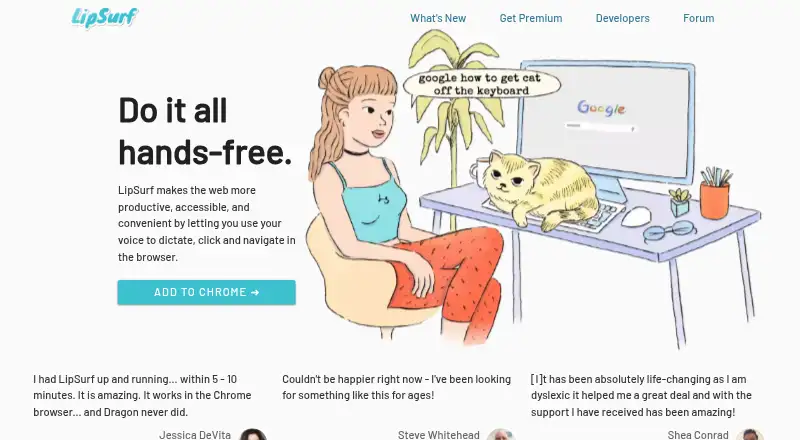
What LipSurf is
LipSurf lets users dictate text and control web pages with voice commands through Google Chrome. Dictation works wherever text is editable and uses Google’s speech-to-text engine. Commands can click links, scroll articles, and control videos, while user-defined phrases can trigger shortcuts such as inserting a text template. The service runs on Windows, macOS, Linux, and Chromebooks using existing computer hardware and microphones. Listed integrations include Gmail, Outlook, Google Docs, Google Sheets, Microsoft Word, YouTube, Slack, Salesforce, and other services. LipSurf says its plugins are open source and that users can make plugins. The homepage names English, Spanish, French, Russian, and Japanese, while product information gives a language count of 10. The Free plan is free and includes over 100 commands and community plugins. Plus adds WaniKani reviews, Duolingo, and email and phone support; Premium includes Plus features, text dictation, custom URLs, and a wake-word, with no prices listed for either paid plan. LipSurf says it does not store or process voice data on its servers; its policy lists collection of email, activation counts, and command names and counts.
Good
- Free plan includes over 100 commands.
- Dictation works anywhere text can be edited.
- Voice commands can click links and control videos.
- Users can create open-source plugins.
- Runs on Windows, macOS, Linux, and Chromebooks.
Watch out
- Requires Google Chrome.
- Offline dictation is not available.
- Email is retained indefinitely unless account erasure is requested.
Who it suits
LipSurf may suit people who want to dictate or navigate web pages by voice, including people with motor disabilities, productivity-focused users, computer professionals, and neurodiverse people. It requires Google Chrome.
Verdict
LipSurf combines browser dictation, navigation commands, and customizable shortcuts, with a free plan for getting started. Consider the Chrome requirement and its stated data collection and retention before choosing it.
Plans and prices
From LipSurf's own pricing page, checked 7 Oct 2026.
| Plan | Price | What it gives you |
|---|---|---|
| FREE | Free | Over 100 commands · Community plugins |
| PLUS | $3 a month | WaniKani reviews · Duolingo · Email and phone support · /month |
| PREMIUM | $6 a month | All features in PLUS · Dictate text · Go to custom URLs · Wake-word · /month |
The facts
Each one read from LipSurf's own pages, with the date it was checked.
Where it runs
- Browser and hardware
- LipSurf works through Google Chrome and says it runs on existing computer hardware and microphones, including Windows, Mac, Linux, and Chromebooks.checked 7 Oct 2026
- Supported platforms
- Windows,macOS,Linux,Chromebooks,Google Chromechecked 20 Sep 2026
What it does
- Cancellation and refunds
- The terms offer a five-day grace period for refunds and cancellations after purchase.checked 7 Oct 2026
- Collected data
- The privacy policy says LipSurf collects email, extension activation counts, and command names and counts; it says command phrasing is not collected.checked 7 Oct 2026
- Custom vocabulary
- Yeschecked 20 Sep 2026
- Data retention
- The privacy policy says activation counts and command names are stored for up to 365 days, while email is kept indefinitely unless the user requests account erasure.checked 7 Oct 2026
- Dictation
- The product uses Google's speech-to-text engine and supports dictation anywhere there is editable text.checked 7 Oct 2026
- Integrations
- The site lists Gmail, Outlook, Google Docs, Google Sheets, Facebook, LinkedIn, Microsoft Word, YouTube, Reddit, Slack, Twitter, Discord, WhatsApp, Evernote, and Salesforce.checked 7 Oct 2026
- Intended users
- The homepage identifies people with motor disabilities, productivity focused users, computer professionals, and neurodiverse people as audiences for LipSurf.checked 7 Oct 2026
- Language count
- 10checked 20 Sep 2026
- Languages
- The homepage lists English, Spanish, French, Russian, and Japanese.checked 7 Oct 2026
- Navigation
- Voice commands can click links, scroll articles, and control videos.checked 7 Oct 2026
- Offline dictation
- Nochecked 20 Sep 2026
- Plugins
- LipSurf says its plugins are open source and that anyone can make a plugin for the product.checked 7 Oct 2026
- Privacy
- The pricing page says LipSurf does not store or process voice data on its servers and uses Google APIs to transcribe speech.checked 7 Oct 2026
- Privacy model
- cloudchecked 20 Sep 2026
- Purpose
- LipSurf lets users dictate, click, and navigate the web by voice in a browser.checked 7 Oct 2026
- Shortcuts
- Users can map words or phrases to voice shortcuts, such as inserting a text template.checked 7 Oct 2026
- Support
- The pricing page lists email and phone support with the Plus plan.checked 7 Oct 2026
- Voice commands
- Yeschecked 20 Sep 2026
Money
- Free plan
- Yeschecked 20 Sep 2026
Alternatives to LipSurf
- 1

Superwhisper
Free planAndroidiOSAPILinux9.0From $84.99 a year - 2

Wispr Flow
Free planAndroidiOSmacOSWindows8.5From $12 a month - 3

Dictanote
Free planAndroidiOSWebLinux8.5From $60 a year - 4

Aqua Voice
Free planAndroidiOSmacOSWindows8.4From $8 a month - 5

WakaScribe
Free planAndroidiOSLinuxmacOS8.2From €1 a month - 6
Voice In
Free planExtensionLinuxmacOSWindows7.9From $59.99 a year