Koha
Koha is a free, open-source library management system for single-branch and multi-branch libraries, as well as consortia.
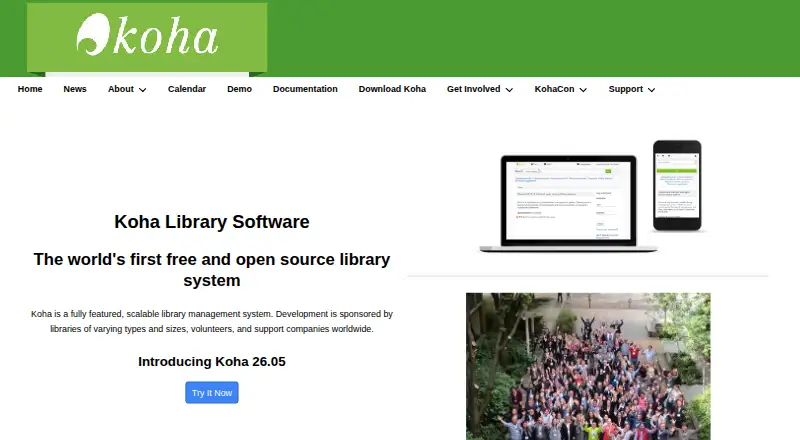
What Koha is
Koha is a free, open-source library management system for single-branch and multi-branch libraries, as well as consortia. Its workflows cover acquisitions, circulation, cataloging, serials, authorities, reporting, label printing, notices, and offline circulation. Koha includes borrower portal, custom reporting, and MARC record capabilities. Libraries can draw catalog content from sources such as Amazon, Google, LibraryThing, Open Library, and Syndetics. The system is multilingual and translatable, with additional languages made available over time. Its web-based public catalog, circulation, management, and self-checkout interfaces use XHTML, CSS, and JavaScript. Koha supports library standards and protocols including MARC 21, UNIMARC, z39.50, SRU/SW, SIP2, and SIP/NCIP. It is distributed under GNU GPL version 3 or later. The project recommends Linux server installation, with requirements including root access and command-line and Apache/MySQL skills. Libraries can support Koha themselves or seek help from support companies.
Good
- Covers acquisitions, circulation, cataloging, and serials.
- Supports single-branch, multi-branch, and consortia libraries.
- Offers multilingual and translatable interfaces.
- Supports MARC 21, UNIMARC, SIP2, and other standards.
- Free software under GNU GPL version 3 or later.
Watch out
- Self-installation calls for Linux server and root access.
- Installation requires command-line and Apache/MySQL skills.
- No free trial is listed.
Who it suits
Koha suits libraries ranging from a single branch to consortia that need a broad set of library workflows. It is a fit for organizations able to manage a Linux server or arrange support from a service company.
Verdict
Koha brings extensive library workflows and standards support into one free system. Libraries should account for the Linux deployment requirements or seek installation and maintenance support.
Plans and prices
From Koha's own pricing page, checked 4 Oct 2026.
| Plan | Price | What it gives you |
|---|---|---|
| Koha (open-source software) | Free | Free software under GNU GPL v3 or later · self-installation requires Linux server, root access, and command-line/Apache/MySQL skills |
The facts
Each one read from Koha's own pages, with the date it was checked.
What it does
- Catalog content
- The catalog can use content from Amazon, Google, LibraryThing, Open Library, and Syndetics, among others.checked 4 Oct 2026
- Deployment
- The maker recommends a Linux server and lists Debian, Apache, MariaDB or MySQL, Perl, and root access among immediate-use installation requirements.checked 4 Oct 2026
- Interfaces
- The OPAC, circulation, management, and self-checkout interfaces are web-based and use XHTML, CSS, and JavaScript.checked 4 Oct 2026
- Interoperability
- Koha supports library standards and protocols including MARC 21, UNIMARC, z39.50, SRU/SW, SIP2, and SIP/NCIP.checked 4 Oct 2026
- Languages
- Koha is multilingual and translatable, with available languages and more added over time.checked 4 Oct 2026
- Library types
- Koha supports consortia, multi-branch libraries, and single-branch libraries.checked 4 Oct 2026
- Library workflows
- It includes acquisitions, circulation, cataloging, serials management, authorities, reporting, label printing, notices, and offline circulation modules.checked 4 Oct 2026
- License
- Koha is free software distributed under GNU General Public License version 3 or later.checked 4 Oct 2026
- Packages
- Koha packages are available for modern Debian-based distributions, and the maker prefers packages where feasible.checked 4 Oct 2026
- Product
- Koha is a fully featured, scalable library management system.checked 4 Oct 2026
- Security reporting
- Security reports are visible only to the reporter and Koha security group members, and the project asks reporters to allow volunteers time to respond and arrange a security release.checked 4 Oct 2026
- Support
- Libraries can self-support or obtain help from support companies, which offer services such as installation, migration, data integrity testing, training, maintenance, and development.checked 4 Oct 2026
The company
- Founded
- 1999checked 28 Sep 2026
The full review of Koha
Overview
Koha is library management software for organisations that need to run collection and borrower workflows in one system. It suits single-branch and multi-branch libraries as well as consortia, particularly when standards support and flexible deployment matter more than turnkey setup.
Its breadth is a practical advantage for libraries with complex operations; smaller teams should weigh that against the Linux administration skills needed to install it themselves.
Key features
Koha covers acquisitions, circulation, cataloging, serials, authorities, reporting, label printing, notices, and offline circulation. That span can keep core library work together, while a library seeking only a basic catalog and checkout system may not need its full operational range.
The web-based OPAC, circulation, management, and self-checkout interfaces use XHTML, CSS, and JavaScript. Borrower portals, custom reporting, and MARC records support public access and collection administration. Catalogs can draw content from Amazon, Google, LibraryThing, Open Library, Syndetics, and other sources, and multilingual, translatable support suits communities that use more than one language.
Koha supports MARC 21, UNIMARC, z39.50, SRU/SW, SIP2, and SIP/NCIP. Libraries that rely on established cataloging and exchange standards have a strong reason to consider it; those without such requirements may find this depth less central to their choice.
Pricing
Koha (open-source software): free. The plan is free software under GNU GPL version 3 or later, with no free-trial period. There are no stated seat or record caps. The cost trade-off is deployment: self-installation requires a Linux server, root access, and command-line, Apache, and MySQL skills.
Koha recommends Linux server deployment and prefers packages where feasible. Packages are available for modern Debian-based distributions; immediate-use requirements include Debian, Apache, MariaDB or MySQL, Perl, and root access. Libraries can manage support themselves or seek help from support companies for installation, migration, data integrity testing, training, maintenance, and development. That makes Koha a better fit for libraries able to maintain infrastructure or budget for outside assistance than for teams seeking a ready-managed service.
Platforms
Koha is available for Linux and self-hosted deployment, with web interfaces and API support. Its Linux orientation gives libraries control over their installation, but organisations without server administration capacity should plan for external installation and maintenance help.
Who it's for
Koha is a strong candidate for single-branch and multi-branch libraries and consortia that need broad library workflows, multilingual support, and compatibility with library standards. It is less suitable for organisations that need a low-effort hosted setup or have no capacity to administer a Linux server and command-line installation.
Pros and cons
- Broad workflow coverage: acquisitions, circulation, cataloging, serials, reporting, and offline circulation are included, which can serve libraries with varied operational needs in one system.
- Standards and protocol support: MARC 21, UNIMARC, z39.50, SRU/SW, SIP2, and SIP/NCIP make Koha relevant to libraries that need established interoperability.
- Free software: the software costs nothing, but self-installation still calls for Linux, root access, and command-line and server skills.
- Deployment burden: libraries without in-house technical capacity may need support-company services for setup, migration, training, maintenance, or development.
Alternatives
School Library Management Software is a useful category comparison for readers still weighing their options.
Librarika is worth considering for libraries that want a freemium option across Android, iOS, Linux, macOS, web, and Windows; its Basic plan is free and caps records at 2,000 while allowing unlimited patrons, staff, and check-outs.
ABCD is another free library and documentation-centre system, with Linux, web, and Windows platforms.
Accessit Library may suit organisations seeking a paid option shaped around organisation-specific requirements, with third-party integration fees potentially applying.
Atriuum is a paid alternative with managed hosting or SaaS options; its managed hosting plan has Book Systems manage the server, updates, and backups.
Oliver is a paid library software alternative priced by quote.
Sonet Examination Management System is a paid web-based alternative.
Lyra may fit a school library with a defined patron limit and annual budget: its P150 plan is $795 a year for up to 150 patrons, and P400 is $1,495 a year for up to 400, with all features included in both.
Surpass is a paid web and Windows option with a free trial; its K-12 cloud plans set volume and student caps.
Verdict
Choose Koha if your library needs comprehensive workflows, multilingual support, and standards interoperability without paying a software license fee. Its main trade-off is the Linux deployment and ongoing support burden, so libraries wanting managed, low-maintenance software should look elsewhere.
Alternatives to Koha
- 1
Librarika
Free planAndroidiOSWebAPI7.6From $139 a year - 2
Avidemux
Free planOpen sourceWebLinuxmacOSWindows7.3Free plan - 3
ResourceMate
WebLinuxmacOSWindows7.0From $220 a year - 4
SLiMS
Free planWebLinuxmacOSSelf-hosted6.5Free plan - 5

Surpass
WebWindows6.4From $960 a year - 6
Mandarin M5
WebSelf-hostedWindows5.5