
KNAPP KiSoft WES
KNAPP KiSoft WES connects warehouse management systems with operational and control systems, then helps determine when and how warehouse work proceeds.
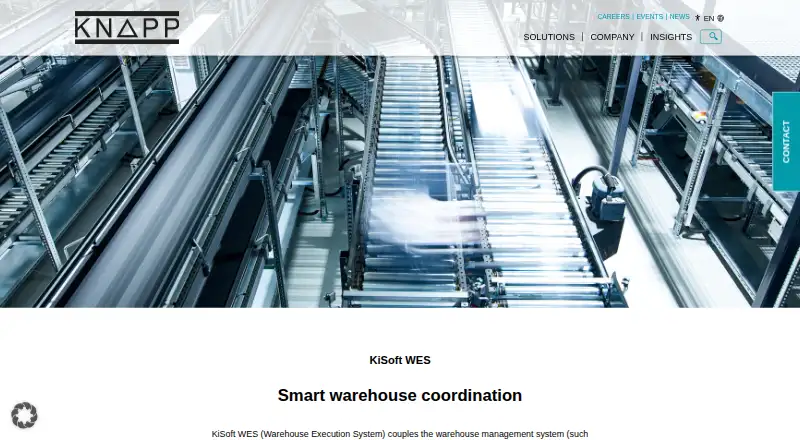
What KNAPP KiSoft WES is
KNAPP KiSoft WES connects warehouse management systems with operational and control systems, then helps determine when and how warehouse work proceeds. It prioritizes orders, detects bottlenecks, and adjusts material flows as conditions change, including in response to errors or shifting priorities. Real-time data from connected systems gives a current view of orders, resources, and material flows. Its modular design allows customers to activate functions for their needs, and the product can be integrated with existing systems and other KiSoft products. Example functions include ERP integration, replenishment management, sorter control, pick-to-light management, and scanner integration. KNAPP recommends it for manual warehouses whose WMS cannot connect to automation or bring subsystems together; the company says a separate WES may be unnecessary when a WMS or WCS already covers those functions. Pricing is on request. Licensing may be perpetual or SaaS, with on-premise or cloud operation depending on use.
Good
- Prioritizes orders and dynamically redirects material flows
- Shows current orders, resources, and material flows
- Modular functions can be selected for business needs
- Can integrate with existing systems
Watch out
- Pricing is available on request
- A separate WES may be unnecessary with capable WMS or WCS
Who it suits
It suits warehouse operators whose WMS cannot connect to automation or integrate subsystems. It may be unnecessary if an existing WMS or WCS already provides these functions.
Verdict
KiSoft WES coordinates warehouse execution across management and control systems, with real-time visibility and adaptable modules. Prospective customers need to contact KNAPP for pricing.
Plans and prices
From KNAPP KiSoft WES's own pricing page, checked 30 Sep 2026.
| Plan | Price | What it gives you |
|---|---|---|
| Custom project license | Priced on request | Functions are tailored to customer needs in a joint project; KiSoft portfolio licenses may be perpetual or SaaS, with on-premise or cloud operation depending on use |
The facts
Each one read from KNAPP KiSoft WES's own pages, with the date it was checked.
What it does
- Coordination
- It coordinates multiple systems, prioritizes orders, identifies bottlenecks and dynamically optimizes material flows.checked 29 Sep 2026
- Example functions
- Example functions include shipping management integration, replenishment management, manual picking management, sorter management, and integration of machine controls.checked 30 Sep 2026
- Integration
- The product page says KiSoft WES can be combined with other KiSoft products and integrated into existing systems.checked 29 Sep 2026
- Intended use
- KNAPP recommends KiSoft WES when a warehouse management system in a manual warehouse cannot connect to automation or integrate subsystems.checked 30 Sep 2026
- Licensing and hosting
- KNAPP says KiSoft products use licensing models such as perpetual or SaaS and may operate on-premise or in the cloud depending on use.checked 30 Sep 2026
- Modular design
- Its modular design lets customers choose which modules to activate based on their needs.checked 29 Sep 2026
- Modular integration
- Its modular design lets customers activate modules according to business needs and integrate the system with existing systems.checked 30 Sep 2026
- Operational flexibility
- The product responds to errors, bottlenecks and priority changes by dynamically adjusting order priorities or redirecting material flows.checked 29 Sep 2026
- Order and flow coordination
- It prioritizes orders, identifies bottlenecks, and dynamically optimizes material flows.checked 30 Sep 2026
- Purpose
- KiSoft WES links a warehouse management system to warehouse operations and decides in real time how and when work should be done efficiently.checked 30 Sep 2026
- Real-time response
- As an event-driven real-time system, WES can respond to errors, bottlenecks, and priority changes by dynamically reprioritizing orders or redirecting material flows.checked 30 Sep 2026
- Recommended use
- KNAPP recommends KiSoft WES for a manual warehouse whose WMS cannot connect to automation solutions or integrate subsystems.checked 29 Sep 2026
- Sales contact
- The product page directs prospective customers to contact KNAPP about KiSoft WES.checked 29 Sep 2026
- Security
- KNAPP states that system security is a top priority and operates a vulnerability disclosure and bug bounty program covering knapp.com and its subdomains.checked 30 Sep 2026
- Support
- KNAPP offers support in 12 languages, 24/7, and project assistance throughout the software products’ lifecycle.checked 30 Sep 2026
- System communication
- KiSoft WES communicates between warehouse management systems and control systems such as KiSoft WCS or KiSoft FCS.checked 29 Sep 2026
- System connections
- It communicates between warehouse management systems and control systems such as KiSoft WCS and KiSoft FCS.checked 30 Sep 2026
- Visibility
- It collects and processes data from connected systems in real time to show the status of orders, resources, and material flows.checked 30 Sep 2026
- When a separate WES is unnecessary
- KNAPP says a separate WES is not required if the WMS or WCS already covers its functions.checked 29 Sep 2026
- When separate WES may not be needed
- KNAPP says a separate WES is not required if the WMS or WCS already covers its functions.checked 30 Sep 2026
The company
- Founded
- 1952checked 28 Sep 2026
- Headquarters
- Hart bei Graz, Austriachecked 28 Sep 2026
- Maker
- KNAPP AG lists its address as Günter-Knapp-Straße 5-7, 8075 Hart bei Graz, Austria; the company history says Günter Knapp established the company in 1952.checked 30 Sep 2026
The full review of KNAPP KiSoft WES
Overview
KNAPP KiSoft WES is warehouse execution software for businesses that need a coordination layer between warehouse management and operational control systems. It is most relevant to warehouses whose existing WMS cannot connect to automation or integrate subsystems; it is unnecessary when a WMS or WCS already handles those jobs.
Rather than replace those systems, KiSoft WES coordinates them: it prioritizes orders, spots bottlenecks and adjusts material flows as conditions change. Its modular approach can suit varied operations, but customers need to work with KNAPP to shape a project and establish pricing.
Key features
Order and flow coordination
KiSoft WES communicates between warehouse management systems and control systems such as KiSoft WCS and KiSoft FCS. It can control order release, prioritize work and dynamically optimize material flows. In practice, this makes it a candidate for operations where work needs to be coordinated across several connected systems rather than handed off in a fixed sequence.
Real-time response and visibility
The event-driven system can respond to errors, bottlenecks and changing priorities by reprioritizing orders or redirecting flows. It also processes data from connected systems to show the current status of orders, resources and material flows. That combination is useful when managers need a live operational picture and the ability to adapt execution, although the value depends on having relevant systems connected.
Modular integration
Customers can activate modules according to business needs and integrate KiSoft WES with existing systems and other KiSoft products. Project-dependent functions can include ERP integration, replenishment management, sorter control, pick-to-light management and scanner integration. This flexibility helps tailor deployments, but means the precise scope is shaped through a customer project rather than a fixed package.
Deployment and support
KNAPP's KiSoft licensing models can be perpetual or SaaS, with on-premise or cloud operation depending on use. The company offers support in 12 languages around the clock and project assistance throughout the software products’ lifecycle. KNAPP also describes security as a priority and operates a vulnerability disclosure and bug bounty program covering its website and subdomains.
Pricing
Custom project license: custom pricing. Functions are tailored to customer needs in a joint project; KiSoft portfolio licensing may be perpetual or SaaS, with on-premise or cloud operation depending on use. There is no fixed plan comparison to guide a self-serve purchase, so prospective customers should contact KNAPP to determine scope, licensing and deployment for their warehouse.
Platforms
KiSoft WES is associated with Android, iOS, Linux, macOS and Windows, as well as web, API and self-hosted access. Its deployment can be cloud-based, with on-premise operation also possible depending on use. The broad platform range supports integration-oriented deployments, but does not by itself establish which client or interface a particular project will use.
Who it's for
KNAPP recommends KiSoft WES for a manual warehouse whose WMS cannot connect to automation solutions or bring subsystems together. It is also a fit where order release, labor workflows, automation orchestration and real-time visibility need to be coordinated across operational systems. A business should first assess whether its existing WMS or WCS already covers these functions: if it does, a separate WES may add needless complexity.
Pros and cons
Pros
- Adapts execution in real time: order priorities and material routes can change in response to errors, bottlenecks or new priorities.
- Modular scope: customers can activate functions suited to their operation, including project-dependent integration and control capabilities.
- Operational visibility: connected-system data provides a current view of orders, resources and material flows.
- Long-term project support: KNAPP offers 24/7 support in 12 languages and assistance throughout the software lifecycle.
Cons
- Requires a project-led buying process: functions are tailored jointly with the customer, and pricing is custom, so it is not a straightforward fixed-plan purchase.
- Not needed in every warehouse: KNAPP says a separate WES is unnecessary when the current WMS or WCS already covers the execution functions.
Alternatives
Compare warehouse execution software if you want to evaluate this category more broadly.
- Dematic Warehouse Execution System is worth considering for a warehouse or production operation seeking a configurable system scaled to its required support level.
- Prime Execution System offers a one-time software license with three years of 24/7 remote support, warranty and onsite maintenance, or a Robotics as a Service option.
- GreyMatter is another paid WES option with Pro, Premium and Power plans.
- SRT WES may suit buyers who want a deployment configured to their facility, throughput targets and existing processes.
- WeLogis WES has a monthly WES add-on covering picking, sorting and packing; it requires a WMS subscription and costs ₩100,000 a month.
- Pyramid Director WES is a self-hosted alternative.
- Lucas Warehouse Execution System is another paid option with Android and Windows platforms.
- Mecalux Easy WES is a paid option available on web and Android.
Verdict
Choose KiSoft WES if your warehouse needs a tailored execution layer to connect management and control systems, coordinate changing priorities and expose live order and flow status. Its modular integration and real-time response are the main reasons to consider it; the project-based, custom-priced purchase is the main reason to look elsewhere, especially if your current WMS or WCS already does the job.
Getting started
- Visit the KNAPP KiSoft WES website.
- Contact KNAPP to discuss the product and pricing.
- Choose the modules and licensing model for the project.
- Determine whether the deployment will be on-premise or in the cloud.
Limits worth knowing
Pricing is on request. The custom project license tailors functions to customer needs; portfolio licensing may be perpetual or SaaS, with on-premise or cloud operation depending on use.
Questions
How much does KiSoft WES cost?
Pricing is on request. KNAPP directs prospective customers to contact the company.
What licensing options are available?
KNAPP says its KiSoft portfolio uses licensing models such as perpetual or SaaS.
Can KiSoft WES run in the cloud?
The listed deployment model is cloud. KNAPP also says KiSoft products may operate on-premise or in the cloud depending on use.
Which systems does KiSoft WES connect?
It communicates between warehouse management systems and controls such as KiSoft WCS or KiSoft FCS. KNAPP says it can also integrate with existing systems and other KiSoft products.
When does KNAPP recommend a separate WES?
KNAPP recommends it for a manual warehouse whose WMS cannot connect to automation or integrate subsystems. It says a separate WES is not required when the WMS or WCS already covers its functions.
Who makes KiSoft WES?
It is made by KNAPP AG, established in 1952 and based in Hart bei Graz, Austria.
Alternatives to KNAPP KiSoft WES
- 1
WISE WES
AndroidiOSWebAPI6.7 - 2
WeLogis WES
AndroidiOSWeb6.4From 100,000 KRW a month - 3

Mecalux Easy WES
AndroidWebAPISelf-hosted6.3 - 4

Dematic Warehouse Execution System
AndroidiOSWeb6.0 - 5
 6.0
6.0 - 6
VARGO COFE WES
WebLinuxSelf-hosted5.9