Joystick Mapper
Joystick Mapper is a macOS app that converts joystick or gamepad input into keyboard and mouse actions for apps and games without built-in controller support.
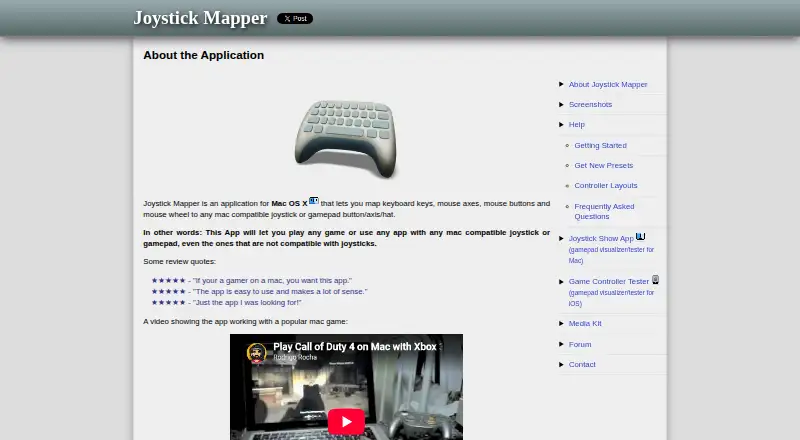
What Joystick Mapper is
Joystick Mapper is a macOS app that converts joystick or gamepad input into keyboard and mouse actions for apps and games without built-in controller support. It maps axes, D-pads, and buttons to keys, mouse movement, clicks, and scrolling. Analog stick directions can be assigned independently, and analog shoulder triggers can act as buttons. Mouse control includes smooth movement and per-direction speed adjustment. Users can create and edit saved presets, use included examples, and view, rename, change, or share preset files as plain-text JSON. The app supports USB and Bluetooth joysticks, HID-compatible gamepads, and some non-HID controllers such as Xbox 360 and PS3 models when drivers and pairing are suitable. Some Xbox controllers may need a third-party driver. Joystick Mapper costs $4.99, paid once, requires macOS 10.9 or later, has no free plan, and does not provide virtual-controller output.
Good
- Maps controller inputs to keyboard and mouse actions
- Independent analog directions and trigger-button mapping
- Saved presets use editable plain-text JSON
- Supports USB and Bluetooth joysticks
- Includes ready-to-use examples
Watch out
- Mac only
- No free plan
- Some Xbox controllers need third-party drivers
- Wii remote support is unofficial and unavailable on OS X El Capitan 10.11
Who it suits
It suits Mac users who need keyboard or mouse mappings for controllers in unsupported apps or games. It is useful for people comfortable creating and sharing JSON presets.
Verdict
Joystick Mapper provides detailed controller-to-keyboard and mouse remapping on macOS. Its one-time price and controller caveats should be weighed against the lack of virtual-controller output.
Plans and prices
From Joystick Mapper's own pricing page, checked 9 Oct 2026.
| Plan | Price | What it gives you |
|---|---|---|
| Joystick Mapper | $4.99, paid once | Mac only · Requires macOS 10.9 or later |
The facts
Each one read from Joystick Mapper's own pages, with the date it was checked.
What it does
- Analog controls
- Analog stick directions can be mapped independently, and analog shoulder triggers can be used as buttons.checked 9 Oct 2026
- Controller compatibility
- The FAQ says the app works with HID-compatible gamepads and some non-HID models such as Xbox 360 and PS3 controllers when suitable drivers are installed and pairing is correct.checked 9 Oct 2026
- Controller connectivity
- The app supports USB and Bluetooth joysticks, while some Xbox controllers may require a third-party driver.checked 9 Oct 2026
- Developer
- The product site identifies Rodrigo Rocha as the program's maker.checked 9 Oct 2026
- Inputs and outputs
- It maps joystick axes, D-pads, and buttons to keyboard and mouse actions, including clicks and scrolling.checked 9 Oct 2026
- Mouse movement
- The app supports smooth mouse movement and per-direction analog-stick mouse speed adjustment.checked 9 Oct 2026
- Notable limitation
- The FAQ says Wii remote support is not official and describes it as not working with OS X El Capitan 10.11.checked 9 Oct 2026
- Preset files
- Preset configurations are plain-text JSON files that users can view, edit, rename, and share.checked 9 Oct 2026
- Presets
- Users can create and edit saved presets, and the app includes ready-to-use examples.checked 9 Oct 2026
- Privacy disclosure
- Apple's listing says Chibata Creations has not provided Apple details about the app's privacy practices and data handling.checked 9 Oct 2026
- Purpose
- Joystick Mapper configures joysticks or gamepads to simulate keyboard keys, mouse movement, clicks, and scrolling for apps or games without built-in controller support.checked 9 Oct 2026
- Support
- The contact page directs general questions and troubleshooting to the forums or email and says replies may take a few days because the developer works alone.checked 9 Oct 2026
Where it runs
- Other app conflicts
- The App Store listing says similar apps may prevent Joystick Mapper from operating correctly and suggests disabling them if problems occur.checked 9 Oct 2026
Alternatives to Joystick Mapper
- 1
Avidemux
Free planOpen sourceWebLinuxmacOSWindows7.3Free plan - 2

OmniControl
Free planWindows7.3From $59.99 a year - 3
ControllerBuddy
Free planOpen sourceLinuxmacOSWindows7.2Free plan - 4
JoyShockMapper
Free planOpen sourceLinuxSelf-hostedWindows7.2Free plan - 5

PadLink
Free planAndroidiOSmacOSWindows7.2$2.99 one-time - 6
reWASD
AndroidiOSWindows7.1$14.99 one-time