JioAICloud
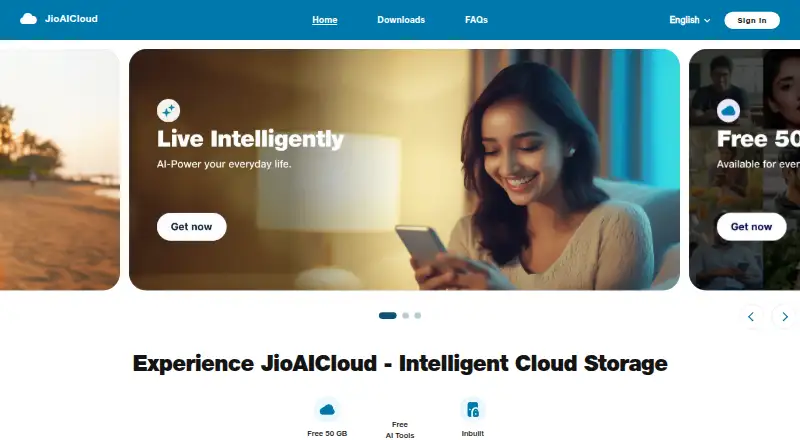
JioAICloud is a cloud storage service for backing up photos, videos, documents, messages, and contacts, with AI photo tools.
What JioAICloud is
JioAICloud is a cloud storage service for backing up photos, videos, documents, messages, and contacts, with AI photo tools. It is available on Android, iOS, macOS, Windows, and the web, and includes 50 GB of storage, file versioning, and business admin controls. Users can upload content automatically or manually, then share files through links recipients can download. Public links can be password protected and given an expiry date. AI Photo Play offers Theme, Vibe, and Background Erase editing tools. Its document scanner can crop and edit scans, apply filters and curvature correction, use OCR, and save scans as PDFs to JioAICloud. A DigiLocker feature provides access to Aadhaar, PAN, driving licence, and more than 40 other supported documents. Desktop apps create a local JioAICloud folder and let users choose folders to sync; synced files use local disk space. The free plan includes 50 GB, and the listed non-Jio welcome trial is free for 3 months, available once per mobile number. The maker is headquartered in Ahmedabad, Gujarat, India.
Good
- 50 GB storage and file versioning
- Available on Android, iOS, macOS, Windows, and web
- Share links can have passwords and expiry dates
- Includes scanner with OCR and PDF saving
Watch out
- Synced desktop files use local disk space
- AI Photo Play requires an internet connection
- AI photo edits are not saved automatically
Who it suits
JioAICloud suits people who want cloud backup and file sharing across mobile, desktop, and web platforms, as well as teams needing admin controls. Its scanner, photo tools, and DigiLocker access may also be useful to users managing scans and personal documents.
Verdict
JioAICloud offers cross-platform storage alongside scanning, photo editing, and business controls. Keep the local disk use for synced files and the AI Photo Play limits in mind when choosing it.
Plans and prices
From JioAICloud's own pricing page, checked 20 Sep 2026.
| Plan | Price | What it gives you |
|---|---|---|
| Free access for Jio mobile customers | Free | 50 GB storage |
| Free | Free | 50 GB storage · Jio mobile customers get JioAICloud free |
| Non-Jio welcome trial | Free | 3 months · 50 GB storage · available once per mobile number |
The facts
Each one read from JioAICloud's own pages, with the date it was checked.
What it does
- AI photo limits
- AI Photo Play requires an internet connection, works best on individual portraits, and does not automatically save edits.checked 11 Oct 2026
- AI photo tools
- AI Photo Play offers Theme, Vibe, and Background Erase tools for editing photos.checked 11 Oct 2026
- Business admin controls
- Yeschecked 20 Sep 2026
- Certifications
- JioAICloud lists ISO 27001:2013, ISO 20000-1:2011, ISO 27017, ISO 27018, and ISO 20000-9 certifications.checked 11 Oct 2026
- Desktop sync
- The Windows and Mac desktop apps create a local JioAICloud folder and let users choose which folders to sync; synced files use local disk space.checked 11 Oct 2026
- DigiLocker
- JioAICloud's DigiLocker feature provides access to Aadhaar, PAN, driving licence, and over 40 other supported documents.checked 11 Oct 2026
- Document scanner
- The scanner can crop and edit scans, apply filters and curvature correction, use OCR, and save scans as PDFs uploaded to JioAICloud.checked 11 Oct 2026
- Enterprise audience
- JioAICloud Enterprise describes itself as a storage and collaboration service for modern teams, small businesses, and large enterprises.checked 11 Oct 2026
- Enterprise controls
- Enterprise admins can manage teams and control member sharing, while the service provides reports on enterprise information.checked 11 Oct 2026
- File versioning
- Yeschecked 20 Sep 2026
- Purpose
- JioAICloud is a cloud storage service for backing up photos, videos, documents, messages, and contacts, with AI features.checked 11 Oct 2026
- Security
- JioAICloud says it uses SSL encryption for data in transit and hosts its application infrastructure in a Jio Data Center.checked 11 Oct 2026
- Share link controls
- Public share links can be password protected and given an expiry date.checked 11 Oct 2026
- Storage limit
- The FAQ says storage tiers beyond 50 GB are not currently offered.checked 11 Oct 2026
- Support
- The login help page directs users needing further assistance to [email protected].checked 11 Oct 2026
- Upload and sharing
- Users can automatically or manually upload content and share files through links that recipients can download.checked 11 Oct 2026
Where it runs
- Device platforms
- Windows,macOS,iOS,Android,webchecked 20 Sep 2026
- Platforms
- The service lists mobile apps for Android and iOS, desktop apps for Windows and Mac, and access through its website.checked 11 Oct 2026
Money
- Free plan
- Yeschecked 20 Sep 2026
The company
- Headquarters
- Ahmedabad, Gujarat, Indiachecked 28 Sep 2026
Alternatives to JioAICloud
- 1

Seafile
Free planOpen sourceAndroidiOSWebAPI9.2Free plan - 2

Box
Free planAndroidiOSWebAPI9.1From $5 a month - 3

Internxt Drive
Free planOpen sourceAndroidiOSWebAPI9.1Free plan - 4

Filen
Free planOpen sourceAndroidiOSWebAPI9.1From €1.99 a month - 5
Google Cloud Storage
Free planAndroidiOSWebAPI9.0From $0.01 a month - 6
Google Drive
Free planAndroidiOSmacOSWindows9.0Free plan