Intermapper
Intermapper helps IT and infrastructure teams discover network devices, map their relationships, monitor health and performance, and receive alerts when cond…
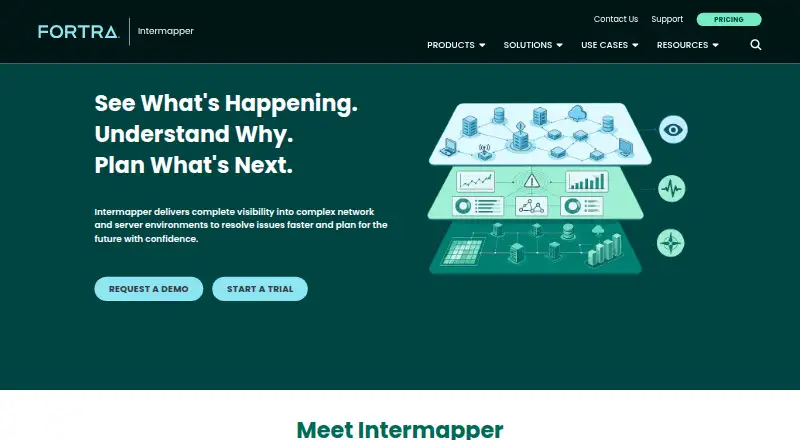
What Intermapper is
Intermapper helps IT and infrastructure teams discover network devices, map their relationships, monitor health and performance, and receive alerts when conditions change. Its live maps show infrastructure, dependencies, device status, and network links, while auto-discovery helps keep the view current as environments change. Flows Insight analyzes NetFlow, sFlow, jFlow, and cFlow data to reveal traffic patterns, utilization, and top talkers. Advanced Reporting provides dashboards and automated reports for uptime, service health, SLA performance, and infrastructure trends. The software supports SNMPv3, built-in probes, and custom probes, and can complement other tools through APIs and add-ons such as the Intermapper App for Splunk. Remote access supports SSL and username/password or network-address authentication. Intermapper has a free plan and a 30-day fully functional trial, but a purchase is required to continue afterward. Licensing is based on monitored devices, with options starting at 10 and extending to unlimited devices; pricing is by custom quote. Paid licenses include 24/7 technical support according to the upgrade page.
Good
- Live maps show devices and network relationships.
- Monitors health, availability, and performance.
- Analyzes four named flow data formats.
- Free plan and 30-day trial are listed.
Watch out
- A purchase is required after the 30-day trial.
- Licensing is based on monitored devices.
- Pricing requires a custom quote.
Who it suits
Intermapper suits network administrators, infrastructure and IT operations teams, and people responsible for uptime and service reliability. It is relevant for teams that need device mapping, traffic analysis, and alerts.
Verdict
Intermapper combines network discovery, mapping, monitoring, traffic analysis, and reporting. Check device-based licensing and the custom quote before planning a continued deployment.
Plans and prices
From Intermapper's own pricing page, checked 4 Oct 2026.
| Plan | Price | What it gives you |
|---|---|---|
| Intermapper | Priced on request | Device-based licensing · options start at 10 devices and extend to unlimited · Custom quote; subscription or perpetual license |
The facts
Each one read from Intermapper's own pages, with the date it was checked.
What it does
- Auto-discovery
- Auto-discovery identifies network devices and helps keep network awareness current as environments change.checked 4 Oct 2026
- Integrations
- Intermapper can complement other tools through APIs and add-ons, including the Intermapper App for Splunk.checked 4 Oct 2026
- Intended users
- It is designed for network administrators, infrastructure teams, IT operations teams, and leaders responsible for uptime and service reliability.checked 4 Oct 2026
- Monitoring and alerts
- It monitors device and server health, availability, and performance, and sends real-time notifications when conditions change.checked 4 Oct 2026
- Notable licensing limit
- Intermapper is licensed by monitored device, and a purchase is required to continue after the fully functional 30-day trial.checked 4 Oct 2026
- Protocols and probes
- Intermapper supports SNMPv3 and includes built-in probes, with options to create custom probes.checked 4 Oct 2026
- Purpose
- Intermapper helps IT teams discover, map, monitor, and alert on network devices and servers.checked 4 Oct 2026
- Reporting
- Advanced Reporting provides dashboards and automated reports for uptime, service health, SLA performance, and infrastructure trends.checked 4 Oct 2026
- Security
- Remote access supports SSL connections and username/password or network-address authentication.checked 4 Oct 2026
- Support
- Maintenance plans include telephone, email, and online technical support as well as new software releases; paid Intermapper licenses include 24/7 technical support according to the upgrade page.checked 4 Oct 2026
- Traffic analysis
- Flows Insight analyzes NetFlow, sFlow, jFlow, and cFlow data to show traffic patterns, utilization, and top talkers.checked 4 Oct 2026
The company
- Company background
- Fortra says it rebranded from HelpSystems in 2022 and is headquartered in the United States.checked 4 Oct 2026
- Headquarters
- Eden Prairie, Minnesota, United Stateschecked 28 Sep 2026
Where it runs
- Live mapping
- It provides live maps showing infrastructure, dependencies, device status, and network relationships.checked 4 Oct 2026
- Platforms
- The product comparison page lists Windows, Windows Server, Mac OS, and Linux distributions Red Hat, Ubuntu, Debian, and SuSE.checked 4 Oct 2026
Alternatives to Intermapper
- 1

ntopng
Free planOpen sourceWebAPILinuxmacOS8.3€299.95 one-time - 2

ManageEngine NetFlow Analyzer
Free planAndroidiOSWebLinux7.1From $172 a month - 3

ElastiFlow
Free planWebAPILinuxSelf-hosted6.9Free plan - 4
FlowViewer
Free planWebLinux6.8$500 one-time - 5
SparrowIQ
AndroidiOSWebWindows6.6 - 6
Plixer Scrutinizer
WebAPISelf-hosted6.5From $12,996 a year