
InRule Decisioning
InRule Decisioning is a platform for authoring, testing, storing, deploying and executing complex decision logic.
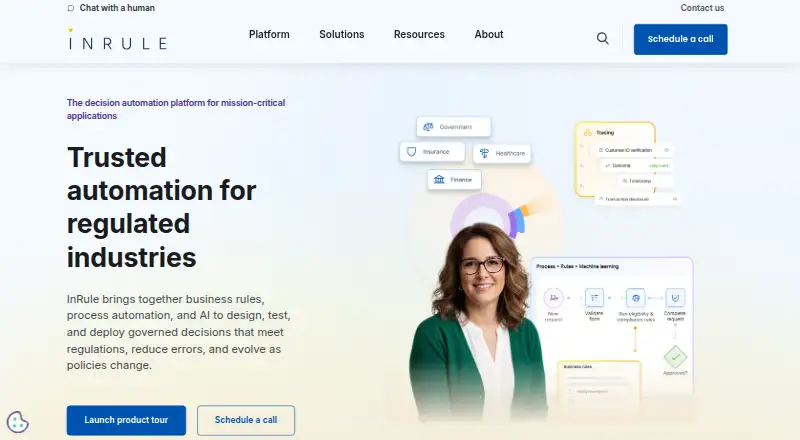
What InRule Decisioning is
InRule Decisioning is a platform for authoring, testing, storing, deploying and executing complex decision logic. Business users can model decisions using business language, decision tables, visual diagrams and Decision Model and Notation (DMN), with authoring available through desktop irAuthor and browser-based Author Studio. Testing tools support unit and regression testing, reusable test data and execution logging, while analytics can track scenarios, evaluated criteria, results and execution metrics. Decision logic can be accessed through a REST API or .NET SDK, or packaged as JavaScript for use in browsers, mobile apps and data platforms such as Snowflake. The product also names AWS Lambda and edge devices as runtime options. Deployment choices include cloud, on-premises, hybrid, self-hosted and InRule SaaS environments. Listed integrations include Salesforce, Microsoft Dynamics 365, Power Platform and SAP. InRule states that it has SOC 2 Type II and ISO/IEC 27001 certifications, with audit logs and role-based permissions. Subscription pricing depends on configurable components; Development and Production environments are included, and extra environments cost more. Pricing is on request.
Good
- Supports decision tables, visual diagrams and DMN.
- Includes unit and regression testing tools.
- Offers cloud, on-premises and hybrid deployment options.
- Decision logic can run through APIs, SDKs or JavaScript.
- Provides audit logs and role-based permissions.
Watch out
- Pricing is available on request.
- Additional environments beyond Development and Production cost extra.
- A support ticket requires signing in to the Help Center.
- Current pages do not confirm free-trial availability or duration.
Who it suits
It suits subject matter experts and non-technical business users who need to model and test decision logic, with IT staff available for integrations and custom applications.
Verdict
InRule Decisioning offers business-oriented rule authoring alongside testing and multiple execution and deployment paths. Its subscription price depends on configuration, and teams needing more than Development and Production environments should account for additional costs.
Plans and prices
From InRule Decisioning's own pricing page, checked 3 Oct 2026.
| Plan | Price | What it gives you |
|---|---|---|
| InRule Decisioning subscription | Priced on request | irServer and irCatalog licensing based on production requirements · Includes Development and Production environments · Additional environments cost extra · Subscription; overall pricing is based on configurable components. |
The facts
Each one read from InRule Decisioning's own pages, with the date it was checked.
What it does
- Additional environments
- Environments beyond Development and Production incur an additional cost.checked 3 Oct 2026
- Authoring
- Users can model decisions with business language, decision tables, visual diagrams, and Decision Model and Notation (DMN).checked 2 Oct 2026
- Deployment
- InRule offers SaaS execution through its REST API and self hosted cloud or on premises deployment with REST API or custom execution options.checked 3 Oct 2026
- Execution
- Decision logic can run through a REST API, a .NET SDK, or packaged JavaScript for client side or disconnected use.checked 3 Oct 2026
- Integrations
- The platform documentation names Microsoft Dynamics 365, Microsoft Azure, and Salesforce as integration platforms.checked 3 Oct 2026
- Intended users
- InRule describes its customers as mid to large enterprises in financial services, insurance, healthcare, government, and retail.checked 3 Oct 2026
- Licensing limits
- Licensing is subscription-based with pricing determined by configurable components; the stated license includes Development and Production environments, and additional environments cost extra.checked 2 Oct 2026
- Purpose
- InRule Decisioning supports authoring, testing, storing, deploying, and executing decision logic.checked 3 Oct 2026
- Rule authoring
- Its desktop irAuthor and browser based Author Studio support business language rules, decision tables, and rule expressions.checked 3 Oct 2026
- Runtime
- Decision logic can run as native JavaScript in browsers, mobile apps, or data platforms such as Snowflake, and the product page also names AWS Lambda and edge devices.checked 2 Oct 2026
- Security
- InRule lists SOC 2 Type 2 and ISO/IEC 27001 certifications and describes audit logs, role based permissions, and review workflows.checked 3 Oct 2026
- Support
- The subscription includes support site access, videos, phone and email support, and computer based training for irAuthor and Author Studio.checked 3 Oct 2026
- Support access
- Submitting a product support ticket requires signing in to the Help Center.checked 3 Oct 2026
- Testing
- irVerify supports unit and regression testing, reusable test data, and execution logging.checked 3 Oct 2026
- Testing and analytics
- The platform supports testing decision logic across scenarios and tracking execution metrics, evaluated criteria, and decision results.checked 2 Oct 2026
- What it does
- InRule Decisioning lets business users author, test, deploy, and manage complex decision logic without code.checked 2 Oct 2026
The company
- Company
- InRule Technology, Inc. describes itself as a SaaS company serving hundreds of customers in more than 40 countries.checked 2 Oct 2026
Money
- Trial
- The current free trial URL redirects to the homepage, so the opened current pages do not confirm whether a free trial is available or its duration.checked 3 Oct 2026
The full review of InRule Decisioning
InRule Decisioning is a business rules platform for authoring, testing and deploying decision logic. It suits organisations whose subject-matter experts need to shape rules while IT handles integrations and custom applications. Its flexible authoring and execution options are compelling, but configurable subscription pricing and extra charges for environments beyond Development and Production make cost planning essential.
Overview
InRule brings rule authoring, testing, storage, deployment and execution into one platform. Business users can express decisions in familiar language or structured models, while technical teams connect the logic to applications and services. That division can make it a fit for teams that want business ownership of decision logic without asking those teams to build integrations themselves.
The trade-off is a paid, configurable subscription rather than a simple fixed price. The included Development and Production environments cover a basic lifecycle, but teams that need separate environments for staging or other purposes should budget for additional charges.
Key features
Business-oriented authoring
Desktop irAuthor and browser-based Author Studio support business-language rules, decision tables, rule expressions, visual diagrams and DMN. This range gives business users more than one way to represent complex decisions; it also suits organisations that need a formal notation alongside accessible rule formats.
Testing and visibility
irVerify supports unit and regression testing, reusable test data and execution logging. The platform can also track execution metrics, evaluated criteria and decision results. Together, these capabilities help teams check rule changes against scenarios and examine how decisions are being reached, rather than treating deployment as the end of the process.
Execution and integration
Rules can be called through a REST API or .NET SDK, or packaged as JavaScript for client-side and disconnected use. InRule also describes native JavaScript execution in browsers, mobile apps and data platforms such as Snowflake, as well as AWS Lambda and edge devices. Integrations include Salesforce, Microsoft Dynamics 365, Power Platform and SAP, alongside APIs and developer SDKs. That breadth supports varied application architectures, though IT involvement remains part of the intended setup.
Deployment and controls
Cloud, on-premises and hybrid deployment options include InRule SaaS and self-hosted environments. InRule states that its platform holds SOC 2 Type II and ISO/IEC 27001 certifications, and provides audit logs and role-based permissions. These controls are relevant to teams that need traceability and managed access around business decisions.
Pricing
InRule Decisioning subscription: custom pricing, billed by subscription. Overall pricing depends on configurable components, with irServer and irCatalog licensing based on production requirements. The stated subscription includes Development and Production environments; additional environments cost extra.
This structure may suit organisations able to scope licensing around their production needs, but it makes a direct budget comparison harder than a published per-user rate. The support package includes support videos, phone and email support, and computer-based training for irAuthor and Author Studio. Submitting a product support ticket requires signing in to the Help Center.
Platforms
InRule Decisioning lists Android, iOS, Windows, web, API and self-hosted platforms. Its deployment choices span cloud, on-premises and hybrid environments, while JavaScript execution extends to browsers, mobile apps and data platforms. The mix is useful for organisations that need rules to serve both hosted services and client-side or disconnected applications.
Who it's for
InRule is aimed at subject-matter experts and non-technical business users who need to author or maintain decision logic, with IT staff responsible for integrations and custom applications. It is a stronger fit for organisations with that business-and-IT partnership than for individuals seeking a low-cost, self-serve rules tool. The configurable licensing and environment charges also point toward teams that can justify and manage an organisation-level subscription.
Pros and cons
- Pros: Business-language rules, decision tables, visual diagrams and DMN give teams several ways to model decisions.
- Pros: Unit and regression testing, reusable test data, execution logs and decision metrics support review before and after deployment.
- Pros: REST, .NET and JavaScript execution options, plus cloud, on-premises and hybrid deployment, accommodate different architectures.
- Cons: Subscription pricing is custom and component-based, so teams cannot readily estimate cost from a standard published rate.
- Cons: Only Development and Production environments are included; extra environments add cost.
- Cons: Business users can author rules, but integrations and custom applications are assigned to IT, so it is not a complete no-code application builder.
Alternatives
Business Rules Management Software is the broader category to explore when comparing decision-rule tools.
- ACTICO Decision Management Platform is worth considering if a one-month free trial and a named-user Modeler allowance are useful for evaluating a platform before purchase.
- FlexRule Open is another paid option for teams looking across API, web, desktop and self-hosted platforms; it also uses quote-based pricing.
- GoRules BRMS is a freemium alternative with a free plan, making it a candidate for teams that want to start without a paid subscription.
- DecisionRules offers a free plan capped at 10 rules and flows, one user, one project and 1,000 Solver API calls, which may suit a small initial workload.
- Progress Corticon is a paid alternative with a free trial for teams that want to evaluate another platform before committing.
- OpenL Tablets is a free option for teams whose priority is avoiding a paid licensing model.
- Higson is an alternative with a published Enterprise starting price of $10,000 a year and on-premises or private-cloud deployment.
- Nected offers a free self-hosted tier with unlimited rules and workflows and 1,000 daily invocations, suiting teams whose needs fit that stated usage allowance.
Verdict
InRule Decisioning is best for organisations that want business experts to own complex rules while IT connects them to production systems. Its combination of multiple authoring formats, testing tools and flexible execution and deployment paths is the main reason to choose it. Look elsewhere if you need transparent, predictable pricing or included environments beyond Development and Production.
Alternatives to InRule Decisioning
- 1
Rulebricks
Free planWebAPISelf-hosted7.4From $200 a month - 2

DecisionRules
Free planWebAPISelf-hosted7.3From €291 a month - 3

GoRules BRMS
Free planWebAPILinuxmacOS7.1From $167 a month - 4

Progress Corticon
AndroidiOSWebAPI7.0 - 5

AI Rule Engine
Free planWebAPISelf-hosted6.8From $49 a month - 6
Nected
Free planWebAPISelf-hosted6.7From $399 a month