iHarmony AI
iHarmony AI is an open-source platform for codeless test automation across web, mobile, desktop, API, and legacy applications.
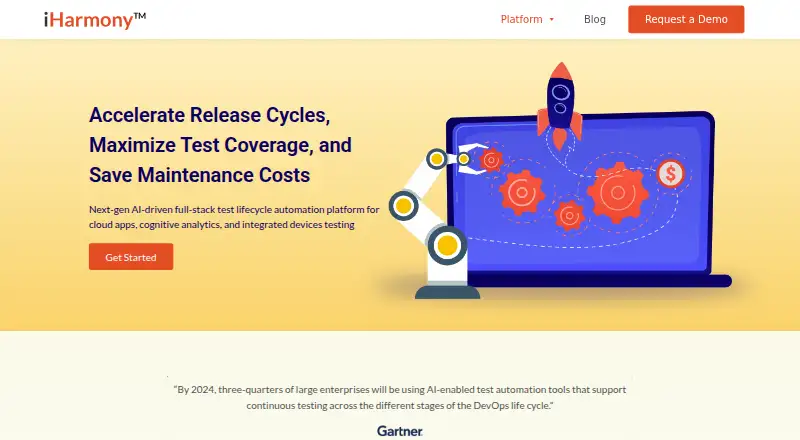
What iHarmony AI is
iHarmony AI is an open-source platform for codeless test automation across web, mobile, desktop, API, and legacy applications. Users can create tests through record-and-playback or drag-and-drop low-code and no-code tools. The platform can adjust scripts when interfaces or APIs change, and supports keyword-driven, data-driven, and BDD approaches. Its listed test scopes include functional, visual, compatibility, performance, security, API, database, and legacy application testing. Execution can run in parallel across locations and across platforms, browsers, and devices. Named CI/CD integrations include Jira, Slack, Jenkins, Azure, and GitHub; Sauce Labs, BrowserStack, and Android Studio are also listed for remote cross-platform execution. Additional capabilities include service virtualization, test data management, and executive dashboards. The maker describes the platform as serving manual testers, QA automation engineers, and business users. The site invites visitors to request a demo, but does not state a price or trial duration. iHarmony AI is associated with Innominds, whose headquarters are listed in San Jose, California.
Good
- Record-and-playback and drag-and-drop test creation
- Can adjust scripts after UI or API changes
- Supports parallel execution across locations and environments
- Includes service virtualization and test data management
Watch out
- No price is stated
- No trial duration is stated
- Visitors are directed to request a demo
Who it suits
iHarmony AI suits manual testers, QA automation engineers, and business users who need to create automated tests without coding. It covers teams testing web, mobile, desktop, API, or legacy applications.
Verdict
iHarmony AI combines codeless test creation with support for multiple application types, testing methods, and integrations. Prospective users should note that the site does not state pricing or trial duration.
The facts
Each one read from iHarmony AI's own pages, with the date it was checked.
What it does
- Additional capabilities
- Listed capabilities include service virtualization, test data management, performance testing, security testing, and executive dashboards.checked 2 Oct 2026
- Availability
- The maker invites prospective customers to request a demo; the pages opened did not state a price or trial duration.checked 3 Oct 2026
- CI/CD integrations
- The page lists Jira, Slack, Jenkins, Azure, and GitHub as CI/CD integrations.checked 3 Oct 2026
- Codeless testing
- It supports record-and-playback and drag-and-drop low-code or no-code test creation.checked 3 Oct 2026
- Commercial availability
- The maker's site invites visitors to request a demo; no price is stated on the pages reviewed.checked 2 Oct 2026
- Execution
- It supports parallel test execution across locations and cross-platform, cross-browser, and cross-device environments.checked 3 Oct 2026
- Intended users
- The maker describes the platform for manual testers, QA automation engineers, and business users.checked 3 Oct 2026
- Other integrations
- The page also lists Sauce Labs, BrowserStack, Android Studio, TestRail, Bamboo, Azure DevOps, and AWS.checked 3 Oct 2026
- Product
- iHarmony AI is an AI-led test automation platform for web, mobile, desktop, API, and legacy applications.checked 3 Oct 2026
- Security information
- The product page lists security testing as a feature but does not state a security certification or compliance standard.checked 3 Oct 2026
- Self-healing
- The platform updates scripts when application UI or APIs change, reducing manual test maintenance.checked 3 Oct 2026
- Test creation
- Users can create automation scripts through record and playback and drag-and-drop low-code or no-code tools.checked 2 Oct 2026
- Testing features
- Listed capabilities include service virtualization, test data management, executive dashboards, performance testing, and security testing.checked 3 Oct 2026
- Testing methods
- It supports keyword-driven, data-driven, and BDD test frameworks.checked 3 Oct 2026
- Users
- The product page describes the platform as serving manual testers, QA automation engineers, and business users.checked 2 Oct 2026
Where it runs
- Applications tested
- The platform supports testing web, mobile, desktop, API, and legacy applications.checked 2 Oct 2026
The company
- Headquarters
- San Jose, California, United Stateschecked 28 Sep 2026
- Maker
- Innominds describes itself as an AI-first digital transformation and product engineering company headquartered in San Jose, California.checked 3 Oct 2026
The full review of iHarmony AI
Overview
iHarmony AI is an open-source platform for automating tests across web, mobile, desktop, API, and legacy applications. It is best suited to teams that want codeless test creation alongside broader QA capabilities. Its breadth is appealing, but teams comparing commercial options should weigh the request-a-demo sales path against the lack of stated pricing and trial duration.
Key features
Record-and-playback and drag-and-drop low-code or no-code tools give manual testers and business users a route to building automated tests without writing scripts from scratch. QA automation engineers can also use keyword-driven, data-driven, and BDD approaches. That range accommodates different testing practices, though the product description does not establish how much setup or coding each workflow requires.
Self-healing can update scripts when interfaces or APIs change, which may reduce maintenance after application changes. AI test generation and defect analysis add further automation to test creation and issue review. The platform also supports parallel execution across geographies and cross-platform, cross-browser, and cross-device environments, useful for teams checking applications across varied setups.
Integrations named for CI/CD include Jira, Slack, Jenkins, Azure, and GitHub. Sauce Labs, BrowserStack, and Android Studio are also named for remote cross-platform execution. Service virtualization, test data management, performance testing, security testing, and executive dashboards extend the scope beyond functional checks. Security testing is a capability, not evidence of a security certification or compliance standard.
Pricing
iHarmony AI is described as free and open source, and a free plan is indicated. At the same time, Innominds invites prospective customers to request a demo, and the maker’s site does not state a price or trial duration. There is no published plan breakdown to compare for seats, quotas, or other caps; teams should clarify commercial terms before committing to an evaluation or rollout.
Platforms
The supported platform list spans Android, iOS, Linux, macOS, Windows, web, and API. Test coverage includes functional, visual, compatibility, performance, security, API, database, and legacy-application testing, with cloud execution. This broad scope makes iHarmony AI a candidate for mixed application estates, though the platform list alone does not specify deployment or device coverage details.
Who it's for
Manual testers and business users may value the codeless creation options, while QA automation engineers can use multiple test frameworks and integrate with named CI/CD tools. Teams that need a single platform for diverse application types and testing methods have a clear reason to consider it. It is a less straightforward fit for buyers who need a published price, a defined trial, or clearly stated usage limits before evaluation.
Pros and cons
- Pro: Test creation combines record-and-playback with drag-and-drop options, supporting users with different levels of automation experience.
- Pro: Broad application and test coverage can serve teams managing web, mobile, desktop, API, and legacy software.
- Pro: Self-healing, parallel execution, and integrations with CI/CD and remote testing tools support maintenance and distributed execution needs.
- Con: No seat or usage limits are defined, so buyers cannot readily judge how the free plan fits a team’s scale.
Alternatives
AI Software Testing Tools is the broader category directory for readers who want to compare options across this software category.
Choose Autify if a defined free tier matters: its Aximo Individual User plan is $0 and includes 2,000 one-time credits with no expiration, with concurrency limited to one web and one mobile execution. testRigor may suit teams comfortable with public test artifacts; its Public Open Source plan makes tests and results public.
SmartestQA offers a free Solo plan with one user, one Local Agent, and one parallel execution, making its limits explicit. TestFirst is an option for buyers seeking a published entry price: its Free plan has 100 one-time credits per workspace, one test at a time, 100 default test cases, and 300 default test results, while Plus costs $12.00 per month.
Autonoma is worth considering if self-hosting on a team’s own infrastructure is the priority: its Self-hosted plan is free forever with no limits or usage costs. Algoneer is another free option for Linux, macOS, and Windows.
Verdict
iHarmony AI is a strong candidate for teams seeking open-source, codeless test automation across varied applications, with self-healing and broad testing capabilities as notable reasons to choose it. Look elsewhere if a transparent price, trial period, or clearly defined team limits are essential before you engage with a vendor.
Alternatives to iHarmony AI
- 1

Katalon Studio
Free planAndroidiOSWebAPI9.2From $1,000 a year - 2

Testsigma
Open sourceAndroidiOSWebAPI9.1From $14 a month - 3
testRigor
Free planAndroidiOSWebAPI9.0From $300 a month - 4
TestFirst
Free planAndroidWebAPImacOS8.7From $12 a month - 5

Autify
Free planAndroidiOSWebAPI8.3From $99 a month - 6
Keysight Eggplant Test
AndroidiOSWebAPI8.3$9,999 one-time