iCapture
iCapture is Edutech’s lecture capture solution for educational institutions, serving learners and educators.
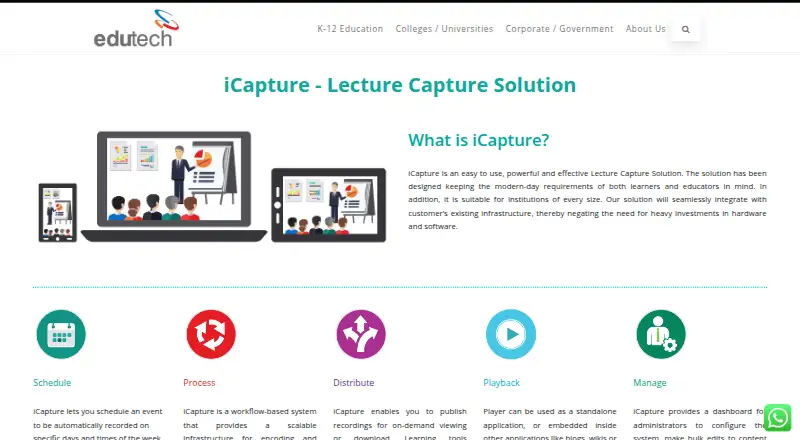
What iCapture is
iCapture is Edutech’s lecture capture solution for educational institutions, serving learners and educators. It connects with existing institutional infrastructure, with the maker saying this avoids heavy hardware and software investment. Users can schedule recordings by day and time and choose where to publish them. The video workflow encodes recordings and can add metadata, preview images, branding, captions, and text analysis. Institutions can offer on-demand viewing or downloads through options including LTI, RSS/Atom feeds, and automated YouTube publishing. The player can run independently or be embedded in blogs, wikis, and content management systems; it supports slide segmentation and in-video text search. Listed capabilities include live streaming while recording, continuous recording and uploading, video editing, multi-perspective video, schedule syncing, role-based visibility, and copyright protection. An administrator dashboard covers system configuration, bulk content and metadata edits, performance tracking, and distribution settings. Edutech describes consultancy, implementation, support, training, and integration services. The maker says it has served academia and industry since 1991 and is headquartered in Chennai, India.
Good
- Recordings can be scheduled and directed to selected destinations.
- Offers on-demand viewing and downloads.
- Supports LTI and RSS/Atom distribution.
- Includes multi-perspective video and live streaming while recording.
Watch out
- No price is listed.
- The product is designed for educational institutions.
- Some listed capabilities depend on integrating with existing infrastructure.
Who it suits
iCapture is intended for educational institutions and their educators and learners. Its scheduling, publishing, and LMS delivery options suit institutions organizing lecture recordings and distribution.
Verdict
iCapture combines scheduled lecture recording, video processing, and several publishing routes for institutions.
The facts
Each one read from iCapture's own pages, with the date it was checked.
What it does
- Access control
- The listed features include role-based visibility.checked 7 Oct 2026
- Administration
- An administrator dashboard supports configuration, bulk edits to content and metadata, performance tracking and distribution settings.checked 8 Oct 2026
- Distribution
- Recordings can be published for on-demand viewing or download, with LTI, RSS/Atom feeds and automated YouTube publishing listed as options.checked 7 Oct 2026
- Features
- Listed features include live streaming while recording, continuous recording and uploading, video editing, multi-perspective video and institution branding with copyright protection.checked 7 Oct 2026
- Infrastructure
- The maker says iCapture integrates with customers’ existing infrastructure and avoids heavy hardware and software investment.checked 8 Oct 2026
- Intended users
- The maker positions iCapture for educational institutions and describes benefits for students and institutions, including flipped classroom support and mobile learning.checked 8 Oct 2026
- Key features
- Listed features include institution branding and copyright protection, multi-perspective video, live streaming while recording, schedule syncing, continuous recording and uploading, LMS integration, role-based visibility, distributed deployment and video editing.checked 8 Oct 2026
- LMS integration
- The feature list identifies ready integration with LMS, and the distribution section names Learning Tools Interoperability (LTI).checked 7 Oct 2026
- Media workflow
- Its workflow encodes and enriches video with metadata, preview images, branding, captioning and text analysis.checked 7 Oct 2026
- Playback
- The player can run standalone or be embedded in blogs, wikis or content management systems, and supports slide segmentation and in-video text search.checked 8 Oct 2026
- Pricing model
- The maker says iCapture has no recurring costs or user-based licenses; it does not state a price on the product page.checked 8 Oct 2026
- Product
- iCapture is a lecture capture solution designed for learners and educators at institutions of every size.checked 8 Oct 2026
- Publishing
- Recordings can be published for on-demand viewing or download, with LTI and RSS/Atom feeds for integration and automated YouTube publishing.checked 8 Oct 2026
- Scalability
- The maker describes iCapture as a modular system that customers can scale as needed.checked 8 Oct 2026
- Scheduling
- Users can schedule recordings for specific days and times and choose where recordings will be published.checked 8 Oct 2026
- Support
- Edutech’s corporate overview says its services include consultancy, implementation, support, training and integration.checked 8 Oct 2026
- Video processing
- Its workflow encodes video and can add metadata, preview images, branding, captions and text analysis.checked 8 Oct 2026
The company
- Company history
- Edutech says it has operated since 1991.checked 8 Oct 2026
- Founded
- 1991checked 28 Sep 2026
- Headquarters
- Edutech lists its head office in Chennai, India.checked 8 Oct 2026
- Maker
- The maker is Edutech; its corporate overview says it has served academia and industry since 1991.checked 7 Oct 2026
Alternatives to iCapture
- 1

Opencast
Free planOpen sourceWebAPILinuxmacOS7.6Free plan - 2
lectureStudio
Free planOpen sourceWebLinuxmacOSSelf-hosted7.5Free plan - 3
PuMuKIT
Free planOpen sourceWebAPILinuxSelf-hosted7.2Free plan - 4
Vbrick Enterprise Video Platform
AndroidiOSWebAPI6.8 - 5

Presentations2Go
AndroidiOSWebAPI6.6 - 6

UbiCast Nudgis
WebAPImacOSSelf-hosted6.6From $4,500 a year