HyperCam
The facts below are what the maker publishes about HyperCam, checked and dated. Our editors have not written about it yet.
Plans and prices
From HyperCam's own pricing page, checked 21 Sep 2026.
| Plan | Price | What it gives you |
|---|---|---|
| Home Edition | — | Records system audio and microphone · Records desktop and webcam · Saves recordings as MP4 · Includes Media Editor |
| Business Edition | — | Records system audio and microphone · Records desktop and webcam · Saves recordings as MP4 · Includes Media Editor |
| HyperCam Free | Free | Recording time limited to 15 min · Trial watermark · Registration required at each start |
| HyperCam Home Edition — monthly subscription | €6.49 a month | Records system audio and mic · Records desktop and webcam · Saves as MP4 · Includes Media Editor · License valid for up to 5 PCs, one at a time · Billed monthly |
| HyperCam Business Edition — monthly subscription | €12.49 a month | Records system audio and mic · Records desktop and webcam · Saves as MP4 · Includes Media Editor · License valid for up to 5 PCs, one at a time · Billed monthly |
| HyperCam Home Edition — annual subscription | €39.95 a year | Records system audio and mic · Records desktop and webcam · Saves as MP4 · Includes Media Editor · License valid for up to 5 PCs, one at a time · Billed annually |
| HyperCam Home Edition — lifetime | €79.95, paid once | Records system audio and mic · Records desktop and webcam · Saves as MP4 · Includes Media Editor · License valid for up to 5 PCs, one at a time |
| HyperCam Business Edition — annual subscription | €99.95 a year | Records system audio and mic · Records desktop and webcam · Saves as MP4 · Includes Media Editor · License valid for up to 5 PCs, one at a time · Billed annually |
| HyperCam Business Edition — lifetime | €199.95, paid once | Records system audio and mic · Records desktop and webcam · Saves as MP4 · Includes Media Editor · License valid for up to 5 PCs, one at a time |
The facts
Each one read from HyperCam's own pages, with the date it was checked.
What it does
- Annotations
- On-screen notes can include shapes, text, timers, and macros during recording.checked 12 Oct 2026
- Capture
- It captures the desktop, webcam, microphone, and system audio, and can record the webcam with the screen or separately.checked 12 Oct 2026
- Editing
- The included Media Editor can cut and join recordings, including with frame precision, and add voiceover.checked 12 Oct 2026
- Intended users
- The maker describes its software solutions as serving consumers and professionals and lists webinar recording, education, and sales presentations among its application areas.checked 12 Oct 2026
- License limit
- The comparison says a license is valid for up to five PCs, but only on one PC at a time.checked 12 Oct 2026
- Microphone recording
- Yeschecked 21 Sep 2026
- Output formats
- The product page lists AVI, WMV, ASF, and MP4 output, with AVC/AAC and MP3 codecs or codecs installed on the user's computer.checked 12 Oct 2026
- Portable use
- A paid license allows use on one portable storage device, such as a USB stick, and each additional device requires another license.checked 12 Oct 2026
- Purpose
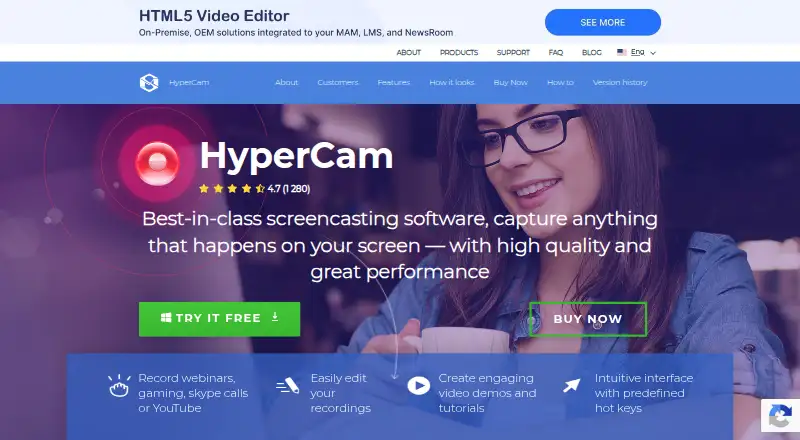
- HyperCam records screen activity for webinars, games, calls, tutorials, demos, and other screen content.checked 12 Oct 2026
- Security and privacy
- SolveigMM's privacy policy says its website logs browser-level data and cookies, and says it does not collect personally identifiable information from website visitors.checked 12 Oct 2026
- Streaming
- SolveigMM says users can stream screencasts to Facebook, YouTube, or Twitch.checked 12 Oct 2026
- Support
- SolveigMM provides support by email and through its user forum, and lists HyperCam documentation and how-to resources.checked 12 Oct 2026
- System audio
- Yeschecked 21 Sep 2026
- Updates
- Subscription users receive updates and upgrades while the subscription remains active; lifetime users receive free updates within the purchased major version.checked 12 Oct 2026
- Webcam recording
- Yeschecked 21 Sep 2026
The company
- Founded
- 2003checked 28 Sep 2026
- Headquarters
- Henstedt-Ulzburg, Germanychecked 28 Sep 2026
Money
- Free edition limit
- The plan comparison lists a 15-minute recording limit for the free edition.checked 12 Oct 2026
- Free plan
- Nochecked 21 Sep 2026
- Trial restrictions
- Trial recordings carry a watermark in the upper left corner, and the trial requires registration at each program start.checked 12 Oct 2026
Where it runs
- Supported platforms
- windowschecked 21 Sep 2026
Alternatives to HyperCam
- 1

Cap
Free planOpen sourceWebAPIExtensionLinux9.0From $29 a year - 2

Loom
Free planAndroidiOSWebmacOS8.9From $18 a month - 3

Vmaker
Free planiOSWebExtensionmacOS8.9From $18 a month - 4

ScreenPal
Free planAndroidiOSWebmacOS8.8From $4 a month - 5

Claap
Free planAndroidiOSWebAPI8.8From €32 a month - 6

Screencastify
Free planWebExtensionLinuxmacOS8.7From $7 a month